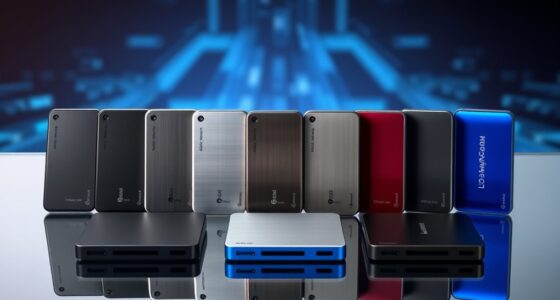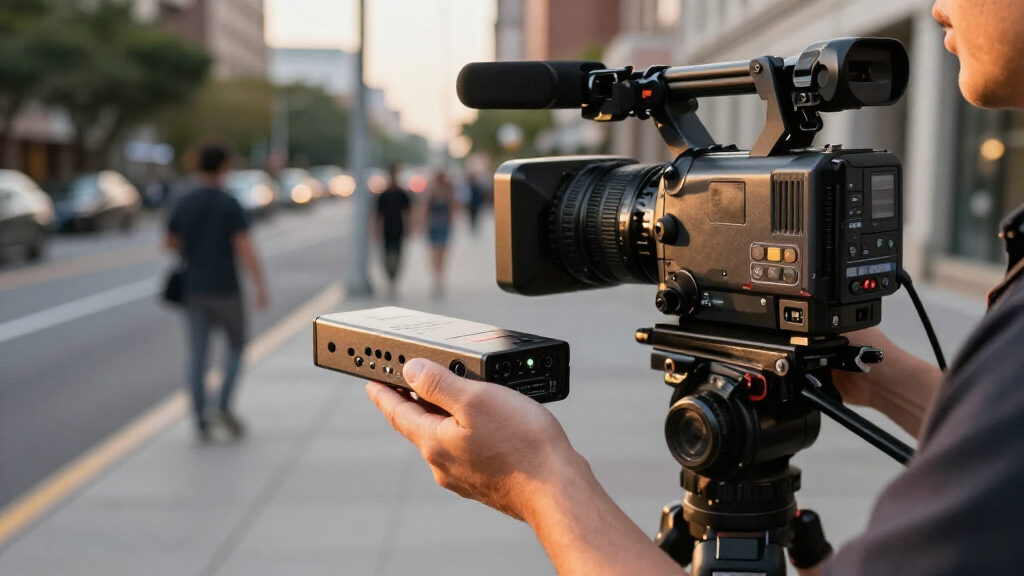
For live news crews that need a field-ready encoder with cellular bonding, the LiveU Solo Pro SDI/HDMI is my best overall pick; the Magewell Director Mini adds hands-on switching, while the Epiphan Pearl Nano suits crews that need recording alongside streaming. The main choice is between reliable connectivity, a small carry kit, and production controls that reduce the need for extra gear. Input type matters too: SDI can fit broadcast camera workflows, while HDMI and all-in-one systems can simplify smaller crews’ setups. Some encoders focus on sending a clean feed, while others add switching or recording at the cost of a more involved setup. Read on for the full breakdown and recommendations by newsroom need.
Key Takeaways
- LiveU Solo Pro SDI/HDMI leads for crews whose field connection is the main concern; the SDI/HDMI bundle options provide similar core appeal with different included accessories.
- Magewell Director Mini and Director Plus combine encoding with production controls, which can cut the number of devices a small crew must carry.
- Magewell Ultra Encode Plus models and the Blackmagic Streaming Encoder 4K suit workflows built around a single camera feed and separate production gear.
- Epiphan Pearl Nano stands out when recording matters alongside streaming, while the YoloBox Ultra and YoloLiv Instream offer more integrated, screen-led operation.
- The DDMALL, URayCoder, and UNISHEEN focus on compact HDMI encoding, but buyers should weigh their simpler role against the broader production and workflow features of higher-ranked options.


| portable video encoders for live new | Connectivity |
|---|---|
| YoloLiv Instream Vertical Live | Wi-Fi, Ethernet, 4G LTE |
| Magewell Director Plus 55290 | 5G, Wi-Fi 6E, Ethernet 2.5 Gbps |
| LiveU Solo Pro SDI/HDMI 4K Vid | Bonded cellular and Wi-Fi |
| Solo Pro HDMI 4K Video/Audio E | Bonded cellular and Wi-Fi |
| DDMALL H.265 HDMI Video Encode | HDMI, USB |
| URayCoder 4K HDMI to Streaming | — |
| Epiphan Video Pearl Nano | — |
| Magewell Ultra Encode AIO | Ethernet, HDMI, and Wi-Fi |
| Magewell Director Mini 55110 | — |
| Magewell Ultra Encode HDMI Plu | Ethernet, HDMI, USB, and Wi-Fi |
| Magewell Ultra Encode SDI Plus | 6G-SDI, Ethernet, USB, Wi-Fi |
| YoloLiv YoloBox Ultra 4K Live | Ethernet, Micro USB, USB-C, USB-A, Wi-Fi, 4G LTE |
| Blackmagic Design Streaming En | Ethernet, USB-C webcam, mobile tethering |
| UNISHEEN 1080P60 HDMI Video En | — |
| Solo Pro SDI/HDMI 4K Video/Aud | — |
More Details on Our Top Picks
YoloLiv Instream Vertical Live Video Streaming Equipment
The YoloLiv Instream suits reporters producing portrait-format updates for social platforms who want monitoring, switching, recording, and streaming in one unit. Its 7-inch touchscreen and two HDMI inputs make it easier to frame a presenter and bring in another camera without carrying a separate switcher. Compared with the LiveU Solo Pro options, it offers more hands-on production controls, while the Solo Pro models focus on getting a feed out over bonded connections. The tradeoff is that its listed maximum is 1080p60, below the 4K60 capability claimed for those Solo Pro bundles and the Magewell Director Plus. Its 4G LTE, Wi-Fi, and Ethernet give crews connection choices, but reporters still need to understand streaming setup and manage a 1 kg device in the field.
Pros:- Combines encoding, monitoring, recording, and multi-camera switching
- Two HDMI inputs support a second camera in a compact workflow
- Wi-Fi, Ethernet, and 4G LTE provide multiple connection paths
- Touchscreen controls make field adjustments more direct
Cons:- Maximum listed resolution is 1080p60, below the 4K60 options in this roundup
- At 1 kg, it adds noticeable weight to a mobile kit
- Requires familiarity with live-streaming setup
Best for: Mobile reporters making vertical social updates who want a touchscreen switcher, monitor, and recorder in one kit
Not ideal for: Crews prioritizing 4K60 production or the lightest possible encoder for a camera-mounted rig
- Maximum resolution:1080p60
- Display:7-inch touchscreen LCD
- Inputs:2 HDMI, 1 USB
- Streaming protocols:RTMP, RTMPS
- Connectivity:Wi-Fi, Ethernet, 4G LTE
- Battery:10,000 mAh
- Weight:1 kg
- Recording:Yes
Our verdict“Choose the Instream for portrait-first field coverage that benefits from built-in switching and monitoring, and skip it if 4K60 is a requirement.”
Magewell Director Plus 55290 – 4K60 All-in-One Live Production Switcher, HDMI Switcher, Encoder & Recorder with 5G, 7” AMOLED Touchscreen
For a crew juggling several feeds at a press conference or breaking-news scene, the Magewell Director Plus 55290 offers the broadest listed production capacity in this batch. It combines four HDMI inputs, two USB inputs, and support for 10 IP sources with 4K60 encoding and recording. That flexibility can reduce the need for separate switching and encoding gear; the YoloLiv Instream is simpler and lighter on listed features, but tops out at 1080p60 and has fewer inputs. The Director Plus also adds dual HDMI outputs and four-channel ISO recording, useful when a crew needs separate source recordings. Its tradeoffs are complexity and power logistics: batteries are not included, and hot-swappable NP-F slots mean crews must bring their own batteries and plan the setup.
Pros:- Four HDMI inputs plus USB and IP sources support complex field productions
- 4K60 encoding and recording provide headroom for high-resolution coverage
- Four-channel 1080p60 ISO recording preserves individual feeds for editing
- 5G, Wi-Fi 6E, and 2.5 Gbps Ethernet offer varied network options
Cons:- Batteries are not included, adding planning and kit requirements
- The many source and recording options can make setup more involved
- Its professional feature set may be excessive for a one-camera live hit
Best for: Small broadcast crews covering multi-camera news events who need 4K60 switching, streaming, and separate source recordings
Not ideal for: Solo reporters who want a simple, self-contained setup with minimal configuration and included power options
- Maximum resolution:4K60
- Inputs:4 HDMI, 2 USB, 10 IP sources
- Outputs:Dual HDMI
- Encoding:H.264/H.265 up to 2160p60
- Streaming destinations:Up to 4
- ISO recording:4 channels at 1080p60
- Connectivity:5G, Wi-Fi 6E, Ethernet 2.5 Gbps
- Power:Dual hot-swappable NP-F battery slots
- Weight:882 g
Our verdict“Pick the Director Plus when a news crew needs high-resolution multi-source production in one system and can support its setup and battery needs.”
LiveU Solo Pro SDI/HDMI 4K Video/Audio Encoder Bundle with 6′ HDMI Cable
The LiveU Solo Pro SDI/HDMI bundle is the clearest fit here for a news camera that may output SDI or HDMI and needs a compact path to a live stream. Its built-in battery is listed for about three hours, and the encoder supports up to 4K60, making it more suited to camera-led remote coverage than the interface-heavy Magewell Director Plus. The Solo Pro gives up the Director Plus’s integrated switching, touchscreen monitoring, and multi-source recording, so it is a focused encoder rather than a portable production desk. Bonded cellular is a key part of the pitch, but the product data says cellular modems are sold separately; crews should account for that before assigning it to a remote live hit. Setup also calls for technical familiarity.
Pros:- SDI and HDMI inputs suit a range of field camera outputs
- Built-in battery is specified for approximately three hours
- Supports streaming up to 4K60
- Bundle includes a 6-foot HDMI cable
Cons:- Cellular modems must be purchased separately for bonded cellular use
- No built-in multi-camera switcher or large touchscreen is listed
- Bonded connectivity requires additional technical setup
Best for: ENG crews with SDI or HDMI cameras that need a compact encoder for remote single-camera live reports
Not ideal for: Crews seeking built-in multi-camera switching, a large monitoring display, or cellular modems in the box
- Video inputs:SDI and HDMI
- Maximum resolution:Up to 4K60
- Battery life:Approximately 3 hours
- Connectivity:Bonded cellular and Wi-Fi
- Included cable:6-foot HDMI cable
- Ports:2
- Color:Black
Our verdict“Choose this Solo Pro bundle for a camera-based SDI or HDMI live workflow, provided your crew can supply and configure the cellular modems.”
Solo Pro HDMI 4K Video/Audio Encoder Bundle with Pearstone 6′ HDMI Cable with Ethernet
This LiveU Solo Pro HDMI bundle makes sense for crews whose camera workflow is HDMI-based and who want a dedicated encoder with a built-in battery. It supports up to 4K60 and lists bonded cellular and Wi-Fi connectivity, while the included Pearstone cable with Ethernet adds a useful connection accessory. Compared with the SDI/HDMI Solo Pro bundle, this version is narrower in its stated input support; if a camera outputs SDI, the other bundle is the more flexible match. Neither Solo Pro bundle offers the built-in switching and monitoring controls of the YoloLiv Instream, but both are more focused on remote contribution. The main compromise is that cellular modems are separate, so the bonded workflow depends on additional hardware and configuration.
Pros:- Supports up to 4K60 streaming
- Built-in battery is listed for approximately three hours
- Bonded cellular and Wi-Fi support remote workflows
- Includes a 6-foot HDMI cable with Ethernet
Cons:- Cellular modems are sold separately
- Stated HDMI focus offers less input flexibility than the SDI/HDMI Solo Pro bundle
- Product data provides limited detail on controls and recording features
Best for: Field crews using HDMI cameras who need a battery-powered encoder for remote contribution and can provide cellular modems
Not ideal for: Teams with SDI-only cameras or those needing an all-in-one touchscreen switcher and recorder
- Model:LU-SOLOPROHDMI
- Input:HDMI
- Maximum resolution:Up to 4K60
- Battery life:Approximately 3 hours
- Connectivity:Bonded cellular and Wi-Fi
- Ports:2
- Included cable:6-foot HDMI cable with Ethernet
- Item weight:2 pounds
Our verdict“This is a practical fit for HDMI camera crews wanting a battery-powered remote encoder, if they already have a plan for cellular hardware.”
DDMALL H.265 HDMI Video Encoder, Mini 2K Hardware Live Encoder (AVC-2K)
At just 1.13 ounces, the DDMALL AVC-2K is the smallest, most stripped-down option in this batch, suited to crews who want a compact encoder in a fixed or carefully configured field setup. It accepts 1080p60 input and lists 2K SRT output, along with RTMP, RTMPS, HLS, RTSP, and UDP support. That protocol range gives a technical team room to match a contribution workflow, while the LiveU Solo Pro bundles are better positioned for battery-powered remote use with bonded cellular. DDMALL’s tradeoff is fewer stated field-production conveniences: there is no battery listed, no display, and setup requires technical knowledge. Its tiny size and 2.4W draw are appealing when space and power matter, but buyers should plan for a separate power source.
Pros:- Very small 2.95 x 1.26 x 0.87-inch enclosure weighs 1.13 ounces
- 2.4W power consumption suits low-power setups
- Supports RTMP, RTMPS, HLS, RTSP, UDP, and SRT workflows
- Cloud management supports remote control and monitoring
Cons:- No included power adapter is listed
- No built-in battery or display is specified
- Setup may require technical knowledge
Best for: Technical news teams needing a tiny, low-power HDMI encoder for a configured SRT or IP streaming workflow
Not ideal for: Solo reporters who need a built-in battery, screen, or ready-to-use bonded cellular connection
- Dimensions:2.95 x 1.26 x 0.87 inches
- Weight:1.13 oz
- Power consumption:2.4 W
- Input resolution:Up to 1080p60
- Output resolution:1080p30; 2K SRT
- Protocols:RTMP, RTMPS, HLS, RTSP, UDP
- Connectivity:HDMI, USB
- Ports:5
Our verdict“Choose the AVC-2K when compact size and protocol flexibility matter more than an integrated field workflow or built-in power.”
URayCoder 4K HDMI to Streaming IPTV Encoder with H.265/H.264 Support
The URayCoder suits news teams that need to send an HDMI feed to varied streaming destinations. Its support for SRT, RTMP(S), HLS, RTSP, and WebRTC gives a technically capable operator room to match a station’s delivery workflow. Compared with the Magewell Ultra Encode HDMI Plus 53150, it also handles a broad protocol mix and 4K input, but the Magewell adds specified onboard storage and loop-through monitoring. The URayCoder’s 4K ceiling is 30 fps; its higher frame rates apply at lower resolutions, so it is less suited to fast-moving footage where 4K60 is a priority. It accepts HDMI only and has no built-in recording, which makes it a focused encoder rather than a complete field production system. I’d shortlist it for crews with a separate camera and recording plan.
Pros:- Broad protocol support, including SRT, RTMP(S), HLS, RTSP, and WebRTC
- Accepts 4K UHD HDMI video input
- Supports HDMI embedded and line-in audio
- Can reach 120 fps at lower resolutions
Cons:- HDMI-only input excludes cameras that rely on SDI
- No built-in storage or recording
- 4K is limited to 30 fps, and configuration may require technical knowledge
Best for: News crews with an HDMI camera and an operator who can configure network protocols for different broadcasters or platforms
Not ideal for: Solo reporters who need onboard recording, SDI input, or a simple battery-powered field setup
- Model:UHE265-1L-4K
- Maximum resolution:3840 × 2160
- Frame rate:Up to 30 fps at 4K; up to 120 fps at lower resolutions
- Video input/output:HDMI
- Audio:HDMI embedded audio and line-in
- Supported protocols:HTTP, RTSP, RTMP(S), SRT, HLS, Multicast, WebRTC, TRTC, ICECAST
- Power plug:Type A, 2-pin North American
Our verdict“Choose the URayCoder if protocol flexibility matters more than onboard recording or a streamlined field workflow.”
Epiphan Video Pearl Nano – Portable Video Recording and Streaming System
For a news crew moving between broadcast cameras and consumer HDMI sources, the Pearl Nano’s 12G-SDI and HDMI inputs offer a practical advantage over the HDMI-only URayCoder. Its PoE+ or DC power options can also fit installations where a separate power arrangement is already in place. It streams over SRT, HLS, RTMP, and RTMPS, and supports recording, giving it a broader field role than a streaming-only box. The tradeoff is that the listed standard resolution is 1080p60; 4K requires an optional add-on, unlike the Magewell Ultra Encode AIO’s listed 4K capability. At two pounds, it is portable but not pocket-sized, and the available input and audio details are limited. I’d pick it when SDI compatibility matters more than native 4K.
Pros:- 12G-SDI and HDMI inputs accommodate different camera types
- Supports 1080p60 video
- Offers streaming and recording in one unit
- PoE+ and DC power options suit different installed setups
Cons:- 4K requires an optional add-on
- At two pounds, it is less convenient for compact mobile kits
- Listed audio input is RCA, which may not match every field audio setup
Best for: Small broadcast crews using SDI cameras alongside HDMI sources who want one unit for streaming and recording
Not ideal for: Teams that need native 4K without an add-on or a very lightweight, battery-oriented encoder
- Video inputs:12G-SDI and HDMI
- Listed resolution:1080p60; 4K with optional add-on
- Audio input:RCA
- Supported protocols:SRT, HLS, RTMP, RTMPS
- Power:PoE+ and DC
- Storage connectivity:SD card and M.2 SATA SSD
- Dimensions:5.9 × 8.1 × 1.7 in
- Weight:2 lb
Our verdict“Choose the Pearl Nano when SDI and HDMI compatibility with recording matters more than built-in 4K.”
Magewell Ultra Encode AIO – HDMI/SDI 4K Encoder with Multi-Protocol Streaming, Recording, NDI|HX3 & Dual-Input Mixing for Live Production
The Ultra Encode AIO stands out for crews that need more than a single camera feed: it combines HDMI and SDI inputs with dual-input mixing, overlays, streaming, and recording. That makes it a stronger fit for a reporter working with a camera plus a second source than the URayCoder, which is HDMI-only and lacks built-in recording. Its 4K H.264/H.265 encoding and support for Ethernet, Wi-Fi, PoE, and a 4G USB modem give crews several ways to connect, though the product data does not specify frame rate or exact recording media. Compared with the touchscreen-based Magewell Director Mini, this is the more encoder-centered choice; the Director Mini offers hands-on scene control in a compact unit. At 3.6 pounds and rack-mount form factor, the AIO asks for more space and setup skill.
Pros:- Accepts both HDMI and SDI inputs
- Supports 4K encoding with H.264 and H.265
- Combines streaming, recording, overlays, and dual-input mixing
- Connectivity includes Ethernet, Wi-Fi, PoE, and 4G USB modem support
Cons:- The 3.6-pound rack-mount design is less convenient for compact mobile kits
- Complex setup may call for an experienced operator
- Provided specifications do not state frame rate or recording media details
Best for: Field production teams combining SDI and HDMI sources that need mixing, overlays, recording, and multiple network options
Not ideal for: Solo journalists seeking a small, simple encoder they can carry and operate without technical setup
- Inputs:HDMI and SDI
- Resolution:4K, 3840 × 2160
- Video codecs:H.264 and H.265
- Connectivity:Ethernet, HDMI, and Wi-Fi
- Power and network options:PoE and 4G USB modem support
- Additional features:Onboard overlays, multi-protocol streaming, simultaneous streaming and recording
- Form factor:Rack mount
- Dimensions and weight:10 × 7 × 4 in; 3.6 lb
Our verdict“Choose the Ultra Encode AIO when a field crew needs multi-source production features in one encoder.”
Magewell Director Mini 55110 – Compact Multi-Input Live Production Switcher, Encoder, Streamer & Recorder with 5.5” AMOLED Touchscreen
The Director Mini is the most hands-on option in this group: its 5.44-inch AMOLED touchscreen lets an operator manage scenes and monitor a small production from the unit itself. It combines switching, encoding, streaming, and recording, with two HDMI ports and support for USB and IP sources. For a solo reporter who needs to assemble a broadcast from several feeds, that control surface is more useful than the Pearl Nano’s input flexibility but simpler, encoder-focused setup. The tradeoff is resolution: it tops out at 1080p60, while the Ultra Encode AIO and URayCoder support 4K. The supplied specs also list Wi-Fi but no battery, so mobile use depends on external power. It makes sense when quick scene control matters more than UHD delivery.
Pros:- Built-in 5.44-inch AMOLED touchscreen supports direct scene control
- Combines switching, encoding, streaming, and recording
- Supports H.264 and H.265/HEVC
- Works with HDMI, USB, and IP sources
Cons:- Streaming resolution is limited to 1080p60
- Requires external power for mobile use
- The interface may take time to learn
Best for: Solo journalists and small crews who need to switch HDMI, USB, and IP sources and control scenes on-device
Not ideal for: Newsrooms requiring 4K output or an encoder with built-in battery power for untethered reporting
- HDMI ports:2
- Inputs:HDMI, USB, and IP streams
- Video encoding:H.264 and H.265/HEVC
- Maximum streaming resolution:1080p60
- Display:5.44-inch AMOLED touchscreen
- Wireless:Wi-Fi
- Supported services and protocols:Facebook, RTMP, SRT, Twitch, YouTube
- Warranty:2 years
Our verdict“Choose the Director Mini for touchscreen scene control and multi-source 1080p production in the field.”
Magewell Ultra Encode HDMI Plus 53150 – Standalone 4K HDMI Encoder with Loop-Through, Multi-Protocol Streaming, Recording, NDI|HX & PoE for Live Production
The Ultra Encode HDMI Plus is a tidy fit for a news kit built around one HDMI camera: its 4.2-inch square enclosure handles 4K encoding, streaming, and recording, while loop-through lets a crew monitor the camera feed locally. The listed maximum of 4096 × 2160p30 gives it a higher 4K frame size than the URayCoder’s stated 3840 × 2160, though neither is listed for 4K60. Its internal 128 GB storage is a practical distinction from the URayCoder, which has no recording feature. This model accepts HDMI only, while the Ultra Encode AIO adds SDI and dual-input mixing for multi-camera jobs. Ethernet, Wi-Fi, USB, PoE, and web configuration add flexibility, but the product data does not detail battery operation. I’d favor it for compact single-camera kits with a separate power plan.
Pros:- Supports up to 4096 × 2160p30 HDMI input
- Loop-through supports local video monitoring
- 128 GB storage capacity supports onboard recording
- Connectivity includes Ethernet, Wi-Fi, USB, and PoE
Cons:- HDMI-only input does not support SDI cameras
- Listed maximum 4K frame rate is 30 fps
- Network configuration may require technical knowledge
Best for: One-camera news crews needing a compact 4K HDMI encoder with local monitoring and onboard recording
Not ideal for: Crews with SDI cameras, multi-source switching needs, or a requirement for specified battery operation
- Video input:HDMI
- Maximum resolution:4096 × 2160p30
- Storage capacity:128 GB
- Connectivity:Ethernet, HDMI, USB, and Wi-Fi
- Recording and monitoring:Internal storage and HDMI loop-through
- Dimensions:4.2 × 4.2 × 1 in
- Warranty:2 years
Our verdict“Choose the Ultra Encode HDMI Plus for compact single-camera 4K streaming and recording with loop-through monitoring.”
Magewell Ultra Encode SDI Plus 53160 – 4K SDI Encoder with Multi-Protocol Streaming, Recording, NDI|HX & PoE
For a news crew feeding a camera or switcher over SDI, the Magewell Ultra Encode SDI Plus pairs a compact standalone encoder with 4K input and NDI|HX. Its H.264 and H.265 support and multi-protocol streaming give a technical producer room to match a remote contribution workflow, while PoE, Wi-Fi, and USB modem connectivity offer options when the location’s network is uncertain. Compared with the UNISHEEN JM1000, it accepts SDI and handles 4K rather than topping out at 1080p, but that flexibility comes with a more involved setup. It makes more sense as a dedicated encoder than as a full field studio: the YoloBox Ultra adds switching and an on-device monitor. Extended recording may need external storage, so crews should plan their media workflow before going live.
Pros:- Accepts SDI video and supports encoding up to 4Kp30.
- H.264 and H.265 encoding suits varied contribution and bandwidth needs.
- Supports multiple streaming protocols and NDI|HX workflows.
- PoE, Wi-Fi, and USB modem connectivity provide flexible network options.
Cons:- Setup may be demanding for crews without streaming or network experience.
- Extended recording may require external storage.
- It does not include the integrated touchscreen switching workflow of the YoloBox Ultra.
Best for: News crews with SDI cameras who need a compact encoder for 4K remote contribution and can configure network workflows.
Not ideal for: Solo reporters who want a touchscreen switcher and simple, guided setup in one unit.
- Video input:SDI
- Maximum video resolution:4096 × 2160p30
- Encoding:H.264 and H.265 (HEVC)
- Connectivity:6G-SDI, Ethernet, USB, Wi-Fi
- Storage capacity:128 GB
- Dimensions:4.2 × 4.2 × 1 in
- Warranty:2 years
Our verdict“Choose the Magewell for compact, SDI-based 4K contribution when a technically capable crew can manage the setup.”
YoloLiv YoloBox Ultra 4K Live Streaming Studio
When a news hit needs more than a single camera feed, the YoloBox Ultra brings encoding, switching, recording, and monitoring together in a battery-powered unit. Its four HDMI inputs and 8-inch touchscreen let a small crew manage sources and check the program without carrying a laptop. ISO recording can preserve individual inputs for later editing, and simultaneous horizontal and vertical streams can serve different destinations from one production. Compared with the Solo Pro SDI/HDMI, it offers hands-on switching and a visible monitor, while the Solo Pro is the more focused encoder for bonded remote transmission. The tradeoff is weight and workflow complexity: at 1 kg, it is less pocketable, and the listed NDI and SRT features may involve additional charges. I’d pick it for a compact multi-camera live desk, not a stripped-down one-person kit.
Pros:- Combines encoder, switcher, recorder, and touchscreen monitor.
- Four HDMI inputs support multi-camera field production.
- ISO recording preserves separate inputs for later editing.
- Can stream horizontal and vertical formats simultaneously.
Cons:- At 1 kg, it is heavier than a compact dedicated encoder.
- NDI and SRT features may require additional charges.
- Battery recovery instructions call for two 45W chargers.
Best for: Small news crews producing multi-camera field reports who want switching, monitoring, and recording without a laptop.
Not ideal for: Reporters who need the lightest single-input encoder or a workflow centered on SDI cameras.
- Display:8-inch touchscreen
- Video resolution:4K
- HDMI inputs:4
- Protocols:NDI, SRT
- Recording:ISO recording
- Connectivity:Ethernet, Micro USB, USB-C, USB-A, Wi-Fi, 4G LTE
- Power source:Battery
- Weight:1 kg
Our verdict“Choose the YoloBox Ultra when a small crew needs an on-site production studio with multiple HDMI cameras.”
Blackmagic Design Streaming Encoder 4K
The Blackmagic Design Streaming Encoder 4K suits news operations that need a contribution link integrated into a managed broadcast chain. Its 12G-SDI input, standards conversion, timecode, and remote control address format and coordination needs that a lightweight field encoder may not cover. Auto-failover and mobile tethering offer ways to keep a stream moving when the primary connection drops. Compared with the Magewell Ultra Encode SDI Plus, the Blackmagic adds deeper control-room features and supports up to 2160p60, while the Magewell’s listed profile reaches 4Kp30 in a smaller 4.2-inch body. That capability brings more setup and support demands, and this model is described as bulkier than simpler streaming devices. It is a stronger fit for a technical team with established SDI infrastructure than for a reporter who needs a quick, self-contained camera-to-stream kit.
Pros:- Supports video resolutions up to 2160p60 with H.264 and H.265.
- 12G-SDI input and SDI loop support broadcast signal chains.
- Standards conversion, timecode, and remote control aid coordinated production.
- Auto-failover and mobile tethering offer connectivity resilience.
Cons:- The feature set may require technical expertise to configure and operate.
- Bulkier than simpler portable streaming devices.
- Control-room integration can be excessive for a one-camera field report.
Best for: Broadcast engineers and newsroom crews integrating 4K contribution into an SDI-based control-room workflow.
Not ideal for: Solo field reporters who need a minimal, lightweight encoder with a simple setup.
- Maximum video resolution:2160p60
- Encoding standards:H.264 and H.265
- Inputs:12G-SDI, SDI loop
- Outputs:SDI, HDMI
- Connectivity:Ethernet, USB-C webcam, mobile tethering
- Production features:Standards conversion, closed captions, timecode, REST API, camera control, tally, talkback
- Connectivity resilience:Auto-failover
Our verdict“Choose the Blackmagic when broadcast control and signal management matter more than a minimal field setup.”
UNISHEEN 1080P60 HDMI Video Encoder with H.265/H.264
For a live news stream built around one HDMI camera, the UNISHEEN JM1000 keeps the hardware small and the video workflow straightforward: browser-based setup, embedded or external audio, and overlays for a logo, text, or timestamp. Support for SRT, RTMP, HLS, and WebRTC gives a newsroom several ways to route a 1080p60 feed. It is a more modest tool than the Magewell Ultra Encode SDI Plus, which accepts SDI and encodes 4K, but the JM1000’s 3.54-inch length and 0.1 kg weight suit a compact HDMI field pack. That smaller footprint comes with a clear ceiling: it tops out at 1080p60 and has no SDI input. Network configuration may still challenge crews unfamiliar with streaming protocols, and the supplied data lists no power plug, so crews should confirm their power arrangement.
Pros:- Encodes up to 1080p60 in H.264 or H.265.
- Supports a broad range of streaming protocols, including SRT and WebRTC.
- Browser-based setup avoids dedicated PC software.
- Compact 0.1 kg enclosure includes audio input and on-screen overlays.
Cons:- HDMI-only input excludes SDI camera workflows.
- Maximum resolution is 1080p60, below the 4K options in this roundup.
- Advanced protocol and network setup may require technical knowledge.
Best for: One-camera HDMI news crews needing a compact 1080p encoder with protocol flexibility and simple browser setup.
Not ideal for: Crews using SDI cameras or requiring 4K contribution and built-in network bonding.
- Maximum resolution:1080p60
- Video codecs:H.265 and H.264
- Input:HDMI
- Supported protocols:SRT, RTMP(S), RTSP, UDP, HTTP, HLS, WebRTC, TRTC, Icecast, SHOUTcast
- Audio:HDMI embedded audio, 3.5 mm external input
- Dimensions:3.54 × 2.13 × 1.14 in
- Weight:0.1 kg
- Input voltage:12 V DC
Our verdict“Choose the JM1000 for a lightweight HDMI-only 1080p news stream when size and protocol options matter more than 4K.”
Solo Pro SDI/HDMI 4K Video/Audio Encoder
For a live report from a location with unreliable internet, the Solo Pro SDI/HDMI centers its design on portable encoding and bonding up to six network links. Its built-in battery is listed for about three hours, and the SDI and HDMI 2.0 inputs let crews connect a wider range of cameras than the HDMI-only UNISHEEN JM1000. It supports up to 4K60, making it the higher-resolution portable choice over the Magewell Ultra Encode SDI Plus, whose listed ceiling is 4Kp30. This is a focused encoder rather than a field studio: the YoloBox Ultra adds touchscreen switching and ISO recording, while this model prioritizes network transport. Cellular bonding requires separate 4G/5G modems, which add gear to the kit, and the listed battery runtime calls for a charging plan on longer assignments.
Pros:- Supports video up to 4K60.
- Accepts both SDI and HDMI 2.0 sources.
- Can bond up to six network links, including 4G/5G, Wi-Fi, and LAN.
- Built-in battery is listed for approximately three hours of operation.
Cons:- Cellular bonding requires separate 4G/5G modems.
- Modems and related accessories are sold separately.
- It lacks the built-in multi-camera touchscreen production tools of the YoloBox Ultra.
Best for: Mobile news crews sending live SDI or HDMI reports from locations where cellular, Wi-Fi, and wired links need to be combined.
Not ideal for: Crews seeking an all-in-one touchscreen switcher or a kit that includes cellular modems.
- Maximum video resolution:4K60
- Inputs:SDI and HDMI 2.0
- Supported codecs:H.265/HEVC, H.264 AVC
- Network bonding:Up to 6 links
- Supported network links:4G/5G, Wi-Fi, LAN
- Battery life:Approximately 3 hours
- Dimensions:7.99 × 4.43 × 2.15 in
- Weight:2.01 lb
Our verdict“Choose the Solo Pro for battery-powered, bonded SDI or HDMI contribution when a reporter needs a resilient uplink.”

How We Picked
I ranked these encoders around the demands of live news: getting a camera feed on air from changing locations, fitting the kit into a field bag, and matching the device to the crew’s existing signal chain. I weighed input flexibility, cellular or network options, streaming and recording workflows, monitoring and control, and the practical burden of carrying and configuring extra equipment. I also considered whether each product is primarily an encoder or an all-in-one production system, since those solve different newsroom problems.
The highest-ranked picks cover the widest range of field reporting needs, with particular weight on connectivity and usable controls for small crews. Products with switching, recording, or integrated displays rank strongly when those features can replace separate gear, but added production scope can mean more setup and complexity. Compact single-input encoders place lower when they offer fewer built-in tools for unpredictable field conditions. Exact performance depends on the crew’s network, camera, and streaming destination, so I treat product capabilities as workflow advantages rather than guarantees of a stable live link.
Factors to Consider When Choosing Portable Video Encoders For Live News
Choosing a field encoder starts with the reporting workflow around it. A device that fits a studio rack or a fixed network path may not suit a camera operator moving between locations, and an all-in-one system can be excessive for a crew that already has a switcher. These factors help narrow the field before comparing individual models.
Match Connectivity to the Assignment
A newsroom live shot can move from a strong venue network to a crowded street with limited service. Decide whether your assignments call for bonded cellular, a single mobile connection, wired Ethernet, or a mix before choosing a unit. A small encoder with no built-in cellular workflow may still be a sensible fit if your crew supplies a router or works from reliable wired locations. A common mistake is treating the encoder’s network ports or cellular compatibility as proof that every location will support a clean broadcast. Plan for the actual carriers, SIM arrangements, data use, and backup path your team can maintain. The more variable the locations, the more valuable a tested connectivity plan becomes.
Check the Camera Feed Before Buying
Start with the camera output your team already uses, including connector type, resolution, frame rate, and whether the cable run is short or long. SDI often fits broadcast camera setups and longer runs, while HDMI is common in compact cameras and field switchers. Adapters can bridge some gaps, but each added connection creates another item to secure and troubleshoot under deadline. Confirm that the encoder accepts the formats your camera actually sends; a headline resolution alone does not settle compatibility. Also check whether a loop-through output is useful for your monitor or downstream equipment. This step prevents buying a capable encoder that does not slot cleanly into your existing kit.
Choose Between a Dedicated Encoder and an All-in-One
A dedicated encoder can keep the field kit light when switching, graphics, and audio mixing already happen elsewhere. An all-in-one unit can make a small crew more self-sufficient by combining monitoring and production controls with streaming. That convenience comes with a larger operating surface: someone must manage scenes, inputs, and settings while the news event unfolds. Avoid paying for production functions that your crew will not use or cannot staff. Conversely, if one person must run the whole live shot, a simple touch interface and integrated switching may matter more than a smaller encoder body. Map who operates each task before choosing the form factor.
Plan for Recording and Recovery
Live transmission is only one part of a news workflow; a local recording can help preserve footage if a link drops or a destination rejects the stream. Decide whether the encoder must record independently, send a feed to another recorder, or rely on the camera’s media. Check how clips are stored, how they can be retrieved in the field, and whether recording can run while streaming. Storage media and backup power add weight, so include them in the total field kit rather than treating them as afterthoughts. Crews covering breaking events may value a recoverable local copy more than an extra production feature. A recording plan also helps when an editor needs footage after the live segment ends.
Budget for the Whole Kit and the Operator
An encoder rarely travels alone: cameras, batteries, cables, mounts, routers, and monitoring all shape the final carry load. Compare complete setups rather than device specifications in isolation, especially when deciding between a compact encoder and an all-in-one production unit. A device with more controls may reduce separate hardware but ask more of the operator. Consider how quickly a rotating team member can connect the camera, select the destination, and confirm a feed under pressure. Keep spare cables and power in the plan, since a portable system is only useful when its supporting kit is ready. The right choice balances field capability with what your newsroom can deploy and maintain.
Frequently Asked Questions
Do I need bonded cellular for live news from changing locations?
Bonded cellular is most relevant when a crew must go live from places where wired service or dependable Wi-Fi is unavailable. It can combine network paths, but it cannot guarantee coverage where the available carrier networks are weak or congested. Check which cellular options the specific encoder supports and what equipment or service is needed to use them. For assignments from predictable venues, a wired or dedicated network path may be simpler. Base the decision on the locations your team covers and the fallback plan it can carry.
Should a small news crew choose an encoder with a built-in switcher?
A built-in switcher can help when one operator handles multiple cameras, graphics, or media sources during a live shot. It can also replace separate equipment, reducing setup steps for a compact crew. The tradeoff is that the operator must manage production controls as well as the live connection. If your camera feed is already switched upstream, a dedicated encoder may be easier to operate and maintain. Choose based on the number of sources and the person available to run them.
Is SDI worth prioritizing over HDMI for field reporting?
SDI is a strong fit for crews whose cameras and production kit already use broadcast-style connections or need longer cable runs. HDMI can keep a lightweight setup straightforward when the camera and monitor are nearby and already use that format. Neither connector alone makes a live link more reliable; network conditions and the rest of the signal path still matter. Check the exact camera output and cable plan before settling on an encoder. If the crew uses both types of cameras, dual-input support can reduce the need for adapters or separate units.
When does local recording matter if I am already streaming?
A local recording provides a separate copy of the segment if the stream drops, the platform has a problem, or editors need footage after the live window. It is especially useful for breaking coverage where a missed transmission cannot be recreated. Verify that the device can record in the desired format while streaming and identify where the files are saved. A camera recording can serve this role if the crew has a dependable process for starting and retrieving it. Treat recording as part of a recovery workflow, including storage and power.
Can a compact HDMI encoder handle a full newsroom live workflow?
A compact HDMI encoder can send a camera feed to a streaming destination, which may be all a single-camera report needs. It may not provide the cellular options, input flexibility, monitoring, or switching that a larger field production requires. Work out which tasks are handled by the camera, router, and operator before deciding that a small box covers the entire workflow. A compact model is a better fit when simplicity and low carry burden matter more than integrated production tools. For varied assignments, compare the complete kit rather than the encoder alone.
Conclusion
For the broadest field-news fit, I recommend the LiveU Solo Pro SDI/HDMI as best overall, especially when connection flexibility is central to the assignment. The DDMALL H.265 HDMI Encoder is my value-oriented pick for buyers who need a compact, focused HDMI encoder and can supply the rest of the workflow. For a premium all-in-one production setup, consider the Magewell Director Plus; beginners working with a simple camera feed may prefer the more direct approach of the Blackmagic Streaming Encoder 4K. Choose the Epiphan Pearl Nano when local recording and streaming belong in the same workflow, or the Magewell Ultra Encode SDI Plus when your field cameras center on SDI. Match the device to your crew, camera outputs, and network plan, then build the supporting kit around that choice.