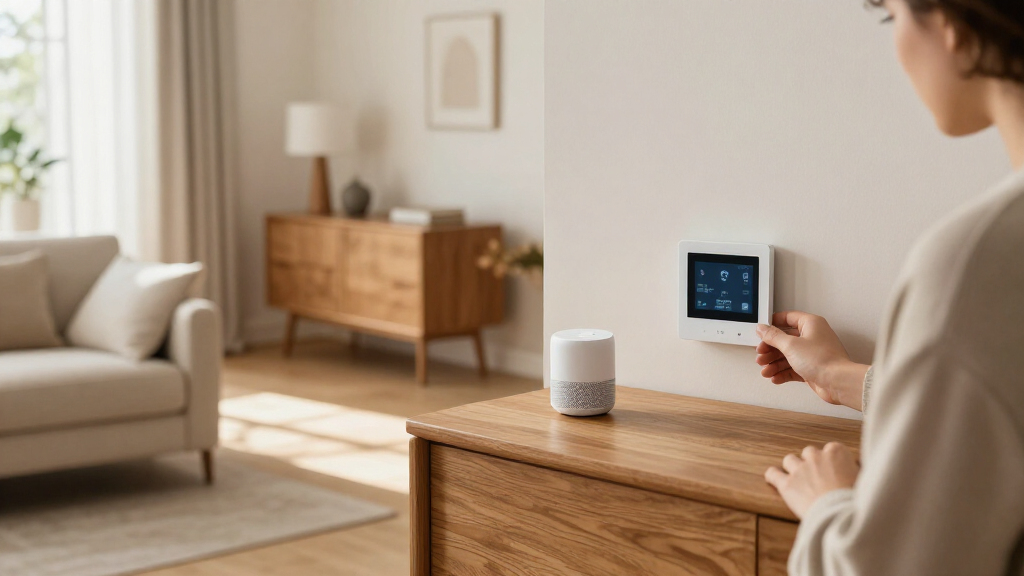
TL;DR
The latest smart home devices are increasingly built around Matter compatibility, connected sensors, local automations, and energy management. Matter can improve cross-brand support, but it does not guarantee every feature works in every app; check the exact model, controller, subscriptions, and outage behavior before buying.
A smart leak sensor can alert your phone while a burst pipe is still a damp patch under the sink. That small, specific job often matters more than a speaker that can answer a dozen questions. The latest smart home devices are moving beyond standalone gadgets toward connected systems that can respond to what happens in your home.

Get everyday essentials delivered free with Prime
- Fast, free delivery on millions of items
- Prime Video, Amazon Music and more included
- Member-only deals all year
This guide covers the changes that matter: Matter compatibility, smarter sensors, energy tools, camera features, and local control. You’ll also get a practical way to compare products before you buy. The research behind this overview reflects information available through mid-2024, so check current availability, prices, and software support before publishing or purchasing.
The aim is a home that feels easier to live in, not a shelf full of gadgets that need constant troubleshooting. Start with one everyday problem, then choose a device that fits the phones, speakers, and services your household already uses.
Matter can improve compatibility across supported platforms, but check support for the exact feature you want.
Matter devices use networking technologies such as Wi-Fi or Thread; some Thread products need a compatible border router.
Smart sensors can trigger practical routines for lighting, temperature, movement, or water leaks.
Energy devices can help you manage usage, but savings depend on your home, rates, settings, and habits.
Compare subscriptions, update support, privacy controls, and outage behavior alongside the purchase price.
Matter Can Make Mixing Brands Easier—With a Few Checks
Matter is a smart home interoperability standard that helps supported devices work across ecosystems such as Apple Home, Google Home, Amazon Alexa, and Samsung SmartThings. Its practical value is reducing the risk that a device becomes stranded in one manufacturer’s app when you add another brand later. That matters because smart home purchases often accumulate over years: choosing compatible products now can leave you more options when a speaker, phone, or controller changes. But Matter reduces one kind of lock-in; it does not remove differences between platforms, apps, or product features.
For example, a household might pair a Matter-enabled plug with one brand of speaker and a thermostat from another maker. Basic on-and-off control may work across the chosen platform, while a specialized feature—such as detailed energy reporting—may only appear in the manufacturer’s own app. That distinction affects daily use: a shared app may be enough for turning devices on and off, but someone who wants detailed settings could still need several apps. Check the exact model and the specific feature you want before you buy, especially if that feature is the reason for choosing the product.
Matter devices communicate over supported networking technologies, including Wi-Fi and Thread. Matter is not a wireless network itself. Wi-Fi devices use your existing network; Thread devices form a low-power mesh, which can suit small sensors that need long battery life. Thread can also help devices communicate without sending every message through Wi-Fi, but it introduces a separate requirement: some Thread devices need a compatible controller or Thread border router. That requirement affects both upfront cost and where you can place the device, and it can be easy to miss if you compare products by their Matter label alone.
Think of the compatibility label as a useful first filter, then check the fine print. A bulb’s basic controls might travel well between apps; its color scenes or adaptive lighting may not. If you rely on those advanced features, the practical benefit of Matter is smaller than the label suggests. Verifying support before buying helps avoid a setup that technically connects but still leaves you juggling apps. It also sets a realistic expectation: interoperability can make the system easier to expand, but it cannot make every platform behave identically.
“Matter compatible” means supported features can work across compatible systems; it does not mean every feature works everywhere.
Popular right now

VIZIO 65-Inch V-Series 4K HDR Smart TV

Vitamix 5200 Blender with 64 oz Container, Black

Ninja SP151 Flip Toaster Oven & Air Fryer, Stainless Steel
As an affiliate, we earn on qualifying purchases.
Sensors Can Turn Small Events Into Helpful Automations
Smart sensors let your home react to conditions such as movement, open doors, temperature, humidity, air quality, or water leaks. Instead of asking a speaker to do something each time, you can build a routine around an event. The important change is that the home can respond without waiting for someone to notice a problem or remember a command. That can save attention as well as effort: a useful automation handles a small repeated task in the background. The tradeoff is that the routine must sense the right event reliably, or it becomes another source of alerts and troubleshooting.
Picture arriving home on a dark winter evening. A contact sensor notices that the front door opened, and a motion sensor confirms someone entered; together, they can trigger a hallway light. That two-step setup is more specific than a motion sensor alone, which might switch on the same light every time your dog trots past. Combining signals can reduce false triggers, though it also adds setup complexity and another device that needs power and a reliable connection. In practice, the extra precision is worth it when unwanted activations are annoying; for a rarely used hallway, a simpler motion sensor may be easier to live with.
Sensors can also help with problems you might miss. Put a leak detector beside a washing machine or under a kitchen sink, and it can send an alert when water touches its contacts. Its value comes from shortening the time between a leak starting and someone responding; it does not shut off the water unless paired with a compatible valve. A sensor is therefore an early-warning layer, not a substitute for plumbing maintenance or an automatic shutoff. A temperature sensor in a chilly upstairs room can help you spot a comfort issue before you spend money changing the whole heating schedule, but readings are useful only if the sensor sits where it reflects the room you care about. A sensor placed beside a radiator, sunny window, or draft may tell a convincing but misleading story.
Make routines narrow enough to be useful. If a motion light keeps switching off while you’re reading on the sofa, adjust its timing or placement instead of adding more automation. A routine that is too sensitive becomes noise, and people often disable noisy alerts altogether. For a household member with limited mobility, a well-placed voice control or scheduled light can cut down on reaching for switches. The best setup responds to a real daily need—and stays easy to override. That override matters because household routines change, and a system people can correct is more likely to remain useful than one that insists on its original assumptions.
Energy Devices Can Help You See and Manage Usage
Smart thermostats, plugs, lighting, and home energy monitors can help you track or manage electricity use. Their main benefit is making patterns and controls more visible: you can see when something runs and change a schedule without being at the switch. That visibility can help you identify a habit or device worth changing, but it does not create savings on its own. Results depend on your home, local energy prices, habits, device settings, and how you use heating or appliances. A tool is most useful when it changes a decision you can actually make.
Imagine you have a time-of-use electricity plan with cheaper overnight rates. A smart plug or connected appliance schedule might help you run a suitable device during a lower-cost period, if the product and your household routine support that. The saving comes from shifting consumption into a cheaper window, not from the plug itself, and it may be modest if the appliance uses little electricity. A thermostat could adjust temperatures when the home is empty, then return to a comfortable setting before you arrive; how much that helps depends on insulation, heating type, weather, and how far you change the temperature. Aggressive settings may lower use but make rooms uncomfortable, so the useful target is a schedule your household can keep rather than the largest theoretical reduction.
Automation is only useful when its schedule fits your life. If you work from home on Fridays, a weekday “away” routine could leave you uncomfortable or cause you to override the settings. Frequent overrides can erase the intended benefit and make the system harder to trust. Start with one change—such as a modest temperature schedule—and watch your bill and comfort over time rather than trusting a savings estimate on a box. Comparing similar periods can help distinguish a real change from weather or seasonal differences. This turns an estimate into evidence about your own home, where insulation, occupancy, and heating equipment may differ from the conditions behind a manufacturer’s claim.
Smart plugs are handy for devices that can safely restart when power returns, but not every appliance belongs on one. Check the plug’s rated load and the appliance maker’s guidance. A device with a compressor, heating element, or high startup current may exceed what a basic plug is designed to handle, even if its normal running wattage looks acceptable. For a large or high-power device, a purpose-built energy monitor or professionally installed system may fit better than a basic plug. The right measurement method depends on the load: choosing a plug for convenience when the appliance needs a properly rated monitor can create a safety issue while producing unreliable usage data.
Camera AI Adds Useful Alerts, Along With Privacy Tradeoffs
Newer smart cameras and assistants advertise features such as person, package, pet, or event recognition. These alerts can help you notice what’s happening without watching hours of footage, but accuracy, privacy practices, and subscription terms vary by product. The tradeoff is that more specific detection can reduce irrelevant alerts while requiring more processing, data access, or paid services. For a camera, the feature is only useful if it distinguishes events well enough in its actual location and does not collect more information than your household is comfortable sharing. Treat each advertised feature as something to verify, not a guarantee.
For example, a package alert could help when you’re upstairs and a delivery arrives at the front step. Yet a camera facing a busy pavement may send repeated notifications about passersby, while rain, shadows, or a pet may confuse some detection systems. Too many false alerts can make the useful ones easier to miss. Check whether you can adjust activity zones and test the alerts in the place you plan to mount the camera. Placement is a practical privacy choice as well as a performance choice: narrowing the view can reduce irrelevant alerts and avoid recording more of a neighbor’s property or public space than you need.
A camera or microphone inside your home collects sensitive information. Before buying, look for a clear privacy policy, a reliable software update commitment, strong account security, and controls for recordings and sharing. Where available, local storage or local processing can reduce dependence on a cloud service, though the exact protections differ. Local storage may also mean you are responsible for protecting the device or storage medium; it does not automatically prevent account compromise or unwanted access. The implication is that privacy depends on the whole setup—who can sign in, how recordings are protected, and how long they are kept—not only on where the video is stored.
Check what the camera does without a paid plan. Basic live viewing may be included while cloud recording, longer video history, or advanced alerts may cost extra. A low purchase price can become a costly choice over several years if the features you care about sit behind a monthly fee. Compare the total cost with the features you would actually use, and consider whether losing those features when a subscription ends would matter to your household. If the camera’s main purpose depends on a paid feature, include that recurring cost in the buying decision from the start.
Local Control Can Keep Some Routines Working During an Outage
A smart home’s reliability depends on the devices, network, controller, and cloud services behind it. Some systems can run selected automations locally, which may improve response time and allow those routines to continue during an internet outage. Local control matters most for tasks you depend on at home, such as operating lights or receiving a nearby sensor event. Other features may stop working when a service or connection goes down. Thinking about the system as a chain helps explain why: even if a sensor and light both support local control, a routine that depends on a disconnected cloud service can still fail.
Suppose your internet drops during a storm. A light connected to a local switch or controller might still work from the wall, while remote app access and a cloud-based voice command may fail. A camera that depends on cloud recording might keep detecting motion but not save footage the way you expect. The answer depends on the particular setup, so “works offline” should be checked feature by feature rather than treated as a property of the whole product. This distinction matters when the device protects something important: being able to switch on a light locally is different from being able to receive an alert while away from home.
Before you buy, check whether a hub is required, which features work locally, and what happens when Wi-Fi or the internet is unavailable. Some products connect straight to Wi-Fi; others use Bluetooth, Zigbee, Z-Wave, or Thread, sometimes through a hub or bridge. A Matter-over-Thread product may need a compatible border router even when you already have a smart speaker. These requirements affect not just setup but also resilience: a routine may depend on the hub staying powered and reachable even if the internet is down. If you add more devices over time, that controller becomes part of the system’s maintenance and failure planning.
For important devices, preserve a simple fallback. Keep a physical light switch usable, know how to operate a lock without an app, and make sure a leak alert can reach you in the way you expect. A manual option helps when a network, battery, or service fails, and it also makes the system easier for guests and household members to use. Convenience is the upside; a dependable manual option is what makes it practical. A fallback is not just for rare outages: it also lets someone use the home without learning every app, account, and automation you have configured.
Use This Five-Step Check Before You Buy
The simplest way to choose a smart home device is to start with a real need, then check compatibility, ongoing costs, privacy, and outage behavior. That order helps you avoid buying a flashy product that solves no everyday problem. It also makes “latest smart home” marketing easier to sort from useful improvements: a new feature matters only if it improves the task you care about without adding costs or failure points you do not want. Each check narrows the choice by a different kind of fit—practical, technical, financial, or personal.
- Name the problem. Do you want better lighting, fewer heating adjustments, a door alert, or an early warning about leaks? A clear problem gives you a way to judge whether the device helps after the novelty wears off. It also keeps you from paying for features that do not affect the problem you started with.
- Check your household’s ecosystem. Look at the phones, speakers, apps, and devices you already use, then verify the exact model works with them. This helps avoid buying into a second app or controller just to reach a feature you expected to use. If more than one person will use the device, check that the controls work for them too.
- Confirm the connection. Find out whether it uses Wi-Fi, Thread, or another technology and whether you need a hub, bridge, or border router. That extra equipment can affect the price, placement, setup effort, and what continues working when connections fail. A device that fits the network you already have may be easier to maintain than one that requires a new controller.
- Add up the ongoing cost. Include subscriptions, cloud storage, hubs, and replacement batteries, not just the price on the product page. A recurring fee can outweigh a lower purchase price if the device needs cloud features to do its main job. Consider the cost over the period you expect to own it, since small monthly charges accumulate.
- Review privacy and reliability. Check updates, account security, data controls, local features, and what still works without internet. This helps you understand what information the device handles and what you can still do if a service is unavailable. For a camera or lock, these questions may matter more than a convenience feature you would rarely use.
For instance, if your biggest concern is a washing-machine leak, a compatible leak sensor may be a better first purchase than a camera with sophisticated AI alerts. The sensor targets the risk directly, though you should confirm how it sends alerts and whether you want an automatic shutoff valve as well. If your main goal is comfortable temperatures, a thermostat will matter more than another smart speaker. One device that solves a specific problem can beat a dozen disconnected gadgets. Starting with one device also gives you a chance to learn how well its alerts and routines fit your household before you expand the system.
Keep your expectations grounded, too. Matter can help different brands work together, and energy tools can make usage easier to manage, but neither removes the need to check the details. The right choice depends on what matters most in your home, what you are willing to maintain, and which tradeoffs feel acceptable. A useful purchase is one whose benefit remains clear after setup, fees, and everyday upkeep are part of the picture.
Frequently Asked Questions
Will Matter make every smart home device work with every app?
No. Matter improves compatibility for supported devices and features, but support still depends on the product, app, software version, and controller. Check whether the exact feature you care about works in your chosen app.
Do I need a hub for smart home devices?
Some devices connect directly to Wi-Fi, while others need a hub, bridge, or compatible controller. Certain Matter-over-Thread devices also need a Thread border router. Check the product requirements before ordering.
Will my smart home work if the internet goes down?
It depends on the device and system. Some local controls and automations may continue to work, while remote access, cloud routines, video services, or voice assistant features may stop. Check outage behavior for each device you rely on.
Do smart thermostats and plugs really save money?
They can help you manage energy use, but savings are not guaranteed. Your results depend on your home, electricity rates, settings, and habits, so monitor comfort and bills instead of relying on a general estimate.
Do smart cameras require a subscription?
Some offer basic features without a plan, while cloud video storage, longer recording history, or advanced alerts may require a subscription. Check the terms and full ongoing cost before you buy.
What smart home device should I buy first?
Start with a clear need, such as better lighting, temperature control, a door alert, or leak detection. Then check compatibility with the ecosystem your household already uses and confirm any hub or subscription requirements.
Conclusion
Choose your next smart home product by the problem you want it to solve, then check that it fits your ecosystem and still behaves sensibly when the internet falters. Start small, verify the features, and keep a simple manual fallback.
A well-chosen sensor can sit quietly under the sink for months—until one day it saves you from coming home to a flooded kitchen.