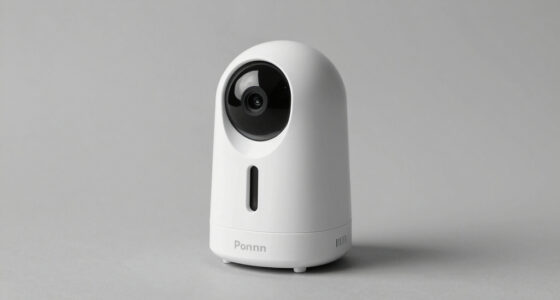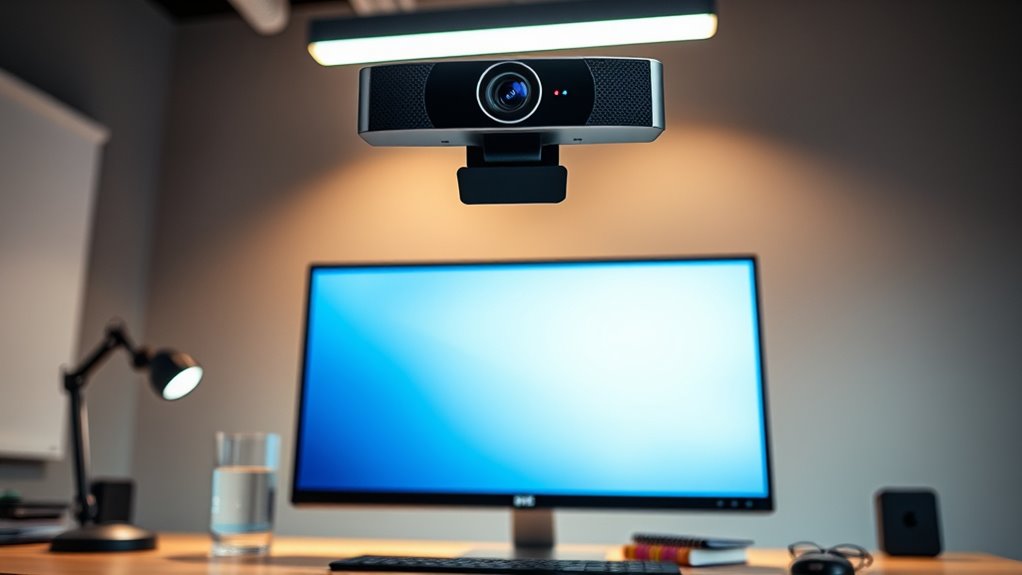

Looking for the best webcams 4K can transform your video quality, whether for streaming, meetings, or content creation. The Logitech Brio stands out as the best overall choice thanks to its reliable performance and versatile features. For those needing a dual-camera setup, the EMEET C60E offers unique wide-angle and telephoto options. Meanwhile, the OBSBOT Meet 2 excels with AI framing and autofocus, making it ideal for dynamic environments. The main challenge in this category lies in balancing resolution quality with usability, compatibility, and added features. Continue reading for a detailed breakdown of each option and find the perfect fit for your needs.

Get everyday essentials delivered free with Prime
- Fast, free delivery on millions of items
- Prime Video, Amazon Music and more included
- Member-only deals all year
Key Takeaways
- Top-performing webcams combine high-resolution 4K sensors with advanced autofocus and AI features for sharp, consistent images.
- Price varies significantly; premium models often include additional features like dual cameras or AI framing, but mid-range options provide excellent quality at lower costs.
- Build quality and ease of use differ; some webcams feature rugged metal bodies and privacy shutters, making them more durable and secure.
- Microphone quality and noise cancellation are important considerations for professional use, not just video resolution.
- Compatibility and software support can influence setup and performance, especially for Mac users or streaming setups.
| EMEET C60E Dual-Camera 4K Webcam for Streaming, Wide-Angle & Telephoto |  | Best for Versatile Streaming and Content Creation | Camera Resolution: 4K | Number of Cameras: 2 | Zoom: up to 11X hybrid | VIEW ON AMAZON | See Our Full Breakdown |
| Acer 4K Webcam for PC/Mac with All-Metal Unibody, Sony 1/2″ Sensor, PDAF, Dual Noise Reduction Mics, Privacy Cover |  | Best for Professional-Grade Image and Durability | Sensor Type: CMOS | Sensor Size: 1/2-inch | Focus Type: Auto Focus | VIEW ON AMAZON | See Our Full Breakdown |
| OBSBOT Meet 2 4K Webcam for PC with AI Framing & Autofocus |  | Best for AI-Enhanced Auto-Framing and Mobility | Sensor Type: CMOS | Sensor Size: 1/2-inch | Autofocus: Yes | VIEW ON AMAZON | See Our Full Breakdown |
| Logitech Brio Ultra 4K HD Webcam for Streaming and Meetings |  | Best for Versatile Business and Streaming Use | Resolution: 4K at 30 fps | Field of View: 65°, 78°, 90° | Zoom: 5x digital | VIEW ON AMAZON | See Our Full Breakdown |
| Philips 4K Webcam for PC with Microphone, Computer Camera for Meetings |  | Best for Easy, High-Quality Remote Work | Resolution: 4K Ultra HD | Microphone: Built-in | Privacy Shutter: Yes | VIEW ON AMAZON | See Our Full Breakdown |
| Insta360 Link 2C 4K Webcam for PC/Mac with Auto Framing and AI Noise-Canceling Mic |  | Best for Versatile Streaming and Creative Control | Sensor: 1/2″ | Resolution: 4K | HDR: Yes | VIEW ON AMAZON | See Our Full Breakdown |
| Acer A640 4K Webcam with AI Noise Canceling Microphone for Streaming and Meetings |  | Best for Reliable Professional-Grade Video at an Accessible Price | Sensor Type: CMOS | Video Resolution: 4K | Focus Type: Auto Focus | VIEW ON AMAZON | See Our Full Breakdown |
| Logitech MX Brio Ultra HD 4K Webcam – Graphite |  | Best for High-Quality Collaboration and Versatile Use | Resolution: 4K at 30fps, 1080p at 60fps | Sensor Size: 70% larger pixels | Microphones: Dual beamforming noise-reducing | VIEW ON AMAZON | See Our Full Breakdown |
| NexiGo N680E Pro 4K Webcam with Ring Light, Autofocus, 1080p 60FPS, Dual Mics, Privacy Shutter, USB Plug-and-Play |  | Best for Content Creators Needing Versatile Lighting and Autofocus | Sensor: Sony 1/2.5″ 4K sensor | Resolution: 1080p at 60FPS | Ring Light: Tri-tone, stepless brightness | VIEW ON AMAZON | See Our Full Breakdown |
| EMEET S600 4K Webcam for Streaming with Sony Sensor and PDAF Autofocus |  | Best for Compact, High-Quality Streaming in Tight Spaces | Sensor Type: Sony 1/2.55″ CMOS | Resolution: 4K | Autofocus: PDAF | VIEW ON AMAZON | See Our Full Breakdown |
| EMEET C950 4K Webcam for PC with Microphone |  | Best Overall for Versatile 4K Video with Privacy | Resolution: 4K UHD (supports 4K@30FPS and 1080P@60FPS) | Sensor Type: CMOS | Field of View: 70° | VIEW ON AMAZON | See Our Full Breakdown |
| EMEET NOVA 4K Webcam for PC, Ultra HD, PDAF Autofocus, Dual Microphones |  | Best for Professional Streaming and Education | Resolution: 4K (defaults to 1080P, switchable via software) | Frame Rate: 30FPS | Sensor: CMOS | VIEW ON AMAZON | See Our Full Breakdown |
| AOC 4K Webcam for PC with Noise-Canceling Microphone |  | Best Wide-Angle for Professional Video Calls | Resolution: 4K Ultra HD | Field of View: 80° | Tilt: 180° | VIEW ON AMAZON | See Our Full Breakdown |
| EMEET C960 4K Webcam for PC, PDAF Auto Focus, Dual Omni Mics, 73° FOV |  | Best for High-Quality Video Conferencing | Resolution: 4K (default 1080P, switchable via software) | Field of View: 73° | Focus: PDAF autofocus | VIEW ON AMAZON | See Our Full Breakdown |
| webcams 4k | Compatibility | Resolution |
|---|---|---|
| EMEET C60E Dual-Camera 4K Webc | Windows 10/11, macOS 10.14+ | — |
| Acer 4K Webcam for PC/Mac with | — | — |
| OBSBOT Meet 2 4K Webcam for PC | — | — |
| Logitech Brio Ultra 4K HD Webc | Windows, Mac, ChromeOS | 4K at 30 fps |
| Philips 4K Webcam for PC with | Windows, macOS | 4K Ultra HD |
| Insta360 Link 2C 4K Webcam for | Windows, Mac | 4K |
| Acer A640 4K Webcam with AI No | USB-A | — |
| Logitech MX Brio Ultra HD 4K W | Windows, macOS, Chrome OS, Linux | 4K at 30fps, 1080p at 60fps |
| NexiGo N680E Pro 4K Webcam wit | USB-A | 1080p at 60FPS |
| EMEET S600 4K Webcam for Strea | Windows, Mac | 4K |
| EMEET C950 4K Webcam for PC wi | — | 4K UHD (supports 4K@30FPS and 1080P@60FPS) |
| EMEET NOVA 4K Webcam for PC | — | 4K (defaults to 1080P, switchable via software) |
| AOC 4K Webcam for PC with Nois | USB-C & USB-A | 4K Ultra HD |
| EMEET C960 4K Webcam for PC | Windows, macOS, Android TV, Linux | 4K (default 1080P, switchable via software) |
More Details on Our Top Picks
EMEET C60E Dual-Camera 4K Webcam for Streaming, Wide-Angle & Telephoto
The EMEET C60E stands out for its dual-camera setup, offering both wide-angle and telephoto views that are perfect for dynamic streaming, teaching, or multi-angle presentations. Compared to the Logitech Brio, which provides excellent 4K quality but only a single lens, the C60E’s dual cameras deliver more flexibility in framing without needing external equipment. However, its zoom capability isn’t supported in 4K or 60FPS modes, and it relies on USB 2.0, which may limit bandwidth for higher quality streams. The RGB lighting adds a stylish touch, and smart controls make adjustments straightforward, but the absence of noise-canceling microphones is a drawback for noisy environments. This webcam suits streamers or educators who need multiple viewpoints but can handle some limitations in zoom and connection bandwidth.
Pros:- Dual-camera system with wide and telephoto views for versatile framing
- Smart remote and software controls for flexible adjustments
- Vibrant RGB lighting enhances aesthetics and visibility
Cons:- Zoom is not supported in 4K or 60FPS modes, limiting flexibility during live streams
- USB 2.0 connection may restrict bandwidth, affecting stream quality
- No built-in noise-canceling microphones
Best for: Streamers, educators, and remote presenters seeking multi-angle capabilities in a single device
Not ideal for: Users requiring high frame rates at 4K or professional-grade audio without external mics
- Camera Resolution:4K
- Number of Cameras:2
- Zoom:up to 11X hybrid
- Autofocus:PDAF
- Lighting:RGB lighting
- Compatibility:Windows 10/11, macOS 10.14+
Our verdict“Ideal for streamers and educators who value multiple viewpoints over ultra-smooth zoom or advanced audio features.”
Acer 4K Webcam for PC/Mac with All-Metal Unibody, Sony 1/2″ Sensor, PDAF, Dual Noise Reduction Mics, Privacy Cover
The Acer 4K Webcam offers impressive image quality thanks to its Sony 1/2″ CMOS sensor, delivering crisp, true-to-life visuals that surpass many webcams in its class, including the Philips 4K Webcam. Its all-metal unibody design provides durability and a premium feel, making it suitable for frequent travel or studio use. The autofocus is responsive, and dual noise-reduction microphones ensure clear audio. However, it’s not water-resistant, limiting outdoor or rugged applications, and it lacks optical zoom, relying on digital zoom that can degrade image quality. Its small size requires careful handling, but overall, it’s a solid choice for professionals who need consistent, high-quality visuals and reliable build quality. This webcam is best suited for content creators or professionals prioritizing image fidelity and durability over portability.
Pros:- High-quality Sony 1/2″ CMOS sensor for crisp visuals
- Premium all-metal unibody for durability and style
- Responsive PDAF and dual noise reduction microphones
Cons:- Limited water resistance, not suitable for outdoor environments
- No optical zoom, only digital zoom which can reduce quality
- Small size may require careful handling during setup
Best for: Content creators and professionals needing high-fidelity visuals and durable hardware
Not ideal for: Outdoor users or those needing zoom flexibility beyond digital zoom
- Sensor Type:CMOS
- Sensor Size:1/2-inch
- Focus Type:Auto Focus
- Microphones:Dual noise reduction
- Viewing Angle:83 degrees
- Connectivity:USB
Our verdict“Best for users demanding professional-grade image quality and durable construction in a sleek form factor.”
OBSBOT Meet 2 4K Webcam for PC with AI Framing & Autofocus
The OBSBOT Meet 2 excels in delivering smooth 4K video with its large CMOS sensor, and its AI-driven framing keeps subjects perfectly centered, making it a strong choice for mobile streamers and remote workers. Unlike the Logitech Brio, which offers more manual control, the Meet 2’s AI features automate framing, reducing the need for manual adjustments during live sessions. Its compact, lightweight design makes it ideal for on-the-go use, but extended operation can lead to heat buildup, which is common for small, high-performance devices. The absence of water resistance limits outdoor applications, and it relies solely on connected devices for storage. This webcam targets users who prioritize intelligent framing and portability over extensive manual control. This pick is ideal for those who want a smart, mobile-friendly 4K webcam with modern AI features.
Pros:- Stunning 4K clarity with large CMOS sensor
- AI-powered framing and autofocus for professional-looking streams
- Ultra-lightweight and compact for mobility
Cons:- May overheat during extended use, normal for small high-performance devices
- Limited water resistance, unsuitable for outdoor environments
- No built-in storage, reliant on connected devices
Best for: Mobile streamers, remote workers, and content creators who value AI auto-framing and portability
Not ideal for: Outdoor enthusiasts or users needing rugged durability and water resistance
- Sensor Type:CMOS
- Sensor Size:1/2-inch
- Autofocus:Yes
- AI Framing:Yes
- Connectivity:USB-C
- Weight:40.5 g
Our verdict“Perfect for users seeking a smart, portable webcam with AI features for on-the-move streaming or meetings.”
Logitech Brio Ultra 4K HD Webcam for Streaming and Meetings
The Logitech Brio is a versatile 4K webcam that balances image quality with practical features like adjustable field of view and digital zoom, making it suitable for both professional meetings and streaming. While its 4K resolution at 30 fps ensures sharp visuals, it may be more than some casual users need, especially given its higher price point compared to simpler webcams like the Philips 4K Webcam. Its dual noise-canceling microphones provide clear audio, and Windows Hello support offers secure login. The privacy shutter adds privacy security, but some may find its feature set overkill for basic tasks. Still, its flexibility makes it a solid choice for those who want a single device capable of multiple roles. This webcam is best for professionals who need a premium, feature-rich device for meetings and streaming.
Pros:- Excellent 4K resolution with adjustable FOV options
- Clear audio with dual noise-canceling microphones
- Supports Windows Hello for secure login
Cons:- Relatively high price for a webcam with standard features
- Requires compatible software for full feature set
- May be overkill for casual or infrequent users
Best for: Business users and streamers needing a reliable, all-in-one 4K webcam with security features
Not ideal for: Budget-conscious users or casual streamers who only need basic HD video
- Resolution:4K at 30 fps
- Field of View:65°, 78°, 90°
- Zoom:5x digital
- Microphones:Dual noise cancellation
- Compatibility:Windows, Mac, ChromeOS
- Privacy Shutter:Yes
Our verdict“Best suited for professionals and streamers who want a premium, all-in-one conferencing webcam with security features.”
Philips 4K Webcam for PC with Microphone, Computer Camera for Meetings
The Philips 4K Webcam offers a straightforward solution for high-resolution meetings, providing crisp 4K video with an integrated microphone for clear communication. Its simple plug-and-play setup makes it accessible for users who want reliable video quality without fuss, similar to the Acer 4K Webcam. The physical privacy shutter adds an extra layer of security, but streaming at 4K can demand high bandwidth, which might cause issues on less robust internet connections. Its USB-only connectivity limits flexibility, but for basic remote work or virtual classes, it delivers excellent clarity and security in a compact package. This webcam is ideal for professionals and students seeking simple, high-quality 4K video with minimal setup.
Pros:- High-resolution 4K video for professional quality
- Built-in microphone for clear audio
- Physical privacy shutter for security
Cons:- High bandwidth needed for smooth 4K streaming
- Limited to USB connectivity, with no advanced features
- Basic feature set may lack customization options
Best for: Remote workers, students, and casual professionals needing an easy-to-use 4K webcam
Not ideal for: Outdoor users or those requiring advanced features like AI framing or extensive zoom
- Resolution:4K Ultra HD
- Microphone:Built-in
- Privacy Shutter:Yes
- Compatibility:Windows, macOS
- Setup:Plug and Play
Our verdict“Perfect for users who want a simple, reliable 4K webcam for remote work or classes without extra bells and whistles.”
Insta360 Link 2C 4K Webcam for PC/Mac with Auto Framing and AI Noise-Canceling Mic
The Insta360 Link 2C stands out for delivering high-quality 4K video with HDR and exceptional low-light performance, making it ideal for creators seeking professional visuals. Its auto framing and gesture control add a dynamic edge that surpasses traditional webcams like the Logitech Brio, especially for live streaming or interactive presentations. However, its lack of compatibility with ARM-based Windows systems and Windows Hello limits its use for some users. This webcam’s AI noise-canceling mic ensures clear audio, but the absence of internal storage or built-in speakers means you rely heavily on your PC’s hardware. Compared to the Acer A640, which emphasizes simplicity and compatibility, the Link 2C offers more advanced features at the expense of broader system support.
Pros:- High-resolution 4K video with HDR and low-light performance
- Auto framing and gesture control for dynamic use
- Professional AI noise-canceling microphone
Cons:- Incompatible with ARM-based Windows systems
- Currently cannot use Windows Hello Face Recognition
Best for: Content creators and streamers who prioritize superior video quality and AI-powered features.
Not ideal for: Users with ARM-based systems or those seeking plug-and-play simplicity without compatibility concerns.
- Sensor:1/2″
- Resolution:4K
- HDR:Yes
- Auto Focus:Phase Detection Auto Focus (PDAF)
- Features:Auto Framing, Gesture Control, Whiteboard Mode, DeskView
- Compatibility:Windows, Mac
Our verdict“This webcam is perfect for creators who need versatile, high-quality video with advanced AI features, but not for those with system compatibility limitations.”
Acer A640 4K Webcam with AI Noise Canceling Microphone for Streaming and Meetings
The Acer A640 offers sharp 4K video powered by Sony sensor technology, making it a strong contender against the Logitech MX Brio in clarity. Its instant autofocus and automatic low-light correction enhance video stability and quality, especially in varied lighting conditions. The AI noise cancellation mic ensures clear communication, but the absence of built-in speakers and the need to set A640 as default microphone can be inconvenient. Its USB-A connection might require adapters for newer laptops, unlike the more flexible USB-C options. Compared with the Logitech MX Brio, it provides comparable video quality at a more approachable price, but with fewer advanced controls. This model is suitable for users who want professional video without complex customization.
Pros:- Sharp 4K video with Sony sensor technology
- Effective AI noise cancellation mic
- Auto focus and automatic low-light correction
Cons:- Requires setting A640 as default microphone in settings
- Limited to USB-A connection, possibly needing adapters
Best for: Remote workers and small business teams seeking high-quality 4K video with straightforward setup.
Not ideal for: Power users needing extensive customization or those with newer USB-C-only devices without adapters.
- Sensor Type:CMOS
- Video Resolution:4K
- Focus Type:Auto Focus
- Microphones:Dual noise-canceling
- Special Feature:Low Light Photo
- Compatibility:USB-A
Our verdict“This webcam delivers professional 4K video and clear audio for budget-conscious users who value simplicity over advanced features.”
Logitech MX Brio Ultra HD 4K Webcam – Graphite
The Logitech MX Brio offers a premium 4K experience with adjustable settings that appeal to professionals needing sharp, customizable video. Its AI-enhanced image processing, noise reduction, and dual microphones outperform many budget options like the NexiGo N680E by providing richer audio and more detailed visuals. The tilt-adjustable design and privacy shutter add practical flexibility, but the requirement for USB-C (or adapters for older ports) could be a hurdle for some. Its higher price point reflects its advanced feature set, which may be overwhelming for casual users. Compared with the Insta360 Link 2C, the MX Brio excels in system compatibility and control but falls short on creative gesture features. It’s well-suited to those who demand top-tier image quality and seamless integration across platforms.
Pros:- Sharp 4K resolution with AI-enhanced image quality
- Dual beamforming noise-reducing microphones
- Customizable controls and privacy features
Cons:- Requires USB-C connection, may need adapters
- Premium price may be prohibitive for casual users
Best for: Business professionals and streamers who need high-quality, reliable video with extensive customization options.
Not ideal for: Users with older computers lacking USB-C or those seeking a simple plug-and-play webcam without fuss.
- Resolution:4K at 30fps, 1080p at 60fps
- Sensor Size:70% larger pixels
- Microphones:Dual beamforming noise-reducing
- Features:AI image enhancement, auto-exposure, auto-white balance
- Compatibility:Windows, macOS, Chrome OS, Linux
Our verdict“This webcam is ideal for professionals who want excellent video quality with flexible controls and cross-platform compatibility, despite the higher cost.”
NexiGo N680E Pro 4K Webcam with Ring Light, Autofocus, 1080p 60FPS, Dual Mics, Privacy Shutter, USB Plug-and-Play
The NexiGo N680E Pro combines a Sony sensor with 4K video, making it a strong choice for streaming and content creation. Its PDAF autofocus and adjustable tri-tone ring light ensure consistent, well-lit visuals, especially in less ideal lighting conditions. The built-in privacy shutter adds security, while the 1080p 60FPS streaming capabilities cater to smooth, high-quality broadcasts. However, the output resolution depends on your software settings, and the webcam’s reliance on USB-A may require adapters for newer devices. Compared to EMEET S600, which emphasizes auto light adjustment and compact design, the N680E Pro offers more lighting control but less native 4K at high frame rates. It’s a solid pick for creators who want versatility and ease of use.
Pros:- High-quality 4K video with smooth 1080p 60FPS streaming
- Effective PDAF autofocus and auto light adjustment
- Built-in tri-tone adjustable ring light and privacy shutter
Cons:- Output resolution may depend on software settings
- Requires USB-A connection, possibly needing adapters
Best for: Streamers and content creators who need adjustable lighting and reliable autofocus in a straightforward package.
Not ideal for: Users seeking a true 4K 60FPS webcam or those with USB-C only systems without adapters.
- Sensor:Sony 1/2.5″ 4K sensor
- Resolution:1080p at 60FPS
- Ring Light:Tri-tone, stepless brightness
- Autofocus:PDAF
- Privacy Shutter:Yes
- Compatibility:USB-A
Our verdict“This webcam delivers flexible lighting and autofocus features suited for content creators who value lighting control and security, though it’s not fully optimized for high-res 4K at all times.”
EMEET S600 4K Webcam for Streaming with Sony Sensor and PDAF Autofocus
The EMEET S600 provides a compelling mix of 4K resolution and portability, thanks to its compact design and Sony sensor. Its PDAF autofocus and auto light adjustment ensure sharp images, while the built-in privacy cover adds a layer of security for sensitive use. The 73° field of view strikes a balance between wide framing and focus, ideal for streamers who need a dependable, easy-to-setup device. However, its limited water resistance and lack of internal storage mean it’s best kept indoors and relies heavily on your connected device. Compared with the NexiGo N680E Pro, it offers similar video quality but with a slightly narrower field of view and fewer lighting options. This webcam suits users who prioritize high-quality video in small or cluttered spaces without needing extensive controls.
Pros:- Crisp 4K video with Sony sensor
- Auto-focus with auto light adjustment
- Compact, easy to install
Cons:- Limited water resistance, not outdoor suitable
- No internal storage or advanced lighting features
Best for: Streamers and remote workers who need a compact, reliable 4K camera with autofocus.
Not ideal for: Outdoor or mobile use, given its limited water resistance, or users wanting extensive lighting adjustments.
- Sensor Type:Sony 1/2.55″ CMOS
- Resolution:4K
- Autofocus:PDAF
- Field of View:73°
- Privacy Cover:Yes
- Compatibility:Windows, Mac
Our verdict“This webcam is ideal for indoor streamers and professionals seeking reliable 4K quality in a small form factor, but it lacks outdoor durability and extensive controls.”
EMEET C950 4K Webcam for PC with Microphone
The EMEET C950 stands out for delivering crisp 4K video with autofocus and a wide 70° field of view, making it highly adaptable for remote meetings, streaming, or online education. Compared with the EMEET NOVA, it offers slightly less flexible mounting but excels in privacy with its physical lens cover. Its autofocus ensures sharp images even when moving, but the lack of wireless connectivity and tripod support limits some setup options. The built-in omnidirectional microphone provides clear audio, making it a balanced choice for users who prioritize security and ease of use. However, its incompatibility with Chrome OS and absence of wireless features mean it’s best suited for Windows or macOS users who value straightforward plug-and-play operation.
Pros:- High-quality 4K video with autofocus
- Wide 70° field of view suitable for various scenes
- Built-in omnidirectional microphone for clear audio
- Privacy cover enhances security
Cons:- Tripod mounting not supported
- Incompatible with Chrome OS
- No wireless connectivity options
Best for: Professionals and educators needing reliable 4K quality with privacy features on Windows or macOS
Not ideal for: Chromebook users or those seeking wireless or tripod mount support for versatile setups
- Resolution:4K UHD (supports 4K@30FPS and 1080P@60FPS)
- Sensor Type:CMOS
- Field of View:70°
- Autofocus:PDAF
- Microphone:Omnidirectional
- Connectivity:USB 2.0
- Dimensions:1.9″D x 1.9″W x 1.5″H
- Weight:3.04 ounces
Our verdict“This webcam is ideal for users needing dependable 4K clarity with privacy features and simple connectivity on Windows or macOS.”
EMEET NOVA 4K Webcam for PC, Ultra HD, PDAF Autofocus, Dual Microphones
The EMEET NOVA offers a solid 4K video experience with 30FPS, complemented by fast PDAF autofocus and clear stereo microphones. Compared with the AOC 4K Webcam, the NOVA’s autofocus and broad compatibility make it more suitable for professional environments, though it defaults to 1080P and requires software to switch to 4K, which could be a hassle for some. Its flexible mounting options and 180° stand adjustment provide versatility for different setups, but it lacks facial tracking or zoom features, limiting its use for dynamic presentations. The dual microphones deliver better audio clarity than many competitors, though the need for physical connection and software adjustments makes it less seamless than wireless options. Overall, this pick makes the most sense for users who prioritize image quality and adjustable angles in a wired setup.
Pros:- High-quality 4K video at 30FPS
- Fast and accurate PDAF autofocus
- Clear stereo microphones with noise reduction
- Flexible mounting with 360° rotation
Cons:- Video defaults to 1080P, requiring software to switch to 4K
- No facial tracking or zoom features
- Requires physical USB connection with no wireless options
Best for: Business professionals and streamers who need reliable 4K quality with flexible mounting and good audio
Not ideal for: Casual users seeking plug-and-play simplicity or wireless functionality
- Resolution:4K (defaults to 1080P, switchable via software)
- Frame Rate:30FPS
- Sensor:CMOS
- Autofocus:PDAF, manual focus not supported
- Field of View:73°
- Microphones:Dual omni-directional
- Connectivity:USB 2.0 Type A
- Mounting:360° horizontal rotation, 15° vertical tilt
Our verdict“This webcam is best for professionals wanting high-quality 4K video with precise autofocus and flexible mounting in a wired setup.”
AOC 4K Webcam for PC with Noise-Canceling Microphone
The AOC 4K Webcam offers a broad 80° field of view with sharp, lifelike 4K video, making it a strong choice for professional calls and streaming. Its wide-angle lens, combined with adjustable tilt and swivel, provides excellent framing flexibility compared to narrower FOVs like the EMEET C950. The built-in noise-canceling microphone improves audio clarity, and the physical privacy cover adds security. However, the absence of built-in lighting or additional features means it might require external lighting for optimal image quality in low-light conditions. Its higher cost reflects its 4K resolution and wide-angle capabilities, which could be a limiting factor for budget-conscious buyers. Still, it’s well-suited for users needing a versatile, high-resolution camera with privacy features.
Pros:- High-quality 4K video with crisp detail
- Wide 80° field of view for expansive framing
- Adjustable tilt and swivel for flexible positioning
- Built-in noise-canceling microphone
Cons:- Lacks built-in lighting or advanced features
- Potentially higher price due to 4K resolution
- No autofocus or zoom capabilities
Best for: Remote workers and content creators seeking a wide-angle, high-resolution webcam for professional calls
Not ideal for: Budget buyers or those needing built-in lighting or advanced features like autofocus
- Resolution:4K Ultra HD
- Field of View:80°
- Tilt:180°
- Swivel:360°
- Privacy Cover:Yes
- Built-in Microphone:Yes
- Compatibility:USB-C & USB-A
- Platform Support:Zoom, Teams, Skype
Our verdict“This webcam suits users who prioritize a wide field of view and high-resolution video for professional and streaming use.”
EMEET C960 4K Webcam for PC, PDAF Auto Focus, Dual Omni Mics, 73° FOV
The EMEET C960 offers true 4K resolution with PDAF autofocus and dual omnidirectional microphones, making it a versatile choice for high-quality video conferencing. Its 73° FOV strikes a balance between wide coverage and focus, positioning it well against the AOC 4K Webcam with a broader 80° view. The C960’s auto light correction enhances usability in variable lighting environments, and its straightforward plug-and-play setup simplifies deployment across multiple platforms. The dual microphones improve audio clarity over single-mic models, but the default video resolution often defaults to 1080P, requiring software to access full 4K. Its lack of wireless support and reliance on software for full resolution could be downsides for users wanting a truly wireless, hassle-free experience. Nonetheless, it offers a reliable compromise for professional video calls.
Pros:- True 4K resolution with autofocus
- Auto light correction for variable conditions
- Dual omnidirectional microphones for clear audio
- Easy plug-and-play setup
Cons:- Video defaults to 1080P, requiring software to switch to 4K
- No wireless connectivity
- Requires compatible software for full 4K functionality
Best for: Corporate users and remote workers needing dependable 4K video with autofocus and dual microphones
Not ideal for: Casual users or those expecting wireless connectivity or built-in lighting
- Resolution:4K (default 1080P, switchable via software)
- Field of View:73°
- Focus:PDAF autofocus
- Microphones:Dual omnidirectional
- Connectivity:USB-A
- Compatibility:Windows, macOS, Android TV, Linux
- Adjustments:360° horizontal, 15° vertical
- Privacy:Yes
Our verdict“This webcam is well-suited for professionals seeking reliable 4K quality with autofocus and dual mics in a wired setup.”

How We Picked
To create this list, I evaluated webcams based on several factors: image quality at 4K resolution, autofocus performance, low-light capability, build quality, and added features like AI framing or dual lenses. Usability and software support were also important, especially for streaming and professional applications. Cost was considered to ensure a range of options from budget to premium, and real-world versatility was assessed through feature sets that matter for different use cases. By comparing these elements, I prioritized models that deliver reliable, high-quality footage with user-friendly features, ensuring each stands out in a crowded market.Factors to Consider When Choosing Webcams 4k
Choosing a 4K webcam involves more than just pixel count. To get the best value and performance, consider factors such as image quality, autofocus, and feature set. Understanding your primary use—whether streaming, professional meetings, or content creation—can help narrow options. Additionally, compatibility with your device, ease of setup, and microphone quality play significant roles. Being aware of common pitfalls, like overpaying for unnecessary features or ignoring low-light performance, can save money and frustration. This guide highlights critical considerations to help you make an informed decision.Image Quality and Sensor Performance
While 4K resolution is a must, the quality of the sensor and image processing determines how sharp and natural your video appears. Look for webcams with larger sensors and good low-light capabilities, especially if your environment isn’t brightly lit. Some models employ Sony sensors or advanced image processing to enhance clarity and color accuracy, which can make a noticeable difference in professional settings or content creation. Beware of lower-quality sensors that may produce pixelation or washed-out images despite claiming 4K resolution.
Autofocus and AI Features
Fast, reliable autofocus is essential for maintaining sharp images during movement or multiple subjects. AI-driven features like auto framing or noise reduction further improve usability, particularly for live streaming or video conferencing. These smart features reduce manual adjustments and keep your face centered, but they often come at a higher cost. Consider your environment and whether these features are necessary—if you primarily use static setups, simpler autofocus may suffice.
Build Quality and Design
Durability and ease of mounting matter, especially for frequent users. Metal bodies, adjustable mounts, and privacy shutters add to longevity and security. Some models include flexible stands or clip systems that fit various monitors or tripods, simplifying setup. Cheaper webcams with plastic builds might be more fragile over time, which could lead to maintenance issues. Think about where you’ll place your webcam and how often you’ll need to adjust or transport it.
Microphone Quality and Audio Features
Clear audio is often overlooked but crucial, especially for professional calls or content production. Many 4K webcams include built-in microphones with noise cancellation; some even feature dual microphones for stereo sound. However, microphone quality varies widely, and investing in an external mic may be necessary for high-stakes use. Evaluate whether the integrated audio meets your needs or if you should pair the webcam with a dedicated microphone for the best results.
Compatibility and Software Support
Ensure the webcam works seamlessly with your operating system and preferred software. Some models offer dedicated apps for fine-tuning settings or updating firmware, which can improve overall experience. Compatibility issues can cause frustration, especially on Macs or with certain streaming platforms. Also, check if the webcam supports features like background replacement or virtual camera outputs, which can enhance your streaming or conferencing setup.
Frequently Asked Questions
Do I need a high-end PC to run a 4K webcam smoothly?
Running a 4K webcam smoothly does depend on your PC’s processing power, especially if you plan to stream or record at high quality. A modern CPU with a dedicated GPU helps handle the increased data load, ensuring smooth video without lag or dropped frames. However, many webcams also have built-in hardware encoding or compression, reducing the burden on your PC. Still, for optimal performance, it’s wise to pair a 4K webcam with a capable system tailored for high-resolution streaming or recording.
Is 4K resolution necessary for everyday video calls?
For most daily video calls, 4K resolution isn’t strictly necessary, as standard 1080p webcams often suffice. Higher resolution provides crisper images, but it also demands more bandwidth and processing power. If your primary goal is professional-looking meetings or streaming content, investing in a 4K model can future-proof your setup. Otherwise, a high-quality 1080p webcam may deliver excellent results at a lower cost and simpler setup.
How important is low-light performance in a 4K webcam?
Low-light performance is critical because higher resolution sensors can amplify noise in poorly lit environments, degrading image quality. Good 4K webcams feature larger sensors, wide apertures, or advanced image processing to maintain clarity in dim conditions. If you often work in rooms with limited lighting or at night, prioritize webcams with strong low-light features to avoid grainy or washed-out videos. Investing in additional lighting can also improve overall quality regardless of the webcam’s capabilities.
Should I prioritize autofocus over manual focus for a 4K webcam?
Autofocus is generally more convenient for most users, especially if your setup involves movement or multiple subjects. Modern autofocus systems are fast and accurate, maintaining sharpness without manual adjustments. Manual focus webcams might offer more precise control but are less flexible if you frequently change positions or move around. For casual or professional streaming, autofocus tends to provide a better balance of ease and performance.
Are built-in microphones reliable enough for professional use?
While many 4K webcams include decent microphones with noise cancellation, they often fall short of dedicated audio equipment standards. For professional-quality sound, pairing your webcam with an external microphone is advisable. Built-in mics are convenient for casual meetings but may pick up ambient noise or lack clarity in noisy environments. If audio quality is a priority, consider investing in a dedicated microphone or headset alongside your webcam.