
TL;DR

Get everyday essentials delivered free with Prime
- Fast, free delivery on millions of items
- Prime Video, Amazon Music and more included
- Member-only deals all year
Building your own AI workstation was cheaper for years, but recent component shortages and bulk buying have shifted that balance. Now, buying prebuilt offers faster deployment, validated thermals, and support, making it a competitive choice—sometimes even cheaper. Your decision depends on your need for control versus convenience.
Choosing between building or buying your AI workstation isn’t just about saving a few bucks anymore. In 2026, the landscape shifted. Cost, speed, and reliability now intertwine in unexpected ways, similar to the considerations discussed in this guide on build vs buy.
If you need a ready-to-run system with support and validated thermals, a prebuilt can be just as budget-friendly—sometimes more—than piecing one together yourself. But if customization, upgradeability, and control matter, building might still hold the edge. Let’s compare the two options through the lens of real-world needs and the latest market shifts.
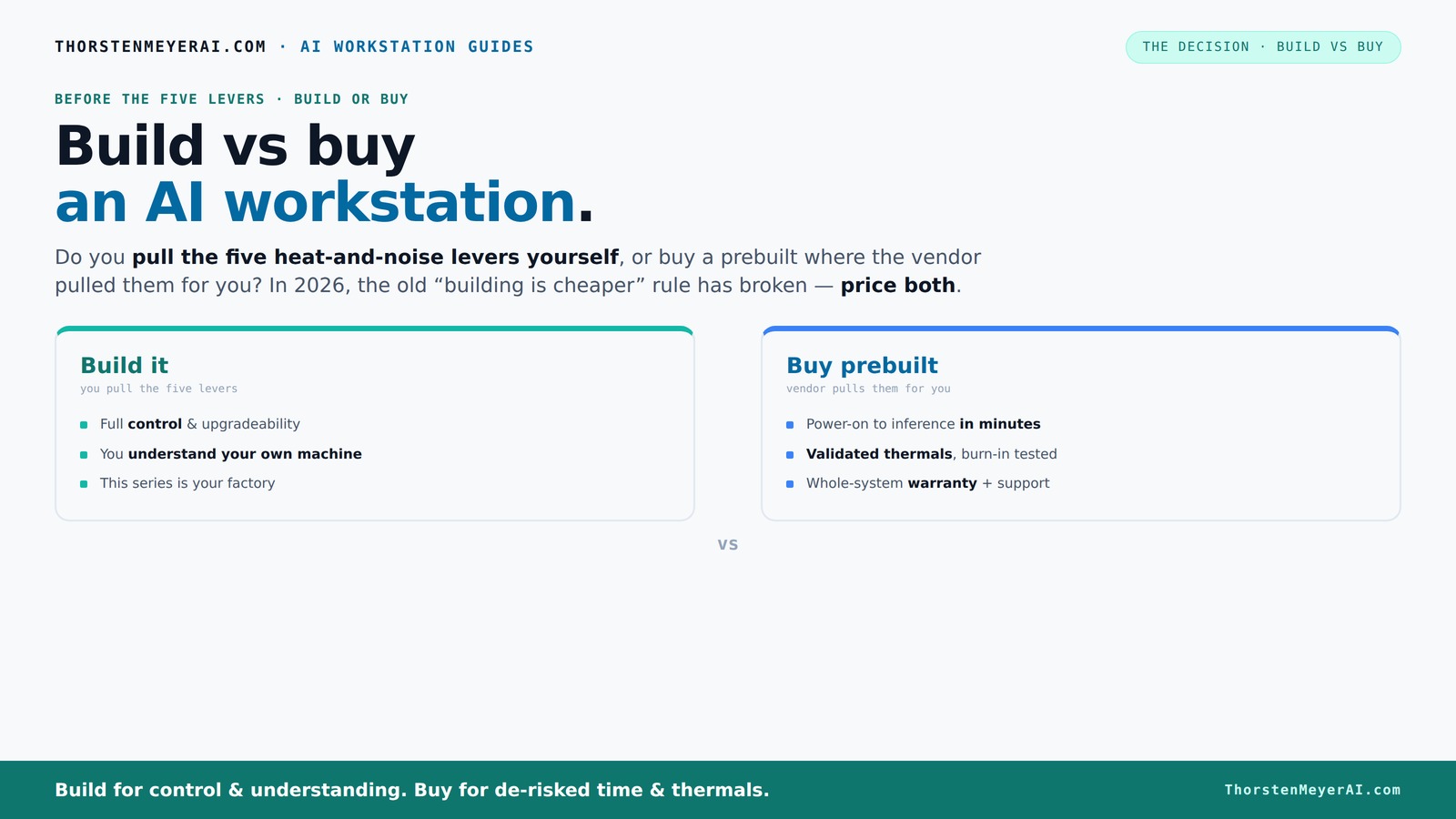
Build vs buy
an AI workstation.
The real question behind this whole series: do you pull the five heat-and-noise levers yourself, or buy a prebuilt where the vendor pulled them for you? And in 2026, the old “building is cheaper” rule has broken. Match your situation in Part 3.
Key Takeaways
- Component shortages in 2026 have narrowed the cost gap between building and buying an AI workstation.
- Prebuilt systems offer validated thermals, support, and quick deployment—often at a comparable or lower price than DIY in today’s market.
- Building your own rig provides maximum control over specs, cooling, and upgrade paths, ideal for long-term or highly customized workloads.
- Evaluate your workload—training, inference, content creation—to decide which option fits best.
- Support and warranty are often stronger with prebuilt systems, but DIY allows tailored performance tuning and future-proofing.
As an affiliate, we earn on qualifying purchases.
Why the Price Gap Between Build and Buy Is Narrowing in 2026
Building your AI workstation used to be cheaper by a clear margin. Now, component shortages and bulk buying have flipped the script. GPUs, RAM, and SSDs have soared in price, often pushing DIY builds well above the cost of prebuilt systems. For example, a GPU that was $800 last year now routinely hits $1,200, making custom builds more expensive than you’d expect.
Major vendors like Dell and Lenovo bought components in volume before the shortages hit, allowing them to offer systems at prices that are hard to beat—sometimes even lower than assembling your own. This trend means you can no longer assume DIY is the cheapest route. You need to price both options today, with your exact specs, to be sure.
Beyond raw costs, this shift influences the decision-making process because it narrows the traditional cost advantage of building. When prebuilt systems are priced competitively or even cheaper, it challenges the assumption that DIY is always the more economical choice, especially when factoring in time and effort. This change emphasizes the importance of holistic evaluation—cost, time, reliability, and support—rather than just component prices.
As an affiliate, we earn on qualifying purchases.
What Does a Prebuilt AI Workstation Bring to the Table?
Prebuilts aren’t just about convenience—they come with a lot of built-in advantages. Ready to go, these systems often include the operating system, pre-installed AI frameworks like CUDA or TensorFlow, and validated thermals. Vendors perform burn-in testing to ensure your system won’t throttle under load.
Imagine unboxing a system that already has your AI environment set up. No compatibility worries, no BIOS tweaks, just power it on and start training or inference. Many vendors even tune fans and cooling to reduce noise and heat, making these systems ideal for long, intense workloads.
For example, a system from Lambda or Puget Systems might include a water-cooled GPU, custom fan curves, and a 3-year warranty, all tested under sustained load. It’s a package that reduces downtime and troubleshooting.
This approach of buying a prebuilt reduces the complexity of setup and minimizes the risk of configuration errors, which can be costly in AI workloads where stability and thermal management are critical. For more insights, see our guide on build vs buy. The added benefit of vendor validation means your system is optimized for performance and longevity from day one, allowing you to focus on your projects rather than hardware concerns.
As an affiliate, we earn on qualifying purchases.
When Building Your Own AI Rig Makes Sense in 2026
Building your own AI workstation shines when you want total control over every component or plan to upgrade over time. If you’re comfortable sourcing parts, tuning settings, and troubleshooting, DIY can still deliver the best bang for your buck—especially if you prioritize specific GPUs, CPUs, or memory configurations.
For instance, you might choose a quiet case with custom airflow, undervolt your GPU for thermal headroom, and select a motherboard tailored for multi-GPU setups. This approach is perfect for hobbyists or students who enjoy the process and want a machine optimized precisely for their workload.
However, it’s important to recognize that the tradeoff for this level of control is increased complexity and potential for mistakes. The process requires time, technical knowledge, and ongoing maintenance. Furthermore, the cost savings can diminish if you factor in the time spent troubleshooting or upgrading components over the years. But for those who value customization and learning, these tradeoffs are often worth it. For detailed tips, see our guide on [quiet GPUs and custom cooling](https://thorstenmeyerai.com/quiet-gpus-local-ai/) for building a near-silent AI rig that’s tailored for inference or training.
AI workstation support and validation
As an affiliate, we earn on qualifying purchases.
As an affiliate, we earn on qualifying purchases.
Key Factors to Decide: Build or Buy?
| Factor | Buy a Prebuilt |
|---|---|
| Speed of deployment | Almost instant—plug in and go |
| Customization | Limited; vendor choices dominate |
| Support & warranty | Included; expert support ready |
| Upgradeability | Depends on vendor; often limited |
| Cost | Comparable or cheaper in 2026, thanks to bulk buying |
How to Decide Based on Your AI Workload
Your workload determines whether build or buy makes more sense. For inference-heavy tasks with moderate GPU needs, a prebuilt with validated thermals might be enough. If you’re training large models or doing content creation with multiple GPUs, control and upgrade paths matter more.
For example, a data scientist running models locally often benefits from a prebuilt with a large VRAM GPU and robust cooling. Meanwhile, a researcher fine-tuning custom hardware might prefer to build and tweak their system for maximum performance.
Use the following checklist to match your workload:
- Inference only? → Prebuilt with validated thermals
- Training large models? → Build or buy a high-end, multi-GPU system
- Content creation? → Prioritize VRAM, cooling, and upgrade paths
What About Upgradeability and Future Proofing?
Future-proofing is easier with a custom build. You can pick a motherboard with extra PCIe slots, larger power supplies, and more RAM slots. Some prebuilt systems lock you into proprietary components or limited upgrade paths, which can make future upgrades costly or impossible.
Choosing a build allows you to plan for future expansions, such as adding more GPUs or increasing RAM, without the constraints of proprietary designs. This flexibility can significantly extend the useful life of your system. Conversely, many prebuilts are designed with current hardware in mind, and upgrading beyond initial specs often involves replacing entire components or the entire system, which can negate initial cost savings and support long-term growth.
Support, Warranty, and Reliability: Which Is Better?
Prebuilt systems from reputable vendors include support, a warranty, and often extended burn-in testing. You get peace of mind if something fails during training or inference. Many vendors also provide onsite or remote support, making troubleshooting faster.
This support can be critical in AI workloads where hardware issues can lead to costly downtime. The warranty and support services often include quick replacements and technical assistance, reducing the time and effort needed to resolve issues. Building your own system means you’re responsible for diagnosing and fixing hardware problems, which can be time-consuming and may impact project timelines. For mission-critical applications, the reliability and support of a prebuilt system can be a decisive factor.
Hidden Costs and What Else to Keep in Mind
Building your own system isn’t just about parts. Consider time spent sourcing, assembling, troubleshooting, and maintaining. A prebuilt might cost more upfront but can save hours of your time and reduce downtime.
Additionally, consider the costs associated with cooling solutions, noise mitigation, and future upgrades. DIY systems might seem cheaper initially, but if you factor in the time, potential errors, and maintenance, the total cost of ownership can be higher. Also, unexpected expenses like replacing failed components or upgrading to newer hardware down the line can add up. This comprehensive view helps prevent surprises that could make DIY more expensive than initially anticipated.
Making Your Choice: Speed, Support, or Control?
If you need fast deployment, support, and tested reliability, a prebuilt is a smart choice. You get a ready-to-run system with warranty-backed performance, especially valuable for time-sensitive AI projects.
If you crave control, customization, or plan to upgrade over years, building your own rig allows for precise component choices and future expansion. It’s more involved but offers tailored performance and a deeper understanding of your hardware.
Ultimately, your decision should align with your workload demands, technical expertise, and long-term goals. Consider whether immediate results or long-term flexibility matters more, and choose accordingly. Both options have their merits, and in 2026, the market supports a balanced approach tailored to individual needs.
Frequently Asked Questions
Is it cheaper to build or buy a prebuilt AI workstation?
In 2026, component shortages and bulk buying have made prebuilt systems often match or beat DIY costs. It’s essential to price your specific configuration today, as the traditional rule of cheaper building no longer always applies.
Which option offers better performance for AI workloads?
Performance depends on component choices and cooling. Prebuilts from top vendors validate thermals and often include high-quality power supplies, making them just as good for sustained workloads as a custom build—sometimes even better due to optimized factory tuning.
How much GPU VRAM do I need for local AI inference?
It depends on your models. For inference on medium-sized models, 16-24GB VRAM is often enough. For training large models, 40-80GB VRAM or more can be necessary. Check your workload’s memory demands to choose the right GPU.
Can I upgrade a prebuilt workstation later?
It varies. Some prebuilts offer straightforward upgrade paths, but many lock you into proprietary components or limited slots. Building your own system generally provides easier future upgrades, giving you more control and flexibility to adapt to evolving needs.
Are prebuilt systems reliable for 24/7 AI workloads?
Yes, reputable vendors validate thermals and stress-test systems before shipping, making them suitable for continuous operation. Support and warranties add an extra layer of reliability during intensive workloads.
Conclusion
Choosing between building and buying your AI workstation in 2026 comes down to your priorities. Want speed, support, and tested reliability? Go prebuilt. Prefer control, customization, and future upgrades? Build your own.
Either way, the market now offers options that blur the old lines—cost, time, and quality are more evenly matched than ever. Pick what aligns with your workload and patience, and you’ll be ready to power your AI projects with confidence.
Fall Picks
fall essentials
As an affiliate, we earn on qualifying purchases.