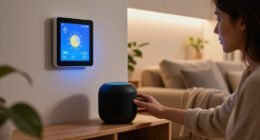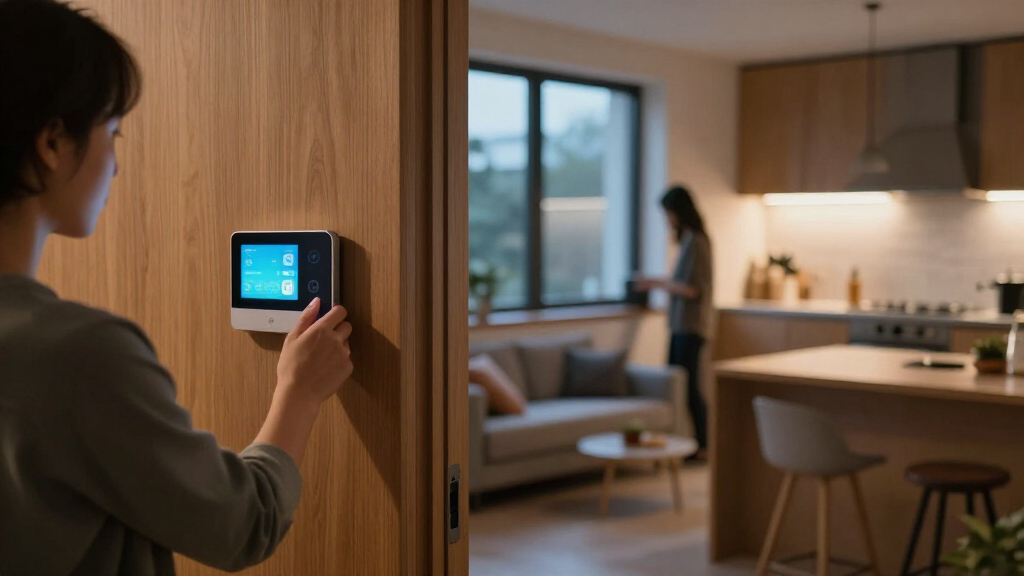

Choosing between the Amazon Echo Show 8 (3rd gen) and Google Nest Hub Max is mainly a choice between Alexa’s broader smart home controls and Google’s larger screen with built-in camera. Both put voice commands, routines, media, and compatible device controls in a shared home space, but they suit different households. The Echo Show 8 is the stronger fit for people building around Alexa or wanting a compact, more current display. The Nest Hub Max makes more sense for Google Home users who value a larger screen and video calling. Check compatibility with your existing devices first: the better hub is the one that fits the systems you already use.

Get everyday essentials delivered free — and shop member deals
- Fast, free delivery on millions of items
- Access to Prime Big Deal Days deals on October 6–7
- Prime Video, Amazon Music and more included

Amazon Echo Show 11 (Newest Model) – Smart Display with Alexa, Graphite
- ✔ Display: 11-inch Full-HD touchscreen
- ✔ Processor: AZ3 Pro chip
- ✔ Smart home hub: Built-in

Amazon Echo Show 15 (Newest Model) – 15.6" Full HD Smart Display with Built-in Fire TV
- ✔ Display: 15.6-inch Full HD (1080p)
- ✔ Built-in features: Fire TV and Alexa voice assistant
- ✔ Camera: Auto-framing with wide field of view and 3.3x zoom

Amazon Echo Show 5 (Newest Model) Smart Display with Alexa – Cloud Blue
- ✔ Display: 5.5-inch screen
- ✔ Camera: 2 MP built-in camera
- ✔ Voice assistant: Alexa+
At a Glance
| Criteria | Amazon Echo Show 8 (3rd gen) | Google Nest Hub Max | Winner |
|---|---|---|---|
| Smart home control | Alexa controls, routines, and a built-in smart home hub with support for selected standards and devices | Google Home controls and routines; integration depends on supported devices and services | A |
| Screen and placement | 8-inch display; easier to fit on a bedside table or kitchen counter | 10-inch display; better suited to a fixed, roomy counter or shared space | B |
| Video calling | Camera for supported video calls, with a physical shutter | Built-in camera supports Google Meet calls and camera-based features | B |
| Voice assistant | Alexa, with Amazon services and routines | Google Assistant, with Google services | Depends |
| Device compatibility | Broad support across Alexa-compatible devices; check specific standards and models | Strong fit for Google Home devices; check specific standards and models | Depends |
| Privacy | Physical camera shutter and microphone control | Camera and microphone controls; camera can be switched off in settings | A |
| Value | Generally the better value for a compact Alexa display, depending on current sale prices | Pay more only if the larger display, Google setup, or camera features matter to you | A |
Amazon Echo Show 11 (Newest Model) – Smart Display with Alexa, Graphite
The Echo Show 11 takes our top spot because it occupies the useful middle ground in this group. Its 11-inch Full-HD touchscreen is substantially roomier than the Show 5 for recipes, calls, and smart home controls, yet it is less imposing than the Show 15. For a kitchen counter or common-area surface where we want a display that can handle several daily tasks, that balance is the point.Its built-in smart home hub makes it a stronger control center than a screen that depends on a separate hub for compatible devices. Omnisense adds temperature and presence detection, and the camera supports auto-framing for calls. Compared with the Show 15, however, the Show 11 has less screen space for family widgets and Fire TV viewing; compared with the Show 5, it needs more room and offers less of a compact bedside fit.The tradeoffs are meaningful. The device is still centered on Amazon’s ecosystem, so it may not suit a household seeking broad platform flexibility. Some Alexa+ features require a subscription, and its larger footprint can crowd a small counter. We would choose it when a versatile Alexa display is the goal, rather than when the smallest device or the largest family screen matters most.
Pros:
- 11-inch Full-HD screen balances readability with a moderate footprint
- Built-in smart home hub controls compatible devices without a separate hub
- Omnisense adds presence and temperature sensing
- Camera has auto-framing and privacy controls
Cons:
- Larger than the Show 5 and may take up too much space on a small surface
- Some Alexa+ functionality requires a subscription
- Amazon ecosystem focus may constrain third-party device choices
Best for: Households wanting one mid-sized Alexa display and smart home control point for a kitchen or shared room.
Not ideal for: People with limited counter space, those who want a large wall-mounted family dashboard, or buyers avoiding Amazon-centered smart home systems.
Bottom line: We recommend the Echo Show 11 as the most balanced pick when we want a capable shared smart home display without stepping up to the Show 15’s larger footprint.
“We recommend the Echo Show 11 as the most balanced pick when we want a capable shared smart home display without stepping up to the Show 15’s larger footprint.”
Amazon Echo Show 15 (Newest Model) – 15.6" Full HD Smart Display with Built-in Fire TV
When a smart display needs to work for more than one person, the Echo Show 15 has the clearest role in this lineup. Its 15.6-inch Full-HD screen can keep calendars, to-do lists, weather, and smart home controls visible together, making it a better fit for a kitchen or family hub than either smaller Echo Show. It also includes built-in Fire TV, so the same screen can shift from household coordination to entertainment.That combination separates it from the Show 11, which we rank higher for overall balance and a less demanding footprint. The Show 15 is the stronger choice when people need to read the display from across a room or use widgets as a shared reference point. Against the Show 5, the advantage in visibility is obvious, but so is the space commitment: this model needs a wall or surface that can accommodate a much larger screen.The included Fire TV remote and auto-framing camera round out its family-room role, while the camera shutter and mic/camera-off button add direct privacy controls. Streaming apps may require their own subscriptions, and a large display is not automatically useful if the household will not keep its widgets current. We would skip it for a compact apartment counter or a personal bedside setup, where the Show 11 or Show 5 is easier to place.
Pros:
- Large 15.6-inch Full-HD screen suits shared viewing and family widgets
- Built-in Fire TV and included remote add entertainment functions
- Widgets combine calendars, lists, weather, and smart home controls
- Auto-framing camera, shutter, and mic/camera-off button
Cons:
- Large size limits placement options in smaller rooms
- Some streaming content requires separate subscriptions
- Its shared-dashboard value depends on having room and a regular use for widgets
Best for: Families or shared households that want a visible calendar, task dashboard, smart home controls, and streaming in one central location.
Not ideal for: Buyers with limited wall or counter space, or anyone seeking a compact display primarily for bedside routines.
Bottom line: We would choose the Echo Show 15 when a household can use its large screen as a shared organizer and entertainment display every day.
“We would choose the Echo Show 15 when a household can use its large screen as a shared organizer and entertainment display every day.”
Amazon Echo Show 5 (Newest Model) Smart Display with Alexa – Cloud Blue
The Echo Show 5 is the practical pick when we want Alexa and a small screen close at hand, not a central display that everyone reads from across the room. Its 5.5-inch screen and compact build suit a nightstand or desk, where it can handle voice requests, basic smart home controls, calls, and photo slideshows without claiming much space. Recycled materials in its fabric and aluminum are another consideration for buyers who value material choices.Compared with the Show 11, the Show 5 gives up screen area and the larger model’s more expansive shared-room role, but gains a much easier fit in personal spaces. It also cannot compete with the Show 15 as a family calendar or streaming surface. The small screen is the central compromise: it can show quick information, but video and content meant to be seen from a distance are less comfortable here.A built-in 2 MP camera supports video calls, and the physical camera shutter and mic/camera-off button make privacy settings straightforward. Its audio is described as improved with deeper bass and clearer vocals, though buyers choosing a display for room-filling sound should look higher in the lineup. Some features, including unlimited photo storage, may require Prime membership. Choose it for compact convenience; skip it if the screen itself needs to be a major part of your smart home setup.
Pros:
- Small footprint fits desks and nightstands
- Physical camera shutter and mic/camera-off control
- Supports video calls, smart home controls, and photo slideshows
- Uses recycled fabric and aluminum, with recyclable packaging
Cons:
- 5.5-inch display is limiting for video and across-room viewing
- Some photo features require Prime membership
- Less suited to shared-room organization than the Show 11 or Show 15
Best for: People who want a compact Alexa display for a nightstand, desk, or other personal space.
Not ideal for: Households that need a large shared dashboard, a comfortable screen for extended video viewing, or a room-filling display.
Bottom line: We recommend the Echo Show 5 when saving space matters more than screen size or shared smart home visibility.
“We recommend the Echo Show 5 when saving space matters more than screen size or shared smart home visibility.”
As an Amazon Associate we earn from qualifying purchases.
Key Differences
The practical split is ecosystem and screen size. Echo Show 8 fits households that want Alexa routines, voice control, and a central screen without giving up much counter space. Its built-in smart home hub can reduce the need for a separate bridge for some compatible devices, though support varies by product and standard. The Nest Hub Max gives Google Home users a more generous display and a front-facing camera, making it a better shared screen for video calls and viewing content across a room.
Neither display makes every smart device work with every platform. A light, thermostat, or camera may offer different features through Alexa and Google Home, so check the exact model and the functions you care about before buying. If your household is split between ecosystems, the assistant and app you already use often matter more than a feature list. On value, Echo Show 8 is the sensible default for an Alexa home; Nest Hub Max earns its higher cost when its larger screen or Google-specific features will see regular use.
Detailed Comparison
Smart home control (Amazon Echo Show 8 (3rd gen) wins — moderate)
Echo Show 8 wins by a moderate margin for households using a mix of Alexa-compatible accessories. Its built-in hub supports selected smart home devices and standards, and Alexa routines can link compatible lights, sensors, plugs, and other products. That can make basic control simpler without an additional bridge. Nest Hub Max is capable as a Google Home controller, but its usefulness depends on the Google Home support available for each accessory. In practice, neither should be treated as a universal controller: verify compatibility and required bridges for the exact products you own.
Screen and placement (Google Nest Hub Max wins — moderate)
Nest Hub Max wins by a moderate margin if screen area matters. Its 10-inch display is easier to read from farther away and gives shared household information, video, and controls more room. Echo Show 8’s smaller 8-inch screen takes up less counter space and is less imposing in a bedroom or compact kitchen. The practical choice is straightforward: choose the Nest for a spacious shared area, and the Echo for a smaller surface or closer viewing.
Video calling (Google Nest Hub Max wins — major)
Nest Hub Max wins clearly for households that will use its camera and Google Meet support. A built-in camera makes it a dedicated video-call screen, while Echo Show 8 also has a camera and supports calls through Amazon’s compatible services. Which is more useful depends on the calling services used by family and friends. The Nest’s larger screen helps when several people are gathered around it; if video calls are rare, this advantage is minor and may not justify paying extra.
Voice assistant (major difference)
This is a tie in hardware and a genuine ecosystem choice in daily use. Alexa suits households already using Amazon accounts, Alexa routines, or Echo devices. Google Assistant makes more sense for people who rely on Google services and Google Home controls. Switching assistants can mean rebuilding routines, changing voice habits, and losing convenient integrations. Pick the one already used at home unless a specific feature gives you a strong reason to switch.
Device compatibility (major difference)
Neither wins for every household, so the result depends on the devices already installed. Many smart products support both platforms, but some expose different controls or features in each app. Echo Show 8 has an advantage when a device depends on Alexa’s supported hub capabilities; Nest Hub Max fits best when the household has committed to Google Home. Before purchase, confirm that your key devices support the intended platform and that required features, such as camera viewing or sensor triggers, are available there.
Privacy controls (Amazon Echo Show 8 (3rd gen) wins — minor)
Echo Show 8 has a modest practical edge for camera-conscious users. Its physical camera shutter lets owners block the lens directly, alongside microphone controls. Nest Hub Max also offers camera and microphone controls, but owners should review its settings and decide whether they are comfortable with a camera-equipped device in that room. Both devices include microphones for voice control. If a camera is unwanted altogether, neither is the best fit; consider a display without one.
Value (Amazon Echo Show 8 (3rd gen) wins — moderate)
Echo Show 8 is the better value for most Alexa households, with a moderate advantage. It provides a compact smart display and useful home controls at a typically lower price than the larger Nest Hub Max. The Nest can be worth the premium for Google users who will use the wider screen and camera regularly. Compare current prices, since discounts can narrow the gap; paying more for screen area that sits unused is poor value, while paying for a frequently used call display may be reasonable.
Amazon Echo Show 8 (3rd gen): Pros and Cons
Pros:
- Compact 8-inch screen suits smaller counters and bedside tables.
- Alexa routines and selected built-in hub capabilities can simplify control of compatible devices.
- Physical camera shutter gives direct control over the lens.
- Usually costs less than the larger Nest Hub Max.
Cons:
- Smaller display is less readable across a large room.
- Video-call usefulness depends on compatible services and contacts.
- Built-in hub support does not cover every smart device or remove every need for a bridge.
- Less appealing if the household is already centered on Google Home.
Google Nest Hub Max: Pros and Cons
Pros:
- Larger 10-inch display works well in a shared kitchen or living area.
- Built-in camera supports video calls and camera-based features.
- Natural fit for households using Google Home and Google services.
Cons:
- Larger body takes more counter space.
- The higher price is harder to justify if its display and camera advantages go unused.
- Google Home compatibility and controls still vary by device.
- Camera-equipped design may not suit every room or household.
Who Should Choose What
Choose Amazon Echo Show 8 (3rd gen) if:
- Your household already uses Alexa or Echo devices and you want one more control point.
- You need a smart display for a small kitchen counter, desk, or bedside table.
- You want selected smart home hub features and prefer to spend less than the Nest Hub Max typically costs.
- A physical camera shutter is an important privacy control.
Choose Google Nest Hub Max if:
- Your routines and devices already center on Google Home.
- You want a larger screen that is easy to view across a shared room.
- You expect to use video calls on the device regularly.
- The larger display and Google integration justify the price difference for your household.
Skip both if: Skip both if your priority is a screen-free smart home controller, if your essential devices do not support either ecosystem, or if you do not want a camera-equipped device in your intended room.
Value for Money
Echo Show 8 is the stronger value for most shoppers who want a compact display for Alexa commands, routines, and everyday home controls. You get the core smart display role without paying for the Nest Hub Max’s larger screen. The premium for Nest Hub Max is worthwhile when you already use Google Home and will regularly use its extra display area or video-call camera. If those features are occasional at best, the added cost buys little practical benefit. Compare current prices and verify that your key devices support the platform before deciding.
Final Verdict
For most Alexa households, choose the Amazon Echo Show 8 (3rd gen): it takes less space, offers useful controls for compatible devices, and is typically the better value. Choose the Google Nest Hub Max if Google Home is already your system and its larger display or built-in camera will serve as a regular household screen. The biggest deciding factor is the ecosystem you already use; screen size and calling habits come next. If neither platform supports your essential devices, skip both and choose a controller compatible with your setup.
Frequently Asked Questions
Which is better for a Google Home household?
The Nest Hub Max is the more natural fit because it uses Google Home and Google services. Confirm that the features you need for each smart device are supported before buying.
Can Echo Show 8 replace a smart home hub?
It can control selected compatible devices through built-in hub capabilities, but it does not replace every bridge or support every device. Check your accessories’ requirements and the standards supported by the specific Echo model.
Is Nest Hub Max worth paying more for?
It can be if you use Google Home, value a larger display, and make regular video calls. If you mainly want voice commands and basic controls, Echo Show 8 is usually the better value.
Which smart display is better for privacy?
Echo Show 8 has a physical camera shutter that covers the lens. Both devices include microphones and privacy controls; if you want no camera at all, look for a camera-free display instead.
Fall Picks
fall essentials
As an affiliate, we earn on qualifying purchases.