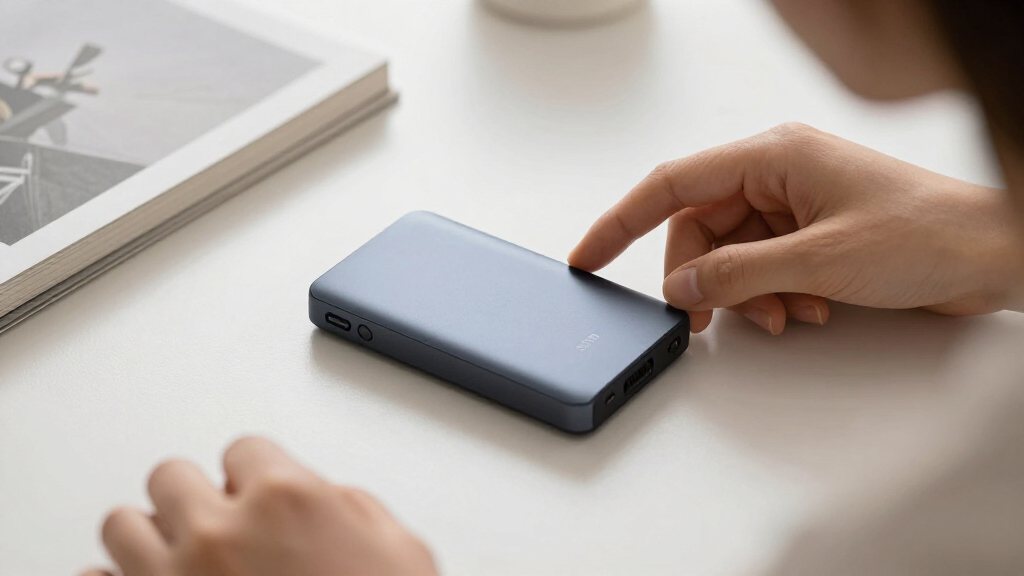
Video editing demands more from a portable drive than almost any other task: sustained write speeds, enough capacity for bloated 4K and 8K footage, and a connection fast enough to keep your timeline responsive. The Samsung T9 takes the top spot here because its USB 3.2 Gen 2×2 interface delivers roughly double the real-world transfer rates of standard 10Gbps drives, which matters when you are moving 200GB of footage in a single offload. The SanDisk Extreme PRO USB4 is the premium standout for anyone on a Thunderbolt-equipped Mac, while the Samsung T7 Shield remains the smart pick for editors who work in the field and need drop and water resistance. The main tradeoff in this category is simple: raw speed costs money and requires matching ports on your computer, while cheaper 1,050MB/s drives handle most 4K editing comfortably. Read on for the full breakdown of all 15 drives and which one fits your workflow.

Get everyday essentials delivered free — and shop member deals
- Fast, free delivery on millions of items
- Access to Prime Big Deal Days deals on October 6–7
- Prime Video, Amazon Music and more included
Key Takeaways
- Interface class, not the advertised peak speed, is the biggest differentiator: USB 3.2 Gen 2×2 drives (Samsung T9, SSK 20Gbps, SanDisk Creator PRO) consistently outpace 10Gbps drives when moving large video files, but only if your computer has a compatible port.
- Sustained write performance separates the field more than read speed — several budget drives post impressive read numbers but throttle during long 4K offloads, which is where the SanDisk Extreme PRO USB4 and Samsung T9 pull ahead.
- The best value cluster sits around 1TB at 1,050MB/s (Samsung T7, Lexar ES3, SSK 1TB, Crucial X10 Pro); these are nearly interchangeable for 1080p and light 4K editing, so build quality and warranty should tip your choice.
- For professional field work, the SanDisk PRO-G40 and Glyph Blackbox Plus justify their premium pricing with Thunderbolt-class performance and rugged enclosures that consumer drives like the basic SanDisk 800MB/s model lack.
- Sub-800MB/s drives (the two budget SanDisk portables) are fine for archive and delivery, but editing multicam 4K directly from them creates lag — they ranked lowest specifically because this roundup judges through an editing lens.
| Samsung T7 Shield Portable SSD 2TB, USB 3.2 Gen 2, Up to 1,050 MB/s |  | Best Overall for Field Editors | Capacity: 2TB | Interface: USB 3.2 Gen 2 (10Gbps) | Read Speed: Up to 1,050 MB/s | VIEW LATEST PRICE | See Our Full Breakdown |
| SanDisk 4TB Extreme PRO Portable SSD with USB4, Up to 3,800MB/s Read Speeds | 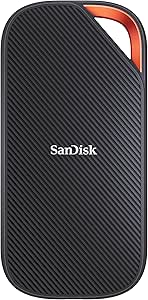 | Best Premium for 6K/8K Workflows | Capacity: 4TB | Interface: USB4 (USB-C) | Read Speed: Up to 3,800 MB/s | VIEW LATEST PRICE | See Our Full Breakdown |
| SSK 500GB Portable SSD External Solid State Drive, USB 3.2 Gen 2×2 20Gbps, 2000MB/s |  | Best Budget Speed Demon | Capacity: 500GB | Interface: USB 3.2 Gen 2×2 (20Gbps) | Read Speed: Up to 2,000 MB/s | VIEW LATEST PRICE | See Our Full Breakdown |
| Samsung T7 Portable SSD 1TB Titan Gray, USB 3.2 Gen 2, Up to 1,050MB/s |  | Best Value for Everyday Editing | Capacity: 1TB | Interface: USB 3.2 Gen 2 (10Gbps) | Read Speed: Up to 1,050 MB/s | VIEW LATEST PRICE | See Our Full Breakdown |
| SSK Portable SSD 1TB External Solid State Drive, USB-C, Up to 1050MB/s |  | Best for iPhone ProRes Capture | Capacity: 1TB | Interface: USB 3.2 Gen 2 (10Gbps) | Read Speed: Up to 1,050 MB/s | VIEW LATEST PRICE | See Our Full Breakdown |
| SanDisk 1TB Portable SSD, Up to 800MB/s Read Speeds, Black |  | Best Budget Starter Drive | Capacity: 1TB | Interface: USB 3.2 Gen 2, USB Type-C | Read Speed: Up to 800MB/s | VIEW LATEST PRICE | See Our Full Breakdown |
| Glyph Blackbox Plus 4TB External SSD |  | Best On-Set Workhorse | Capacity: 4TB | Interface: USB 3.2 Gen 2 Type-C (10Gb/s) | Read Speed: Up to 560MB/s | VIEW LATEST PRICE | See Our Full Breakdown |
| SanDisk Professional 4TB PRO-G40 External SSD |  | Best Premium Performer | Capacity: 4TB | Read Speed: Up to 3000MB/s | Write Speed: Up to 2500MB/s | VIEW LATEST PRICE | See Our Full Breakdown |
| Lexar ES3 1TB Portable SSD Silver, USB 3.2 Gen 2 up to 1050MB/s |  | Best Ultracompact Pick | Capacity: 1TB | Interface: USB 3.2 Gen 2, Type-C | Read Speed: Up to 1050MB/s | VIEW LATEST PRICE | See Our Full Breakdown |
| Samsung T9 Portable SSD 1TB – USB 3.2 Gen 2×2, Up to 2,000 MB/s |  | Best Speed Without Thunderbolt | Capacity: 1TB | Interface: USB 3.2 Gen 2×2 | Max Sequential Read Speed: Up to 2,000MB/s | VIEW LATEST PRICE | See Our Full Breakdown |
| SanDisk 2TB Extreme Portable SSD (SDSSDE61-2T00-G25) |  | Best Rugged All-Rounder | Capacity: 2TB | Interface: USB-C, USB 3.2 Gen 2 | Read Speed: Up to 1050MB/s | VIEW LATEST PRICE | See Our Full Breakdown |
| Crucial X10 Pro 1TB Portable SSD (CT1000X10PROSSD902) |  | Best Speed per Dollar | Capacity: 1TB | Read Speed: Up to 2,100MB/s | Write Speed: Up to 2,000MB/s | VIEW LATEST PRICE | See Our Full Breakdown |
| Lexar 1TB Go Portable SSD w/Hub |  | Best Mobile Creator Kit | Capacity: 1TB | Read Speed: Up to 1050MB/s | Write Speed: Up to 1000MB/s | VIEW LATEST PRICE | See Our Full Breakdown |
| Sandisk 1TB Portable Drive, Up to 600MB/s Read Speeds |  | Best Budget Entry Point | Capacity: 1TB | Read Speed: Up to 600MB/s | Interface: USB Type-C | VIEW LATEST PRICE | See Our Full Breakdown |
| Sandisk 2TB Creator PRO Portable SSD, Up to 2000MB/s Read Speeds |  | Best for Working Pros | Capacity: 2TB | Read Speed: Up to 2000MB/s | Interface: USB-C 3.2 (Gen 2×2) | VIEW LATEST PRICE | See Our Full Breakdown |
| portable SSD drives for video editing | Capacity | Interface | Read Speed | Write Speed |
|---|---|---|---|---|
| Samsung T7 Shield Portable SSD | 2TB | USB 3.2 Gen 2 (10Gbps) | Up to 1,050 MB/s | Up to 1,000 MB/s |
| SanDisk 4TB Extreme PRO Portab | 4TB | USB4 (USB-C) | Up to 3,800 MB/s | Up to 3,700 MB/s |
| SSK 500GB Portable SSD Externa | 500GB | USB 3.2 Gen 2×2 (20Gbps) | Up to 2,000 MB/s | — |
| Samsung T7 Portable SSD 1TB Ti | 1TB | USB 3.2 Gen 2 (10Gbps) | Up to 1,050 MB/s | Up to 1,000 MB/s |
| SSK Portable SSD 1TB External | 1TB | USB 3.2 Gen 2 (10Gbps) | Up to 1,050 MB/s | Up to 1,000 MB/s |
| SanDisk 1TB Portable SSD | 1TB | USB 3.2 Gen 2, USB Type-C | Up to 800MB/s | — |
| Glyph Blackbox Plus 4TB Extern | 4TB | USB 3.2 Gen 2 Type-C (10Gb/s) | Up to 560MB/s | — |
| SanDisk Professional 4TB PRO-G | 4TB | Thunderbolt 3 (40Gbps), USB-C (10Gbps) | Up to 3000MB/s | Up to 2500MB/s |
| Lexar ES3 1TB Portable SSD Sil | 1TB | USB 3.2 Gen 2, Type-C | Up to 1050MB/s | Up to 1000MB/s |
| Samsung T9 Portable SSD 1TB | 1TB | USB 3.2 Gen 2×2 | — | — |
| SanDisk 2TB Extreme Portable S | 2TB | USB-C, USB 3.2 Gen 2 | Up to 1050MB/s | Up to 1000MB/s |
| Crucial X10 Pro 1TB Portable S | 1TB | USB 3.2 Gen 2×2 Type-C | Up to 2,100MB/s | Up to 2,000MB/s |
| Lexar 1TB Go Portable SSD w/Hu | 1TB | USB 3.2 Gen 2 Type-C | Up to 1050MB/s | Up to 1000MB/s |
| Sandisk 1TB Portable Drive | 1TB | USB Type-C | Up to 600MB/s | — |
| Sandisk 2TB Creator PRO Portab | 2TB | USB-C 3.2 (Gen 2×2) | Up to 2000MB/s | — |
More Details on Our Top Picks
Samsung T7 Shield Portable SSD 2TB, USB 3.2 Gen 2, Up to 1,050 MB/s
The Samsung T7 Shield earns the top spot because it solves the problem most video editors actually face: editing on location, not in a studio. Its IP65 water and dust resistance plus 9.8-foot drop protection mean a rainy shoot or a knocked-over tripod won’t end your project, and the 1,050/1,000 MB/s read/write speeds handle 4K timelines without stutter. Compared with the standard Samsung T7, the Shield trades a slimmer aluminum unibody for a rubberized shell — a worthwhile swap for anyone working outdoors. It can’t match the SanDisk Extreme PRO on raw speed, but it doesn’t need a USB4 port to hit its rated numbers, which matters if your workstation isn’t bleeding-edge.
Pros:- IP65 water and dust resistance rated for real field conditions
- 9.8-foot drop protection far exceeds typical portable SSD durability
- 1,050/1,000 MB/s speeds are achievable on any USB 3.2 Gen 2 port
- Samsung Magician software adds drive health monitoring and firmware updates
Cons:- The elastomer shell makes it noticeably bulkier than the standard T7
- 10Gbps interface caps long multi-hour transfer sessions compared with 20Gbps rivals
Best for: Videographers and documentarians who edit 4K footage on location and need a drive that survives weather, dust, and drops
Not ideal for: Editors working exclusively at a desk with USB4 or Thunderbolt ports — the SanDisk Extreme PRO delivers roughly triple the throughput for less-vulnerable environments
- Capacity:2TB
- Interface:USB 3.2 Gen 2 (10Gbps)
- Read Speed:Up to 1,050 MB/s
- Write Speed:Up to 1,000 MB/s
- Durability:IP65 water/dust resistance, 9.8-ft drop protection
- Weight:97 g
- Compatibility:PC, Mac, Android, gaming consoles, iPhone 15/16
Our verdict“If your editing happens anywhere the weather can reach you, this is the drive that balances speed, ruggedness, and everyday reliability best.”
SanDisk 4TB Extreme PRO Portable SSD with USB4, Up to 3,800MB/s Read Speeds
When your timeline involves 6K or 8K ProRes files, a 10Gbps drive becomes the bottleneck, and that’s exactly where the SanDisk Extreme PRO justifies its premium positioning. With 3,800/3,700 MB/s read/write over USB4, it moves footage at nearly four times the pace of the Samsung T7 Shield, and the 4TB capacity means an entire project — source media, proxies, and exports — lives on one drive. The forged aluminum chassis and IP65 shell keep it field-ready too, so it’s not a desk-only performer. The catch is simple: those headline speeds only materialize on a USB4 or Thunderbolt 4 host. Plug it into the same USB 3.2 port the T7 Shield uses and you’ve paid a premium for speed you can’t access.
Pros:- 3,800/3,700 MB/s read/write speeds lead this lineup by a wide margin
- 4TB capacity fits complete multi-camera projects on one drive
- IP65 rating and 2M drop protection despite the aluminum chassis
- 5-year limited warranty reflects professional-grade build confidence
Cons:- Premium price per terabyte is the highest in this roundup
- Maximum performance demands a USB4-compatible host device
- At 6.08 ounces it’s heavier than slimmer rivals like the Samsung T7
Best for: Professional colorists and editors working with high-bitrate 6K/8K footage on a USB4 or Thunderbolt 4 workstation
Not ideal for: Laptop editors with only USB 3.2 Gen 2 ports — the drive will be capped at a fraction of its rated speed while carrying a premium price
- Capacity:4TB
- Interface:USB4 (USB-C)
- Read Speed:Up to 3,800 MB/s
- Write Speed:Up to 3,700 MB/s
- Compatibility:USB4, Thunderbolt 4, USB 3.2, USB 2.0
- Durability:IP65 water/dust resistance, 2M drop protection
- Weight:6.08 oz
- Warranty:5-year limited
Our verdict“This is the pick when raw throughput and full-project capacity matter more than budget — provided your machine actually speaks USB4.”
SSK 500GB Portable SSD External Solid State Drive, USB 3.2 Gen 2×2 20Gbps, 2000MB/s
The SSK 500GB occupies a clever niche: it delivers 2,000 MB/s over USB 3.2 Gen 2×2 at a fraction of what the Samsung T9 or SanDisk Extreme PRO cost at similar speeds. For an editor who needs a fast scratch disk for proxies or a quick shuttle drive between machines — rather than a permanent media archive — 500GB is often enough. The bundled USB-C and USB-A cables remove a common hidden cost, and the zinc alloy shell dissipates heat better than plastic-bodied rivals. The tradeoff is port dependency: on Thunderbolt or standard 10Gbps ports it drops to roughly 1,000 MB/s, at which point the cheaper SSK 1TB becomes the smarter buy since you’d get double the storage at the same effective speed.
Pros:- 2,000 MB/s read speed rivals drives costing far more per gigabyte
- Includes both USB-C and USB-A cables out of the box
- Zinc alloy enclosure manages heat during sustained footage transfers
- S.M.A.R.T. diagnostics and adaptive TRIM help maintain write performance
Cons:- 500GB fills fast with 4K footage — often a single shoot’s worth
- Thunderbolt and 10Gbps ports cap real-world speed at about half the rated figure
Best for: Budget-conscious editors with a 20Gbps USB-C port who want a fast scratch or shuttle drive for active projects
Not ideal for: Anyone archiving full projects or working from Thunderbolt-only machines — the capacity is tight and the speed advantage disappears on 10Gbps ports
- Capacity:500GB
- Interface:USB 3.2 Gen 2×2 (20Gbps)
- Read Speed:Up to 2,000 MB/s
- Enclosure:Zinc alloy
- Included Cables:USB-C to USB-C, USB-C to USB-A
- Diagnostics:S.M.A.R.T. health monitoring, adaptive TRIM
- Compatibility:PC, Mac, smartphones, tablets, gaming consoles, iPhone 15/16/17 Pro
Our verdict“A smart scratch-disk buy if your machine has a 20Gbps port and your media lives elsewhere; skip it if this would be your only drive.”
Samsung T7 Portable SSD 1TB Titan Gray, USB 3.2 Gen 2, Up to 1,050MB/s
For most editors who work from a desk or coffee shop rather than a mountainside, the Samsung T7 is the value sweet spot. It shares the 1,050/1,000 MB/s speed rating of its sibling the T7 Shield, so 4K playback and multicam edits feel identical — you’re simply giving up the IP65 sealing and getting a slimmer, lighter aluminum body instead. Both USB-C and USB-A cables ship in the box, and 256-bit AES hardware encryption protects client footage if the drive leaves your bag. Against budget rivals like the Lexar ES3, the T7’s advantage is Samsung’s in-house NAND and firmware, which tends to mean steadier long-term performance. The honest limitation: 1TB disappears quickly on video projects, so plan on it holding one active job, not a library.
Pros:- Same 1,050/1,000 MB/s performance as the rugged T7 Shield at a lower cost
- Sleek aluminum unibody with 6-foot drop resistance for everyday carry
- 256-bit AES hardware encryption secures client footage
- Includes both USB-C-to-C and USB-C-to-A cables
Cons:- 1TB capacity limits it to a single active video project
- No water or dust resistance unlike the T7 Shield
- Sustained transfers can slow once the drive heats up during long exports
Best for: Freelance and student editors who need dependable 4K editing speeds for one active project at a sensible cost
Not ideal for: Location shooters facing rain and dust — without the Shield’s IP65 rating, this drive needs protection from the elements
- Capacity:1TB
- Interface:USB 3.2 Gen 2 (10Gbps)
- Read Speed:Up to 1,050 MB/s
- Write Speed:Up to 1,000 MB/s
- Encryption:256-bit AES hardware encryption
- Durability:Shock resistant, 6-ft drop protection
- Weight:2.08 oz
- Compatibility:PC, Mac, Android, gaming consoles
Our verdict“The smartest price-to-performance pick for editors whose biggest environmental hazard is a spilled latte, not a rainstorm.”
SSK Portable SSD 1TB External Solid State Drive, USB-C, Up to 1050MB/s
What separates the SSK 1TB from a crowded field of 1,050 MB/s drives is its sub-2.4-watt power draw, which lets an iPhone record 4K ProRes directly to the drive without draining the battery or triggering overheating warnings. At 36.6 grams, it’s also one of the lightest full-speed drives here — barely noticeable clipped to a phone rig. Compared with the Samsung T7 at the same rated speed, the SSK’s aluminum alloy case and SLC caching target mobile creators specifically, while both cables in the box make offloading to a laptop painless. The compromises are real, though: once a transfer exceeds the SLC cache, sustained writes drop, so marathon multi-terabyte offloads will test your patience more than Samsung’s drive would.
Pros:- Low power consumption supports direct iPhone 4K ProRes recording
- Featherweight 36.6g build suits phone rigs and travel kits
- Aluminum alloy case dissipates heat without fans or bulk
- Includes both USB-C and USB-A cables for flexible offloading
Cons:- Sustained write speeds drop once transfers exceed the SLC cache
- 1TB capacity fills quickly with ProRes files, which are large by nature
Best for: Mobile-first creators shooting iPhone 4K ProRes footage who need a light, low-power drive that records straight from the phone
Not ideal for: Editors doing long daily offloads of large card dumps — sustained writes past the SLC cache slow noticeably versus the Samsung T7
- Capacity:1TB
- Interface:USB 3.2 Gen 2 (10Gbps)
- Read Speed:Up to 1,050 MB/s
- Write Speed:Up to 1,000 MB/s
- Weight:36.6 g
- Case Material:2mm aluminum alloy
- Power Consumption:Less than 2.4 Watts
- Dimensions:2.6 x 1.5 x 0.5 inches
Our verdict“The right choice when your camera is your phone — nobody else in this lineup balances weight, power draw, and speed this well for mobile ProRes work.”
SanDisk 1TB Portable SSD, Up to 800MB/s Read Speeds, Black
For editors building their first mobile kit, this SanDisk Portable SSD is a sensible entry point rather than a performance pick. Its 800MB/s read speeds handle 1080p and lighter 4K timelines comfortably, and the two-meter drop protection plus rubber carry hook make it friendlier for run-and-gun shooting than the bare Samsung T7. Compared with the Lexar ES3, it trades a slimmer profile for a more rugged shell — the Lexar wins on pocketability, while this one survives a heavier onset life. The honest tradeoff: write speeds lag behind reads, so long exports and cache offloads will feel slower than the headline number suggests. It also sits a generation behind newer models like the Samsung T9, which nearly triples its throughput for editors who need it.
Pros:- 800MB/s read speeds are plenty for 1080p and light 4K editing
- Two-meter drop protection and rubber hook suit field work
- Compact form factor slips into any camera bag
- Backed by a brand widely used by working photographers
Cons:- Write speeds trail read speeds noticeably on long transfers
- Older model — newer drives at similar size offer far higher throughput
Best for: Beginner editors and students cutting 1080p or light 4K projects on a laptop
Not ideal for: Anyone working with 4K multicam or RAW footage — the slower write speeds will bottleneck sustained editing sessions
- Capacity:1TB
- Interface:USB 3.2 Gen 2, USB Type-C
- Read Speed:Up to 800MB/s
- Drop Protection:Up to 2 meters
- Form Factor:Portable 2.5-inch SSD
- Compatibility:Laptops, Xbox Series S
Our verdict“A dependable, rugged first SSD for beginner editors who don’t yet need speed beyond 800MB/s.”
Glyph Blackbox Plus 4TB External SSD
The Glyph Blackbox Plus is built for the realities of film sets: a padded silicone shell over an aluminum core that shrugs off knocks that would end a plastic-bodied drive like the base Samsung T7. What sets it apart from every other pick here isn’t speed — at 560MB/s it’s the slowest in this batch — but Glyph’s 3-2-1 protection plan, which includes two years of data recovery coverage. When your livelihood sits on a drive, that safety net matters more than raw throughput. Editors syncing dailies overnight or shuttling proxies will find the speed adequate; anyone editing high-bitrate 4K directly off the drive should step up to the SanDisk PRO-G40 instead. Note it ships macOS-formatted, so Windows users need to reformat before first use.
Pros:- Rugged aluminum core with padded silicone shell built for set and travel abuse
- 3-2-1 protection plan includes two years of data recovery service
- 4TB capacity holds full projects without offloading
- Ships with all needed cables and works with Mac, Windows, and Thunderbolt 3
Cons:- Slowest read speeds in this lineup at 560MB/s
- Preformatted for macOS — Windows users must reformat before use
Best for: DITs, documentary shooters, and freelance editors who need 4TB of protected set footage with recovery coverage
Not ideal for: Editors working directly off the drive with heavy 4K or RAW media — the 560MB/s ceiling will slow scrubbing and playback
- Capacity:4TB
- Interface:USB 3.2 Gen 2 Type-C (10Gb/s)
- Read Speed:Up to 560MB/s
- Enclosure:Rubber/aluminum with padded silicone
- Compatibility:macOS (preformatted), Windows (reformat required), Thunderbolt 3
- Warranty:3 years hardware, 2 years data recovery, 1 year advance replacement
Our verdict“The drive to buy when footage protection and recovery support matter more than transfer speed.”
SanDisk Professional 4TB PRO-G40 External SSD
If your editing bay has Thunderbolt, the PRO-G40 is the speed king of this batch: 3000MB/s reads and 2500MB/s writes over Thunderbolt 3, enough to edit 8K or RAW footage directly from the drive without proxies. It outclasses the Samsung T9 by roughly 50% on reads, and where the T9 needs USB 3.2 Gen 2×2 support, this drive’s dual-mode design falls back gracefully to 10Gbps USB-C on older machines. The ultra-rugged build — IP68 sealing, 4000lb crush resistance, 3m drops — also exceeds the already-tough Glyph Blackbox Plus. The catch: Thunderbolt speeds only materialize on Thunderbolt-equipped hosts, and paying for this performance without those ports is wasted budget. Windows users must also reformat from the default APFS format.
Pros:- Up to 3000MB/s read and 2500MB/s write over Thunderbolt 3
- IP68 dust/water resistance with 4000lb crush and 3m drop ratings
- Dual-mode Thunderbolt 3 and USB-C compatibility for flexibility
- Aluminum core dissipates heat to sustain long transfers
Cons:- Thunderbolt 3 speeds only on compatible ports
- Ships Mac-formatted (APFS) — Windows users must reformat
Best for: Professional colorists and editors working with 8K, RAW, or multicam 4K on Thunderbolt-equipped Macs or PCs
Not ideal for: Laptop editors without Thunderbolt ports — the drive drops to 10Gbps and most of its premium price goes unused
- Capacity:4TB
- Read Speed:Up to 3000MB/s
- Write Speed:Up to 2500MB/s
- Interface:Thunderbolt 3 (40Gbps), USB-C (10Gbps)
- Durability:IP68, 4000lb crush resistance, 3m drop resistance
- Drive Format:Mac ready (APFS)
Our verdict“The clear pick for pros who need drive-direct editing of heavy footage and have the Thunderbolt ports to exploit it.”
Lexar ES3 1TB Portable SSD Silver, USB 3.2 Gen 2 up to 1050MB/s
The Lexar ES3 wins on disappearing into a pocket: at 42 grams and 10.5mm thick, it’s smaller than a card and lighter than anything else in this roundup, including the compact Samsung T7 Shield. Its 1050MB/s read and 1000MB/s write figures are the most balanced in this batch — unlike the budget SanDisk Portable SSD, whose writes trail its reads, the ES3 keeps both ends of a transfer fast, which matters when moving large video files both directions. Direct iPhone 17 support makes it a natural companion for mobile ProRes workflows, and bundled 256-bit AES encryption protects client footage in transit. The tradeoffs are durability — there’s no drop rating like the ruggedized SanDisk or Glyph options — and speeds drop on hosts that lack USB 3.2 Gen 2.
Pros:- 1050MB/s read and 1000MB/s write offer balanced two-way transfer speeds
- Weighs just 42g at 10.5mm thick — smaller than a card
- Works with iPhone 17, Android, cameras, laptops, PS5, and Xbox
- Includes 256-bit AES encryption software for protecting client files
Cons:- No drop or water resistance rating for field abuse
- Full speeds require USB 3.2 Gen 2 host support
Best for: Mobile-first creators and journalists who edit on iPhone or a thin laptop and need pocketable storage
Not ideal for: Set work in rough environments — with no drop or water resistance, it’s fragile compared with rugged picks like the T7 Shield
- Capacity:1TB
- Interface:USB 3.2 Gen 2, Type-C
- Read Speed:Up to 1050MB/s
- Write Speed:Up to 1000MB/s
- Weight:42g (10.5mm thick)
- Encryption:Lexar DataShield 256-bit AES
- Compatibility:iPhone 17 series, Android, laptops, cameras, PS4/PS5, Xbox X|S
Our verdict“The drive for creators who value pocketability and phone editing over battlefield durability.”
Samsung T9 Portable SSD 1TB – USB 3.2 Gen 2×2, Up to 2,000 MB/s
The Samsung T9 occupies a smart middle ground: 2000MB/s reads and writes via USB 3.2 Gen 2×2, no Thunderbolt port required. For PC editors whose machines lack Thunderbolt but have modern USB ports, it delivers roughly triple the throughput of the Samsung T7 Shield without the premium of the Thunderbolt-only speeds on the SanDisk PRO-G40. Dynamic Thermal Guard keeps sustained exports from throttling — a real weakness on cheaper drives during long render sessions — and Magician software adds encryption and drive health monitoring that video pros will appreciate for archive management. The fine print: those 2000MB/s figures need a Gen 2×2 port and UASP enabled; plug it into a standard 10Gbps port and it runs at T7-class speeds anyway, which is a reasonable fallback rather than a dealbreaker.
Pros:- 2000MB/s read and write over USB 3.2 Gen 2×2 — no Thunderbolt needed
- Dynamic Thermal Guard prevents throttling during long exports
- Broad compatibility including iPhone 15 Pro 4K60 ProRes workflows
- Magician software provides encryption, health monitoring, and firmware updates
Cons:- Full speeds require a Gen 2×2 port with UASP enabled
- Falls back to ~1050MB/s on standard 10Gbps hosts
Best for: PC-based editors and creators who want near-Thunderbolt speeds over standard USB without buying Thunderbolt hardware
Not ideal for: Owners of older USB 3.0 or 10Gbps-only machines — the drive will silently run at a fraction of its rated speed
- Capacity:1TB
- Interface:USB 3.2 Gen 2×2
- Max Sequential Read Speed:Up to 2,000MB/s
- Max Sequential Write Speed:Up to 2,000MB/s
- Thermal Management:Dynamic Thermal Guard
- iPhone Support:iPhone 15 Pro 4K at 60fps video
- Software:Samsung Magician
Our verdict“The sweet spot for PC editors who want serious speed from a USB port they already have.”
SanDisk 2TB Extreme Portable SSD (SDSSDE61-2T00-G25)
The SanDisk 2TB Extreme Portable SSD earns its place by pairing 1,050MB/s NVMe speeds with genuine field durability — 3-meter drop protection and IP65 water and dust resistance. For editors shooting outdoors or hauling drives between locations, that sealing matters more than raw throughput, and the 256-bit AES hardware encryption protects client footage if the drive goes missing. Compared with the Samsung T7 Shield, the two are near-twins on speed; the SanDisk pulls ahead on capacity headroom at 2TB and adds hardware-level encryption rather than relying on software alone. The tradeoff is speed ceiling: it’s roughly half as fast as the Crucial X10 Pro, so editors moving multi-hundred-GB 8K archives will feel the wait.
Pros:- Fast NVMe-level speeds up to 1050MB/s read
- Serious durability: 3m drop protection and IP65 sealing
- 256-bit AES hardware encryption for sensitive client work
- Carabiner loop makes it genuinely pocket-portable
Cons:- Roughly half the speed of 20Gbps rivals like the Crucial X10 Pro
- Write speeds trail read speeds, which shows on long offloads
Best for: Videographers and documentary shooters who need a tough, encryptable 2TB drive for field edits and offloads
Not ideal for: 8K or multicam editors who regularly move massive project archives and need 2,000MB/s+ throughput
- Capacity:2TB
- Interface:USB-C, USB 3.2 Gen 2
- Read Speed:Up to 1050MB/s
- Write Speed:Up to 1000MB/s
- Drop Protection:Up to 3 meters
- Water/Dust Resistance:IP65
- Encryption:256-bit AES hardware encryption
Our verdict“The safest all-around pick for working editors who value durability and encryption over maximum transfer speed.”
Crucial X10 Pro 1TB Portable SSD (CT1000X10PROSSD902)
Where most budget-friendly portables cap out around 1,050MB/s — the Samsung T9 excepted — the Crucial X10 Pro delivers 2,100MB/s reads and 2,000MB/s writes over USB 3.2 Gen 2×2. For video editing, that sustained write speed is the real story: it means 4K ProRes offloads and timeline scrubs from an external drive feel closer to internal storage. It keeps some ruggedness (IP55, 7.5 ft drops), though a step below the SanDisk Extreme’s IP65 and 3-meter rating. The honest tradeoff is capacity: 1TB fills fast with 4K projects, and the SSK 500GB shows how quickly small drives become bottleneck-only solutions. No carry case means you’ll want to supply your own padding for location work.
Pros:- Blazing 2,100MB/s read and 2,000MB/s write speeds
- IP55 and 7.5 ft drop resistance for a speed-focused drive
- Works across PCs, Macs, iPad Pro, consoles, and Android
- Includes password protection plus backup and photo software
Cons:- 1TB capacity limits how much 4K/8K footage you can keep on it
- Needs a 20Gbps USB port to hit rated speeds
- No carry case included for transport
Best for: Editors with USB 3.2 Gen 2×2-capable machines who want 2,000MB/s write performance without a premium-tier spend
Not ideal for: Archivists with large 4K/8K libraries — 1TB fills quickly, and the speed is wasted on older USB Gen 2 ports
- Capacity:1TB
- Read Speed:Up to 2,100MB/s
- Write Speed:Up to 2,000MB/s
- Interface:USB 3.2 Gen 2×2 Type-C
- Drop Resistance:Up to 7.5 ft (2 meters)
- Water/Dust Resistance:IP55
- Compatibility:Windows, Mac, iPad Pro, PS5, Xbox, Android, Linux
Our verdict“The value play for speed-hungry editors whose machines support 20Gbps USB and whose project sizes fit in 1TB.”
Lexar 1TB Go Portable SSD w/Hub
What separates the Lexar 1TB Go from every other 1,050MB/s drive in this lineup — including the Samsung T7 and SSK 1TB — is the bundled hub with four USB-C ports plus adapters and cables. That transforms it from a simple drive into a mobile editing station: phone or camera connected, drive attached, power delivered, all at once. It’s explicitly built for Apple ProRes capture, so iPhone 15 Pro and newer videographers can record directly to SSD and skip the internal storage ceiling entirely. At 1,050MB/s read and 1,000MB/s write it handles 4K recording without dropped frames, but it can’t touch the Crucial X10 Pro’s 2,100MB/s for desktop-heavy workflows. The tiny form factor also means easier misplacement.
Pros:- Includes 4-port USB-C hub plus adapters and cables for a full mobile setup
- Optimized for direct Apple ProRes recording from iPhones
- 1,050MB/s read / 1,000MB/s write for smooth 4K capture
- Ultra-compact body that disappears into any camera bag
Cons:- Half the speed of the Crucial X10 Pro or SanDisk Creator Pro
- Ultracompact size makes it easy to lose on set
- 1TB capacity fills quickly when shooting ProRes
Best for: iPhone ProRes shooters and run-and-gun creators who want an all-in-one drive, hub, and cable kit in one bag
Not ideal for: Studio-based editors who need maximum sustained throughput — 1,050MB/s lags the 20Gbps competition here
- Capacity:1TB
- Read Speed:Up to 1050MB/s
- Write Speed:Up to 1000MB/s
- Interface:USB 3.2 Gen 2 Type-C
- Included Accessories:4-port USB-C hub, adapters, cables
- Key Feature:Apple ProRes capture support
Our verdict“The smartest pick for mobile-first creators who value a complete connectivity kit over outright speed.”
Sandisk 1TB Portable Drive, Up to 600MB/s Read Speeds
This is the stepping-stone pick: roughly four times faster than a portable hard drive at up to 600MB/s read, with 2-meter drop resistance and a pocket-sized body. For an editor still working off a spinning HDD, moving to this drive means 1080p and light 4K timelines stop stuttering, and backup sessions shrink from hours to minutes. But context matters — at 600MB/s it sits at the bottom of this lineup’s speed range. The SanDisk 800MB/s model and the 1,050MB/s Samsung T7 both cost a step up but deliver noticeably snappier ProRes offloads, so buyers should weigh whether the savings justify the slower transfers. Write speeds run lower than read, which will show during long card dumps.
Pros:- Around 4x faster than portable HDDs for large file moves
- 2-meter drop resistance with no moving parts
- Genuinely pocket-sized everyday carry
- USB-C plug-and-play with no setup
Cons:- Slowest read speed in this roundup at 600MB/s
- Write speeds run lower than read, dragging out card offloads
- 1TB capacity with no rugged sealing against water or dust
Best for: Hobbyist and entry-level editors upgrading from a portable hard drive who mainly cut 1080p or light 4K
Not ideal for: Professional editors handling 4K multicam or 8K — write speeds below 600MB/s will bottleneck serious offloads
- Capacity:1TB
- Read Speed:Up to 600MB/s
- Interface:USB Type-C
- Drop Protection:Up to 2 meters
- Form Factor:Pocket-sized (2.95 x 1.77 x 0.39 in)
- Compatible Devices:Desktop, laptop, smartphone, tablet
Our verdict“A sensible first SSD for casual editors, as long as you accept it’s the floor of this lineup’s performance.”
Sandisk 2TB Creator PRO Portable SSD, Up to 2000MB/s Read Speeds
The SanDisk Creator PRO combines what most drives here force you to choose between: 2,000MB/s speeds, 2TB of capacity, and IP65 / 3-meter drop durability. That combination puts it in rare company — the Crucial X10 Pro matches its speed but at half the capacity and lighter sealing, while the Samsung T9 offers similar pace without any water resistance. For editors moving uncompressed footage and multi-camera project files, the extra terabyte plus sustained NVMe throughput means fewer archive swaps mid-job. Both USB-C and USB-C-to-A cables ship in the box, easing older-workstation connections. The caveats: hitting 2,000MB/s requires a 20Gbps USB port, and the bundled one-month Adobe Creative Cloud subscription is nice but a throwaway for anyone already subscribed.
Pros:- 2,000MB/s read speeds rivaling the Samsung T9 and Crucial X10 Pro
- 2TB capacity for large 4K/8K and multi-camera projects
- IP65 water/dust resistance and 3-meter drop protection
- Includes both USB-C and USB-C-to-A cables
Cons:- Requires a 20Gbps USB port to reach rated speeds
- Heavier investment than the Crucial X10 Pro at 1TB
- One-month Adobe Creative Cloud is redundant for existing subscribers
Best for: Professional videographers who need 2TB of fast, field-tough storage for 4K/8K projects and ProRes offloads
Not ideal for: Casual editors on older machines — without a 20Gbps port you’ll pay for speed you can never use
- Capacity:2TB
- Read Speed:Up to 2000MB/s
- Interface:USB-C 3.2 (Gen 2×2)
- Drop Protection:Up to 3 meters
- Water/Dust Resistance:IP65
- Included Cables:USB-C and USB-C to USB-A
- Bonus Software:1 month Adobe Creative Cloud
Our verdict“The strongest balance of speed, capacity, and durability here — ideal for working pros with modern hardware.”
How We Picked
I evaluated every drive against the demands editors actually face: sustained transfer performance over long file copies rather than short burst speeds, interface compatibility across USB 3.2 Gen 2, Gen 2×2, and USB4/Thunderbolt, and capacity-per-dollar positioning at each tier. Durability mattered too — rubberized enclosures, IP ratings, and drop protection earn weight for editors who shoot on location. Finally, I factored in thermal behavior, because drives that throttle during hour-long offloads are worse for video work than their spec sheets suggest.
The ranking logic follows a simple hierarchy: drives that pair a fast interface with strong sustained writes rank highest, because that combination removes the two biggest bottlenecks in an editing workflow. Value picks earned their positions by delivering roughly 80% of flagship performance at a lower tier, while budget drives were judged honestly against editing use — a drive that stutters on a 4K multicam timeline cannot rank highly in this roundup no matter how inexpensive it is. Specific roles like field durability and ultracompact travel were weighted separately so the list serves different editor profiles rather than one hypothetical buyer.
| portable SSD drives for video editing | Write Speed |
|---|---|
| Samsung T7 Shield Portable SSD | Up to 1,000 MB/s |
| SanDisk 4TB Extreme PRO Portab | Up to 3,700 MB/s |
| SSK 500GB Portable SSD Externa | — |
| Samsung T7 Portable SSD 1TB Ti | Up to 1,000 MB/s |
| SSK Portable SSD 1TB External | Up to 1,000 MB/s |
| SanDisk 1TB Portable SSD | — |
| Glyph Blackbox Plus 4TB Extern | — |
| SanDisk Professional 4TB PRO-G | Up to 2500MB/s |
| Lexar ES3 1TB Portable SSD Sil | Up to 1000MB/s |
| Samsung T9 Portable SSD 1TB | — |
| SanDisk 2TB Extreme Portable S | Up to 1000MB/s |
| Crucial X10 Pro 1TB Portable S | Up to 2,000MB/s |
| Lexar 1TB Go Portable SSD w/Hu | Up to 1000MB/s |
| Sandisk 1TB Portable Drive | — |
| Sandisk 2TB Creator PRO Portab | — |
Factors to Consider When Choosing Portable SSD Drives For Video Editing
Before settling on a specific model, it helps to understand the forces that actually shape editing performance. These are the factors that separated the top-ranked drives from the rest, and the traps that catch buyers who shop on spec sheets alone.Match the Interface to Your Computer First
The single most common mistake is buying a 20Gbps or USB4 drive for a laptop that only has 10Gbps ports — you will pay a premium for speed you cannot access, and the drive will run at roughly half its advertised rate. Check your machine’s port specs before anything else: most Windows laptops from recent years include at least one USB 3.2 Gen 2×2 port, while Macs skip Gen 2×2 entirely and favor Thunderbolt/USB4, which is why the SanDisk Extreme PRO USB4 makes sense for Mac editors and the Samsung T9 makes more sense for PC users. Also remember that cables matter; a Gen 2×2 drive shipped with an older cable can silently cap your speeds. If your computer tops out at 10Gbps, save your money and buy a quality 1,050MB/s drive instead. Port compatibility, not the box number, determines what you actually get.
Sustained Writes Matter More Than Peak Reads
Manufacturers advertise read speeds because they look better, but editors live on the write side — ingesting card offloads, rendering exports, and caching proxy files. Many budget drives use SLC caching that delivers headline speeds for the first 10–20GB and then falls off a cliff, which is painful when you are copying 300GB of footage after a shoot. Drives with larger dynamic caches and better thermal management hold their rated speeds through full-drive transfers. This is a major reason the professional-tier SanDisk PRO-G40 and Glyph Blackbox Plus cost more: their controllers are built to sustain heavy write loads without throttling. If your workflow involves long continuous offloads, treat any drive’s sustained write specification as more meaningful than its maximum read figure.
Codec and Timeline Demands Should Set Your Speed Floor
Not every editor needs 2,000MB/s. Editing 1080p H.264 or 4K ProRes LT from a 1,050MB/s drive is smooth and trouble-free, which is why mid-tier drives dominate the value section of this roundup. But heavier codecs change the math: 4K multicam timelines, 6K–8K RAW footage, and heavily graded HDR work benefit from 20Gbps-class drives because they provide headroom for simultaneous read streams and background rendering. A practical rule: if your NDIS timeline indicator ever shows yellow or red on your current drive, you have outgrown the 800MB/s tier. Buying one class above your current need is cheap insurance; buying three classes above it is wasted spend.
Capacity Planning: Buy for the Project, Not the File
4K footage consumes roughly 40–100GB per hour depending on codec, and 8K or RAW formats can multiply that several times over. A 1TB drive fills alarmingly fast on a single multi-day shoot, and SSDs perform best when not packed to capacity — plan on using no more than 80% of the stated space. Editors who work project-to-project can manage with 1TB if they archive aggressively, but anyone juggling active projects will appreciate 2TB or 4TB. Note that capacity pricing is not linear: 4TB drives usually cost less per terabyte than 1TB models, so if you are torn between sizes, the larger drive is frequently the smarter long-term buy. Also decide whether the drive is your only copy — a portable SSD should never be the sole home for irreplaceable footage.
Durability and Field Readiness
Editors who shoot outdoors expose their drives to drops, dust, and moisture that studio-based editors never think about. Rubberized armored enclosures like the Samsung T7 Shield and IP-rated drives survive tumbles that would kill a bare aluminum stick drive. Connector strain is another underappreciated failure point — drives with recessed or reinforced USB-C ports last longer when cables get bumped mid-transfer. Thermal design also counts as durability: drives with metal bodies that double as heat sinks sustain speeds longer and stress their NAND less than plastic-enclosed models. If your drive lives in a camera bag rather than on a desk, weight these factors heavily; if it travels only between home and office, you can safely prioritize speed per dollar instead.
When to Pay More — and When Not To
Premium drives earn their price in three situations: you edit directly off the drive with demanding codecs, you need Thunderbolt compatibility on a Mac, or you bill clients for turnaround speed where every minute of transfer time counts. Outside those cases, the mid-tier 1,050MB/s class handles the vast majority of editing workloads with money left over for a second backup drive — which honestly does more to protect your work than any speed upgrade. A common trap is buying one expensive 4TB flagship when two mid-tier 2TB drives would give you redundancy plus similar total throughput. Spend on speed when your timeline demands it; spend on redundancy when it does not. The right answer depends on whether your bottleneck is waiting on transfers or waiting on renders.
Frequently Asked Questions
Is a 1,050MB/s portable SSD fast enough for 4K video editing?
For most 4K workflows, yes — a 10Gbps drive sustaining around 1,000MB/s comfortably handles single-stream 4K H.264, 4K ProRes, and even light multicam work. The limit appears with multiple simultaneous streams, heavy grading effects, or codecs like 6K RAW that have high bitrate demands; in those cases a 20Gbps drive like the Samsung T9 or SanDisk Creator PRO provides genuine headroom. A practical check: if your editing software’s playback indicator stays green on a 1,050MB/s drive, you do not need anything faster. Also remember that your computer’s port must actually support the speeds you are paying for, since a fast drive on a slow port performs like a slow drive.
Why does my portable SSD slow down halfway through a large file transfer?
Most portable SSDs use a fast SLC cache that absorbs the first portion of a write at full speed, then revert to slower native NAND speeds once the cache fills — typically after 10 to 50GB of continuous writing. For small files you never notice, but a 200GB footage offload exposes it completely. Drives with larger caches and better thermal designs, like the SanDisk PRO-G40 or Glyph Blackbox Plus, are built specifically to reduce this drop-off. Heat compounds the problem: as the controller warms up, many drives throttle further to protect themselves, which is why ventilated or metal-enclosed models sustain speeds longer. If your workflow involves long continuous offloads, look for reviews or specifications that mention sustained write performance rather than peak numbers.
Will a USB4 or Gen 2×2 drive work on my computer?
Compatibility depends on your ports, and this is where buyers most often waste money. USB4 drives like the SanDisk Extreme PRO USB4 work on Thunderbolt 3/4 ports (all recent Macs and many pro Windows laptops) at full or near-full speed, and fall back to 10Gbps on older ports. Gen 2×2 drives like the Samsung T9 require a port that specifically supports 20Gbps USB — common on recent Windows desktops and laptops, but absent from Macs entirely, where they run at 10Gbps. Before buying, check your computer’s specifications for the exact port standard. If your machine maxes out at 10Gbps, a quality 1,050MB/s drive delivers the same real-world performance as a flagship model at a lower price.
Can I edit directly off a portable SSD, or should I copy footage to an internal drive first?
Editing directly off a portable SSD is entirely viable with modern drives, and many editors prefer it for project portability between machines. The key requirements are sustained read performance and a stable connection — a 1,050MB/s drive handles most timelines fine, while heavier codecs benefit from 20Gbps-class models. Where copying first still makes sense is with sub-800MB/s drives, multicam projects with many simultaneous streams, or when your connection is unreliable (a bumped cable mid-edit can crash your NLE). One caution regardless of approach: never treat the editing drive as your only copy. A portable SSD plus a separate archive drive protects you from both drive failure and the accidental deletions that editing sessions inevitably produce.
How much capacity do I need for video editing?
Budget by project size, not by average file size. A single hour of 4K footage runs roughly 40–100GB depending on codec, so a two-day shoot with multiple cards can consume most of a 1TB drive before you render a single export. Editors working one project at a time can manage with 1TB if they archive finished work elsewhere, but anyone juggling overlapping projects will fill it within weeks. Aim to keep at least 20% of the drive free, since SSDs slow down and wear faster when nearly full. Per-terabyte pricing also favors larger drives — a 4TB model typically costs less per terabyte than a 1TB one — so if you are deciding between two sizes, the larger option is usually the better long-term value.
Conclusion
The right pick depends entirely on how you edit. For the best overall choice, the Samsung T9 pairs 20Gbps speed with dependable sustained writes at a price that undercuts the professional tier — a fit for PC-based editors handling 4K and beyond. The best value goes to the Samsung T7 and its peers at 1TB/1,050MB/s, which cover standard 4K workflows for far less; among that cluster, the Crucial X10 Pro stands out for compact value and the Lexar ES3 for straightforward simplicity.
For premium buyers, the SanDisk Extreme PRO USB4 is the clear choice on Thunderbolt Macs, while the SanDisk PRO-G40 and Glyph Blackbox Plus suit working professionals who need rugged, sustained-performance drives for client work. Beginners editing 1080p or light 4K should start with the SSK 1TB or Samsung T7 — capable, affordable, and forgiving of a developing workflow. Field editors get the most from the drop-resistant Samsung T7 Shield, and travel-focused editors will appreciate the ultracompact Lexar Go. Whatever you choose, buy one speed class above your current need, keep a second copy of everything, and your drive will outlast several generations of cameras.
Fall Picks
fall essentials
As an affiliate, we earn on qualifying purchases.