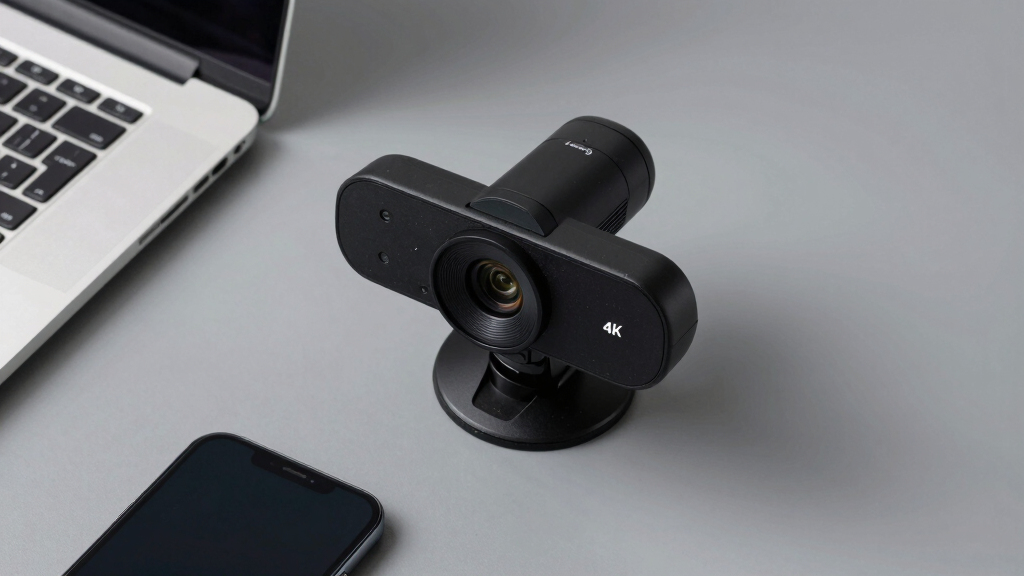

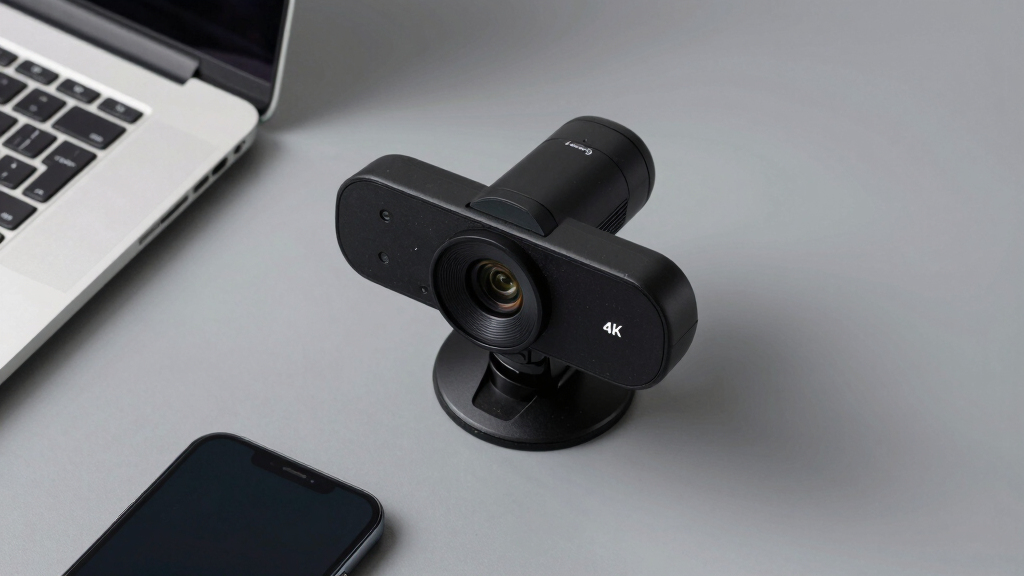
When it comes to conference webcams, 4K resolution delivers crisp, detailed video that elevates any virtual meeting. The Logitech MX Brio stands out for its versatile features and reliable performance as the best overall choice. For those needing a more budget-friendly option, the AOC 4K Webcam offers solid quality at a lower price. Meanwhile, the EMEET NOVA is ideal for users seeking auto light correction and autofocus for a polished look. With tradeoffs like price, autofocus, and field of view, choosing the right 4K webcam depends on your specific needs. Continue reading for in-depth comparisons to find your perfect fit.
Key Takeaways
- Top picks like Logitech MX Brio excel in flexibility and compatibility, making them suitable for professional environments.
- Field of view (FOV) varies significantly, impacting how much of your space is captured and the overall framing.
- Auto-focus and light correction features are essential for maintaining sharpness and clarity in different lighting conditions.
- Higher-priced webcams tend to include advanced AI features like auto framing and tracking, but not always necessary for basic needs.
- Build quality and privacy features, such as shutters and covers, are important considerations to protect your privacy and ensure durability.


More Details on Our Top Picks
4K Webcam Conference Call TV Room Web Camera with Dual Microphones & Speaker, 116° Wide Angle, AI Auto Framing, USB-C
This webcam delivers stunning 4K resolution with a wide 116° field of view, making it a top choice for larger conference rooms or streaming scenarios. Compared with the Logitech MX Brio, it offers a broader angle but lacks AI-based image enhancements and adjustable lighting controls, which could impact image quality in variable lighting. Its dual microphones and built-in speaker streamline audio, reducing the need for additional equipment, yet it does not include image stabilization, which could affect smoothness during movement. The plug-and-play setup and broad compatibility make it easy for various users to deploy in different environments.
Pros:- High-quality 4K video with a wide-angle lens
- Clear audio via dual microphones and built-in speaker
- Easy setup with broad device compatibility
- Versatile mounting options
Cons:- No image stabilization, risking shaky footage
- Weight may hinder portability
- Limited info on low-light performance
Best for: Small to medium conference rooms and streaming setups needing wide-angle, high-res video with integrated audio
Not ideal for: Travelers or mobile professionals who require lightweight, portable webcams with stabilization
- Resolution:4K Ultra HD
- Lens:116° wide-angle
- Microphones:Dual noise-reducing
- Connectivity:USB-C
- Compatibility:Windows, macOS
- Weight:0.69 kg
Bottom line: Ideal for users needing a broad view and integrated audio for professional or semi-professional settings.
TONGVEO 3-in-1 4K Webcam with Microphones and Speaker, AI Auto-Tracking, 5X Digital Zoom, Adjustable FOV, Remote Control
The TONGVEO 4K webcam stands out with AI auto-framing, voice tracking, and 5X digital zoom, making it especially useful for presenters and streamers who need to move around freely. Unlike the Logitech MX Brio, it provides auto-tracking and remote control, which enhance engagement but may introduce complexity for casual users. Its built-in dual microphones and speaker ensure clear communication, and the adjustable FOV adds flexibility for different scenes. However, it relies on USB connectivity, which may limit compatibility with some setups, and the remote control features could be considered limited for advanced users.
Pros:- High-quality 4K video with auto-framing and voice tracking
- Built-in dual microphones and speaker for clear audio
- Remote control and privacy cover for convenience
- Adjustable FOV and 5X digital zoom for versatility
Cons:- USB connection may limit setup flexibility
- Remote control features may be limited for some users
Best for: Streamers, online educators, and presenters who benefit from auto-framing and dynamic camera angles
Not ideal for: Users with simple setups or those needing wireless webcam solutions without remote control features
- Resolution:3840×2160 at 30fps
- Sensor:1/2.8 inch 8.29 Megapixel
- Zoom:5X digital
- Microphones:Dual omnidirectional
- Connectivity:USB 2.0/3.0
- Remote Control:Yes
Bottom line: Designed for active presenters and streamers who want automated framing and versatile viewing options.
Logitech MX Brio Ultra HD 4K Webcam for Collaboration and Streaming
The Logitech MX Brio offers superb 4K resolution with AI-enhanced image quality, making it a preferred choice for high-end streaming and professional conferencing. Its adjustable lighting and white balance controls outperform many competitors such as the EMEET NOVA in customization, though it requires a USB-C port, which may necessitate adapters for some devices. Its dual beamforming microphones and privacy cover add security and audio clarity, but its complex settings could overwhelm casual users who prefer straightforward plug-and-play devices. This webcam is best for users who need versatility and premium image quality in demanding environments.
Pros:- High-quality 4K video with AI image enhancements
- Adjustable lighting and white balance controls
- Effective noise reduction with dual microphones
- Privacy cover for security
Cons:- Requires USB-C, which may need adapters
- Higher price point
- Complex settings may be unnecessary for casual use
Best for: Content creators, professionals, and streamers seeking adjustable, high-quality video
Not ideal for: Basic users or those with limited hardware compatibility who prefer simpler setups
- Resolution:4K at 30fps, 1080p at 60fps
- Sensor Size:70% larger pixels
- Microphone:Dual beamforming noise-reducing
- Compatibility:Windows, macOS, Chrome OS, Linux
- Connection:USB-C
- Features:AI-enhanced image, show mode
Bottom line: Best suited for users demanding premium video quality and extensive control features for professional or content creation purposes.
EMEET NOVA 4K Webcam for PC – Ultra HD, PDAF Autofocus, Dual Omnidirectional Mics, 73° FOV, Auto Light Correction, Privacy Cover, USB-A
The EMEET NOVA offers sharp 4K visuals with PDAF autofocus and auto light correction, making it reliable for professional meetings and online teaching. Unlike the Logitech MX Brio, it defaults to 1080P but can switch to 4K with software, which might be inconvenient. Its 73° FOV is narrower than some competitors but sufficient for individual or small group calls, and the dual microphones ensure clear audio. The flexible stand and privacy cover enhance security and usability. However, its lack of built-in features like facial tracking or adjustable FOV limits its appeal for dynamic presentations or large group setups.
Pros:- High-quality 4K video at 30FPS
- Effective PDAF autofocus and auto light correction
- Dual omnidirectional microphones for natural audio
- Flexible stand with 360° rotation
Cons:- Video defaults to 1080P, requiring software to switch
- Limited FOV at 73° for larger groups or wide scenes
- No facial tracking or adjustable FOV
Best for: Business professionals and educators needing a balanced 4K webcam for daily use
Not ideal for: Streamers or content creators requiring wide-angle or auto-tracking features
- Sensor Type:CMOS
- Resolution:4K@30fps
- Autofocus:PDAF
- Field of View:73°
- Microphones:Dual omnidirectional
- Connectivity:USB-A
Bottom line: Perfect for professionals who need a dependable, straightforward 4K webcam for meetings and teaching, without advanced tracking features.
Logitech Brio 4K Webcam with HDR, Autofocus, and Privacy Shutter
The Logitech Brio 4K Webcam stands out for delivering sharp, detailed Ultra HD video with adjustable fields of view, making it ideal for professional conferencing and streaming. Its dual noise-canceling microphones and automatic light correction help ensure clear audio and visuals in varied environments, outperforming many competitors like the AOC 4K Webcam in overall versatility. The inclusion of Windows Hello support adds a layer of security, but its higher price and more complex setup may deter casual users. While it offers a 5x digital zoom and multiple FOV options, some users might find the software requirements for full features a hassle. This webcam is best suited for professionals needing top-tier quality and security features, willing to invest in a premium device.
Pros:- Stunning 4K resolution with adjustable FOV options
- Excellent noise-canceling dual microphones
- Automatic light correction for consistent quality
- Supports Windows Hello for secure login
Cons:- Relatively high price point compared to similar webcams
- Setup can be complex for less tech-savvy users
- Full feature set requires compatible software
Best for: Business professionals and streamers seeking high-end 4K quality with advanced security features.
Not ideal for: Casual users or those on a tight budget who don’t need adjustable FOV or Windows Hello support.
- Resolution:4K at 30 fps
- Field of View:65°, 78°, 90° presets
- Microphones:Dual omnidirectional with noise cancellation
- Light Correction:RightLight 3
- Zoom:5x digital zoom
- Focus:Auto-focus
- Windows Hello:Yes
- Privacy Shutter:Yes
Bottom line: This webcam makes the most sense for professionals prioritizing high-quality video and security, despite its premium price.
EMEET C960 4K Webcam for PC with Privacy Cover, Auto Focus, Dual Mics, Light Correction, 73° FOV, Plug & Play
The EMEET C960 offers impressive 4K resolution combined with auto focus and auto light correction, rivaling the Logitech Brio in core video quality but at a more accessible price point. Its dual omnidirectional microphones ensure clear audio, similar to the Brio, yet it simplifies the setup with a straightforward plug-and-play approach, unlike the more complex Logitech. While it defaults to 1080P, switching to full 4K requires some software adjustments, which could be a minor inconvenience. Its compact design and compatibility across multiple platforms make it ideal for users who need reliable, high-quality video without extra bells and whistles. It’s perfect for remote workers and educators who want sharp visuals without overspending.
Pros:- High-quality 4K resolution with auto focus
- Auto light correction for various lighting conditions
- Dual omnidirectional microphones for clear audio
- Plug-and-play with wide platform compatibility
Cons:- Defaults to 1080P, requiring software to enable full 4K
- Limited image stabilization features
- No water resistance or ruggedness
Best for: Remote workers and educators seeking reliable 4K quality with easy setup and solid audio.
Not ideal for: Tech enthusiasts requiring features like adjustable FOV or extensive software customization.
- Sensor Type:CMOS
- Video Resolution:4K@30fps
- Field of View:73°
- Autofocus:PDAF
- Auto Light Correction:Yes
- Connectivity Technology:USB
- Privacy Cover:Yes
- Supported OS:Windows, macOS, Android TV, Linux
Bottom line: This webcam provides strong value for users needing dependable 4K video and easy operation, with some minor setup caveats.
AOC 4K Webcam for PC with Microphone, Privacy Cover, 90° FOV, Plug & Play USB
The AOC 4K Webcam offers a broad 90° field of view, making it ideal for capturing larger groups or more of your environment in a single frame. Its high-resolution UHD video matches the clarity of pricier models like the Logitech Brio, but with a simpler, plug-and-play USB setup that appeals to users who prefer straightforward operation. The built-in microphone and automatic light correction improve usability, though the absence of image stabilization means it relies heavily on good lighting and steady positioning. Its wide-angle lens is perfect for streaming or meetings where capturing more in the frame is essential, but it might distort images if not used carefully. This pick makes the most sense for those needing a wide view on a budget, yet it’s less suited for close-up, detail-oriented tasks.
Pros:- High-resolution 4K video for crisp detail
- Wide 90° field of view captures more in frame
- Easy plug-and-play USB compatibility
- Built-in microphone and privacy cover
Cons:- No image stabilization, relies on good lighting
- Limited to USB connectivity, no wireless option
- Potential image distortion with wide-angle lens
Best for: Small business owners and streamers needing a wide-angle, high-quality video solution without extra complexity.
Not ideal for: Users requiring detailed close-up shots or image stabilization for shaky environments.
- Resolution:3840×2160 (UHD)
- Field of View:90°
- Connectivity:USB-C & USB-A
- Built-in Microphone:Yes
- Privacy Cover:Yes
- Mounting:Monitor, Desk, Tripod
Bottom line: This webcam is a strong choice for wide-angle streaming or conferencing, especially for users who prioritize simplicity and broad coverage.
How We Picked
The selection process focused on performance, usability, build quality, and value. We prioritized webcams with true 4K resolution, reliable autofocus, and good low-light performance. Compatibility across platforms and ease of setup also played a key role. Features like AI auto-framing, field of view, and microphone quality were evaluated based on their impact on meeting professional and personal conferencing needs. The ranking balances high-end capabilities with affordability, aiming to recommend options for a range of users from casual to professional settings.Factors to Consider When Choosing Conference Webcam 4k
Choosing the right conference webcam 4K involves balancing several factors to match your specific use case. While resolution is critical, other features significantly affect your experience, such as field of view, autofocus, and lighting adjustments. Understanding these factors helps prevent overspending on unnecessary features or missing key capabilities that improve your video quality. Below are the main considerations to guide your decision-making.Resolution and Video Quality
While ‘4K’ signifies high detail, actual video quality depends on sensor quality and processing. Look for webcams with true 4K support rather than upscaling, to ensure sharpness and clarity. Keep in mind that higher resolution demands better bandwidth and processing power, which could impact performance on lower-end systems. Consider your primary use—if it’s mainly for casual calls, 1080p might suffice, but for professional streaming or presentations, 4K is worth the investment.
Field of View and Framing
The FOV determines how much of your environment is captured—wider angles are useful for showing more space or multiple people, while narrower views focus on just you. Be cautious of overly wide FOVs that can distort your image or make you appear distant. A typical range for conference webcams is 73° to 116°, with adjustable FOV options providing greater flexibility. Consider your workspace size and whether auto-framing features are necessary for your setup.
Autofocus and Light Correction
Fast, reliable autofocus ensures you stay sharp as you move or adjust position during calls. Auto light correction helps compensate for varying lighting conditions, preventing your image from appearing washed out or too dark. For environments with inconsistent lighting, these features are especially valuable. However, reliance on AI-driven auto framing or tracking can sometimes cause distractions or misinterpretations, so evaluate their usefulness based on your typical meeting environment.
Microphone Quality and Audio Features
Clear audio is as vital as sharp video. Many 4K webcams include built-in microphones, but quality varies. Dual omnidirectional mics offer better voice pickup, reducing background noise. Some models include noise suppression and echo cancellation, making them suitable for professional environments. If audio quality is a priority, consider external microphones as an upgrade, but ensure the webcam’s mic can handle your typical room acoustics without issues.
Price, Compatibility, and Privacy
Higher-priced webcams often include advanced features like AI auto-tracking and HDR, but may be overkill for casual use. Compatibility across Windows, Mac, and conferencing platforms like Zoom or Teams is essential—check for plug-and-play support. Privacy features like shutters or covers are important for peace of mind, especially if the webcam is in a shared space. Balance your budget with the features that will genuinely enhance your conferencing experience.
Frequently Asked Questions
Is 4K resolution necessary for conference calls?
While 4K resolution provides sharper, more detailed video, it isn’t always necessary for everyday conference calls. If your meetings are primarily for casual discussions or team updates, 1080p may suffice. However, for professional presentations, streaming, or branding purposes, 4K can offer a more polished appearance. Remember, higher resolution also requires better bandwidth and processing power, so ensure your setup supports a smooth experience.
How important is auto-focus in a conference webcam?
Auto-focus helps keep you sharp as you move during meetings, preventing blurry images. For dynamic environments where you might shift position or lean in and out, this feature reduces the need for manual adjustments. In fixed setups, autofocus is less critical but still beneficial for maintaining clarity. Consider models with fast, reliable autofocus if you often switch between sitting and standing or move around frequently during calls.
Should I prioritize field of view or resolution?
Both are important but serve different needs. Resolution affects image clarity, while FOV impacts how much of your surroundings are visible. If you have limited space or want to focus solely on yourself, a narrower FOV with high resolution may be best. Conversely, if you want to include your entire workspace or multiple participants, a wider FOV is preferable. Look for a balance that matches your typical meeting environment and framing preferences.
Are AI features like auto-tracking really useful?
AI auto-tracking can be a handy feature for dynamic presentations or when you move around during calls, as it keeps you centered in the frame. However, these features can sometimes misinterpret movements, creating distracting jumps or cropping. For most professional settings where stability is preferred, manual framing or fixed lenses might be more reliable. Use AI features if you need flexibility and are comfortable with occasional misadjustments.
What privacy features should I look for?
Privacy features such as physical shutters or covers are essential if your webcam is in a shared or sensitive environment. They prevent accidental streaming or hacking, offering peace of mind. Some webcams include software-based privacy indicators that alert you when the camera is active. Always choose a model with at least a physical cover if privacy is a priority, especially in home or office settings.
Conclusion
For those seeking the best overall experience, the Logitech MX Brio offers versatile features, excellent image quality, and broad compatibility, making it ideal for professionals. Budget-conscious buyers will find the AOC 4K Webcam provides solid 4K performance at a more accessible price point. If you want a premium, feature-rich option with AI auto-tracking and HDR, the EMEET NOVA is a compelling choice. Beginners or casual users should prioritize ease of setup and basic features, while those in need of advanced auto-framing or extensive FOV should consider models with AI capabilities. Ultimately, your decision should align with your specific environment, use case, and budget preferences.