
Finding the best gaming monitor involves balancing performance, features, and budget. The Samsung 27” Odyssey OLED G5 stands out as the overall top pick thanks to its stunning OLED display and smooth gameplay. For those seeking high refresh rates, the AOC 27″ QHD 260Hz offers exceptional speed, while the Samsung Odyssey G8 5K appeals to gamers who want premium visuals with HDR10+. The main tradeoffs involve balancing resolution, refresh rate, and price, which can be overwhelming without clear guidance. Continue reading for a detailed breakdown of the top options and what makes each stand out.

Get everyday essentials delivered free with Prime
- Fast, free delivery on millions of items
- Prime Video, Amazon Music and more included
- Member-only deals all year
Key Takeaways
- High refresh rates (240Hz and above) are essential for competitive gaming, but often come with higher prices or smaller sizes.
- OLED screens deliver superior contrast and color accuracy, making them ideal for immersive gaming experiences, though they tend to be more expensive.
- Curved monitors enhance immersion and are common among the top picks, but might not suit all desk setups or preferences.
- Resolution varies from FHD to 5K; higher resolutions provide clearer images but require more powerful hardware to run smoothly.
- Features like G-SYNC and FreeSync help reduce screen tearing, but compatibility depends on your graphics card, so check before purchasing.


| gaming monitor | Refresh Rate | Resolution | Response Time | Size |
|---|---|---|---|---|
| Samsung 27” Odyssey OLED G5 | 180Hz | QHD | 0.03ms (GTG) | 27 inches |
| AOC 27" Gaming Monitor QHD 260 | 240Hz | 2560×1440 (QHD) | 0.3ms MPRT | 27 inches |
| Dell 27-Inch FHD Gaming Monito | 240Hz | 1920×1080 (FHD) | 0.5ms | 27 inches |
| Samsung 27” Odyssey G5 | 180Hz | QHD (2560×1440) | 1ms | 27 inches |
| MSI PRO MP243L E14 24-inch IPS | 144Hz | 1920×1080 (FHD) | 1ms | 24 inches |
| Samsung 27-Inch QHD Odyssey G8 | 180Hz (5K mode), 360Hz (QHD mode) | 5K (5120 x 2880) | 1ms | — |
| Samsung 27" Odyssey G5 | 180Hz | 2560 x 1440 (QHD) | 1ms | — |
| SANSUI 27 Inch Curved Gaming M | 240Hz | 1080p | 1ms | 27 inches |
| ASUS TUF Gaming VG27AQM5A 27-I | 300Hz | 2560 x 1440 (QHD) | 0.3ms (GTG) | — |
| Sceptre 24-inch Curved Gaming | 75Hz | 1080p | — | 24 inches |
| CUNPU 27 Inch 1440P 240Hz Curv | 240Hz | 2560×1440 (QHD) | 1ms | — |
| Acer 27-inch FHD IPS Gaming Mo | 120Hz | 1920 x 1080 (FHD) | 1ms VRB | 27 inches |
| Sceptre 27-inch Curved Gaming | 100Hz | — | 1ms | 27 inches |
| Sceptre 22-Inch Gaming Monitor | Up to 144Hz | FHD 1080p | — | 22 inches |
More Details on Our Top Picks
Samsung 27” Odyssey OLED G5 (G50SF) Series QHD Gaming Monitor
The Samsung Odyssey OLED G5 stands out for its stunning QHD resolution combined with OLED’s deep blacks and vivid colors, making it ideal for gamers who prioritize picture quality. Its 180Hz refresh rate and 0.03ms response time deliver incredibly smooth gameplay, outperforming traditional LED panels like the Dell SE2726HG, which has a slower response. The support for both G-Sync and FreeSync ensures tear-free visuals, while glare-free tech enhances visibility in bright rooms. The main tradeoff involves the potential for burn-in over time, common with OLEDs, and a higher price point that might be prohibitive for budget-conscious gamers. Compared to the G5 (G50F), this model offers superior color accuracy and contrast but at a premium.
Pros:- Vivid, accurate color reproduction with Pantone validation
- Fast 0.03ms response time and 180Hz refresh rate for high responsiveness
- Supports G-Sync and FreeSync for smooth, tear-free gameplay
- Glare-free coating enhances visibility in bright environments
Cons:- OLED screens are susceptible to burn-in over prolonged use
- Higher price compared to comparable LED monitors
Best for: Gamers who want top-tier visuals and ultra-fast response times for competitive play or immersive single-player experiences.
Not ideal for: Players on a strict budget or those worried about OLED burn-in, as the premium price and potential longevity issues may be limitations.
- Size:27 inches
- Resolution:QHD
- Panel Type:QD-OLED
- Refresh Rate:180Hz
- Response Time:0.03ms (GTG)
- HDR:HDR10
- Additional Features:G-Sync, AMD FreeSync, Glare Free technology, Auto Source Switch+
Our verdict“This monitor is best suited for gamers seeking excellent image quality and responsiveness who are willing to invest in OLED technology despite its risks.”
AOC 27″ Gaming Monitor QHD 260Hz Overclocked IPS NVIDIA G-SYNC Q27G41ZE
The AOC Q27G41ZE offers an impressive 240Hz refresh rate with a 0.3ms response time, making it a strong choice for fast-paced competitive gaming. Its IPS panel provides wide viewing angles and vibrant colors, surpassing the more standard 180Hz options like the Samsung G5 G50F. While it’s overclocked to 260Hz, the official spec is 240Hz, which can be confusing—something to consider if extreme refresh rates matter. Support for NVIDIA G-Sync ensures tear-free visuals, yet it requires a DisplayPort connection for maximum benefit, which might be less convenient than HDMI. Unlike the MSI PRO MP243L, this monitor emphasizes speed over size, making it less suitable for casual or multitasking use but excellent for esports.
Pros:- 240Hz refresh rate with 0.3ms response time enhances responsiveness
- IPS panel offers excellent color accuracy and wide viewing angles
- Supports NVIDIA G-Sync for tear-free gaming
Cons:- Limited to 27 inches, which might be small for some users
- Requires DisplayPort for peak performance, less flexible than HDMI-only setups
Best for: Esports players and competitive gamers who prioritize ultra-high refresh rates and fast response times for precision reaction times.
Not ideal for: Casual gamers or users seeking larger screens or higher resolutions, as its 27-inch size and QHD resolution may feel limited or less immersive for non-competitive gaming.
- Size:27 inches
- Resolution:2560×1440 (QHD)
- Refresh Rate:240Hz
- Response Time:0.3ms MPRT
- Panel Type:IPS
- Connectivity:1x DisplayPort 1.4, 2x HDMI 2.0
- Tilt Adjustment:-3° to +21°
Our verdict“Ideal for competitive gamers who want a high-refresh-rate monitor with excellent color and minimal lag, provided they can accommodate the connectivity needs.”
Dell 27-Inch FHD Gaming Monitor – SE2726HG, 240Hz, IPS, FreeSync Premium, HDMI, DisplayPort, Tilt
The Dell SE2726HG combines a 240Hz refresh rate with a 1080p resolution, making it a practical choice for gamers who want high responsiveness without the higher costs of 1440p or 4K displays. Its IPS panel delivers good color accuracy and wide viewing angles, similar to the AOC but at a more accessible price. Support for FreeSync Premium and HDMI VRR reduces tearing, and the 0.5ms response time keeps motion blur to a minimum. However, the resolution may feel limiting for those used to higher-res screens, especially for immersive gaming or multitasking. Its tilt-only stand might also be less flexible compared to models with height or swivel adjustments, such as the Samsung Odyssey G5.
Pros:- High 240Hz refresh rate for smooth gameplay
- Fast 0.5ms response time minimizes motion blur
- Wide IPS viewing angles and good color accuracy
- Supports FreeSync Premium for tear-free gaming
Cons:- Limited to 1080p resolution, less immersive for AAA titles
- Basic stand with no height or swivel adjustment
Best for: Budget-conscious gamers seeking a high-refresh-rate monitor for competitive titles with decent color performance.
Not ideal for: Users who prefer higher resolutions or more ergonomic stands, as the 1080p resolution limits immersion and the stand lacks height adjustment.
- Size:27 inches
- Resolution:1920×1080 (FHD)
- Refresh Rate:240Hz
- Response Time:0.5ms
- Panel Type:IPS
- Connectivity:2x HDMI, DisplayPort 1.4
- Features:FreeSync Premium, Tilt
Our verdict“A solid choice for gamers on a budget who prioritize high frame rates over resolution quality, but less suitable for immersive experiences.”
Samsung 27” Odyssey G5 (G50F) Series QHD Gaming Monitor
The Samsung Odyssey G5 G50F provides a balanced mix of performance and features for gaming at 2560×1440 resolution. Its 180Hz refresh rate and 1ms response time ensure smooth visuals comparable to the G50SF OLED, but with the advantages of an IPS panel—wider viewing angles and less risk of burn-in. Its ergonomic stand allows height, tilt, swivel, and pivot adjustments, making it adaptable for long gaming sessions. Compared to the G50SF OLED, it offers more stability over time with less concern about burn-in, but it lacks OLED’s contrast and deep blacks. The higher price for the G5 series might be a concern for budget buyers.
Pros:- Vivid QHD resolution with wide viewing angles
- Fast 180Hz refresh rate and 1ms response time
- Ergonomic stand with height, tilt, swivel, and pivot adjustments
- IPS panel offers stable, accurate colors without burn-in concerns
Cons:- Higher cost compared to non-ergonomic models
- Limited to 27 inches, which may feel small for some users
Best for: Gamers who want a versatile, high-performance QHD monitor with ergonomic flexibility and lower risk of burn-in.
Not ideal for: Gamers seeking the absolute best contrast and color depth, or those willing to pay a premium for OLED technology, should consider the G50SF instead.
- Size:27 inches
- Resolution:QHD (2560×1440)
- Refresh Rate:180Hz
- Response Time:1ms
- Panel Type:IPS
- HDR:HDR10
- Stand Features:Height-adjustable, pivots, tilts, swivels
Our verdict“Excellent for gamers who value flexibility and durability in a high-quality QHD monitor with great responsiveness.”
MSI PRO MP243L E14 24-inch IPS Gaming and Office Monitor, 144Hz, FreeSync, HDR Ready, HDMI, VGA, VESA Mount, Tilt
The MSI PRO MP243L offers a compact 24-inch size with a 144Hz refresh rate and 1ms response time, making it a versatile choice for both gaming and productivity. Its IPS panel ensures wide viewing angles and accurate colors, comparable to larger gaming monitors like the Samsung Odyssey G5 but in a smaller footprint. Support for HDR and FreeSync enhances visual quality and tear-free performance, while the VESA mount and tilt adjustment provide flexible setup options. However, the smaller size may limit immersion for some gamers, and the basic stand lacks height adjustment, which can affect comfort during long sessions. This monitor balances performance and space efficiency, but may fall short for users needing larger screens or advanced ergonomics.
Pros:- 144Hz refresh rate with 1ms response for smooth gaming
- IPS panel provides wide angles and color accuracy
- VESA mount compatibility for flexible positioning
- Supports HDR and FreeSync for enhanced visual quality
Cons:- Limited to 24 inches, which may be small for some users
- Stand lacks height adjustment, potentially affecting comfort
Best for: Desk-bound gamers or professionals needing a compact, high-refresh-rate monitor that can handle both work and gaming tasks efficiently.
Not ideal for: Gamers or users who prefer larger screens for immersive gameplay or multitasking, as the 24-inch size might feel restrictive.
- Size:24 inches
- Resolution:1920×1080 (FHD)
- Refresh Rate:144Hz
- Response Time:1ms
- Panel Type:IPS
- Connectivity:HDMI, VGA
- Features:HDR Ready, FreeSync, VESA Mount, Tilt
Our verdict“A practical, space-saving monitor suitable for gamers who need good responsiveness without requiring a large screen or advanced ergonomics.”
Samsung 27-Inch QHD Odyssey G8 5K Gaming Monitor with HDR10+ and G-Sync Compatibility
The Samsung Odyssey G8 stands out for its stunning 5K resolution, delivering incredibly detailed visuals that surpass the clarity of typical 1440p or 1080p screens. Its fast IPS panel offers wide viewing angles, making it ideal for immersive gaming sessions with friends. The inclusion of HDR10+ support enhances contrast and color vibrancy, while G-Sync compatibility ensures smooth gameplay without tearing. Compared with the ASUS TUF VG27AQM5A, it excels in resolution but at a higher cost and with fewer ergonomic options. This monitor is best suited for gamers who prioritize visual fidelity and have the space and budget for a premium setup, but it may be overkill for casual or competitive players who value refresh rate over resolution. The limited stand adjustability and higher price are tradeoffs to consider.
Pros:- Exceptional 5K resolution for ultra-detailed visuals
- Fast IPS panel with wide viewing angles
- Supports HDR10+ for richer contrast and colors
- G-Sync compatible for tear-free gameplay
Cons:- High price point limits accessibility
- Limited ergonomic adjustments for long-term comfort
- Designed primarily for residential use, not commercial applications
Best for: High-end gamers seeking ultimate visual detail and smooth performance in a dedicated gaming setup
Not ideal for: Casual players or those with limited desk space, as the high cost and fixed stand may be restrictive
- Screen Size:27 inches
- Resolution:5K (5120 x 2880)
- Panel Type:Fast IPS
- HDR:HDR10+
- Refresh Rate:180Hz (5K mode), 360Hz (QHD mode)
- Response Time:1ms
- G-Sync Compatibility:Yes
- Additional Features:Dual Mode, Wide Viewing Angle, 5-year Amber Protection
Our verdict“This monitor is best for enthusiasts who want the highest resolution and are willing to invest in premium features.”
Samsung 27″ Odyssey G5 (G51F) Series QHD Gaming Monitor
The Samsung Odyssey G5 G51F offers a compelling balance of performance and affordability, with a sharp 2560 x 1440 resolution that delivers crisp visuals for gaming and general use. Its 180Hz refresh rate and 1ms response time ensure smooth gameplay, comparable to higher-priced models like the ASUS TUF VG27AQM5A. The monitor’s HDR10 support enhances visual depth, while the ergonomic stand allows tilt, pivot, and height adjustments, making it more comfortable for long gaming sessions. Unlike the SANSUI 27 Inch Curved, which has a lower refresh rate, the Odyssey G5 provides a more consistent gaming experience at a more accessible price point. It’s ideal for gamers who want solid performance without breaking the bank but may find the 27-inch size a bit small for some users craving larger screens or more advanced features.
Pros:- Sharp QHD resolution with vibrant HDR10 visuals
- Smooth 180Hz refresh rate and 1ms response for gaming
- Ergonomic stand with tilt, pivot, and height adjustments
- Affordable price for high-performance features
Cons:- Limited to 27 inches, which may feel small for some users
- No built-in speakers or extensive connectivity options
- Basic stand adjustments may not suit all ergonomic needs
Best for: Budget-conscious gamers wanting a balanced mix of resolution, refresh rate, and ergonomic comfort
Not ideal for: Players seeking ultra-high resolutions or professional-level color accuracy, as it focuses more on gaming performance
- Screen Size:27 inches
- Resolution:2560 x 1440 (QHD)
- Refresh Rate:180Hz
- Response Time:1ms
- HDR:HDR10
- Stand Adjustments:Tilt, pivot, height
Our verdict“This monitor is an excellent choice for gamers seeking high performance at a reasonable price with good ergonomic options.”
SANSUI 27 Inch Curved Gaming Monitor 240Hz FHD 1080P, HDR, FreeSync, 1ms Response, Metal Stand
The SANSUI 27 Inch Curved excel in delivering fast-paced gaming experiences, thanks to its impressive 240Hz refresh rate and 1ms response time. Its 1500R curvature enhances immersion, making it a strong choice for competitive or action gaming. The 1080p resolution, while less sharp than 1440p or 4K options, keeps the system requirements lower and response times minimal. Compared to the Samsung Odyssey G5, it offers a similar curved design but with higher refresh rates, providing smoother gameplay at a lower price point. Its HDR support and excellent color accuracy (130% sRGB) boost visual quality, although the lower resolution may not satisfy those craving ultra-sharp detail. The lack of built-in speakers and limited tilt adjustment are minor tradeoffs for its high-speed performance focus.
Pros:- Exceptional 240Hz refresh rate for ultra-smooth gameplay
- 1500R curvature for immersive experience
- Fast 1ms response time enhances responsiveness
- Excellent color accuracy with HDR support
Cons:- Limited to 1080p resolution, not ideal for detailed visual work
- No built-in speakers, requiring external audio
- Basic stand with limited tilt adjustment
Best for: Competitive gamers who prioritize refresh rate and response time in a curved display
Not ideal for: Content creators or users seeking high-resolution visuals or extensive ergonomic adjustments
- Size:27 inches
- Resolution:1080p
- Refresh Rate:240Hz
- Response Time:1ms
- Curvature:1500R
- HDR:Yes
Our verdict“This monitor is tailored for gamers who need speed and immersion over resolution detail.”
ASUS TUF Gaming VG27AQM5A 27-Inch QHD Gaming Monitor
The ASUS TUF VG27AQM5A combines a high 300Hz refresh rate with a rapid 0.3ms response time, making it well-suited for fast-paced competitive gaming where responsiveness matters most. Its 2560 x 1440 resolution offers a good balance between clarity and performance, outperforming lower-resolution monitors like the SANSUI 27 in visual detail. The fast IPS panel supports a wide color gamut (95% DCI-P3), appealing for content creators who need accurate colors along with gaming speed. Additional features like ELMB Sync and Shadow Boost improve gameplay clarity. Its inclusion of built-in speakers and a 3-year warranty add value. However, the lack of extensive ergonomic adjustments and limited connectivity details might be a drawback for some users who want flexible setup options.
Pros:- Extremely fast 300Hz refresh rate with 0.3ms response time
- Wide color gamut for vibrant visuals
- Advanced motion blur reduction technology
- Built-in speakers and extended warranty
Cons:- Limited ergonomic stand adjustments
- Connectivity options are not fully detailed
- Higher price compared to standard 144Hz monitors
Best for: Professional gamers and content creators who need speed, color accuracy, and reliability
Not ideal for: Casual gamers or those who require extensive ergonomic customization, as stand adjustments are limited
- Display Size:27 inches
- Resolution:2560 x 1440 (QHD)
- Refresh Rate:300Hz
- Response Time:0.3ms (GTG)
- Color Gamut:95% DCI-P3
- Additional Features:ELMB Sync, Shadow Boost, built-in speakers
Our verdict“This monitor offers top-tier speed and color accuracy, perfect for serious gamers and creators who demand the best responsiveness.”
Sceptre 24-inch Curved Gaming Monitor, 1080p, 75Hz, HDMI, VGA, Built-in Speakers, VESA Wall Mount
The Sceptre 24-inch offers a compact, curved gaming experience with a 1800R curvature that enhances immersion without demanding a large desk footprint. It’s a practical choice for entry-level or casual gamers, providing a 75Hz refresh rate and 1ms response time that improve motion smoothness over standard 60Hz displays. The 1080p resolution keeps system requirements modest, making it suitable for less powerful setups. Its VESA mount allows flexible placement, and built-in speakers add convenience. Compared to larger or higher-spec models like the SANSUI 27, this monitor is more accessible but sacrifices resolution and refresh rate. It’s a good fit for smaller gaming spaces or users who prioritize affordability and a curved design, but not for those seeking ultra-sharp visuals or high refresh rates.
Pros:- Compact 24-inch size fits smaller spaces
- Curved 1800R screen enhances immersion
- VESA compatibility for flexible mounting
- Built-in speakers for convenience
Cons:- Limited to 1080p resolution, not ideal for detailed visuals
- Only 75Hz refresh rate, less suitable for high-speed gaming
- Basic stand with limited tilt adjustment
Best for: Casual gamers with limited space or those new to gaming who want an immersive experience at a lower cost
Not ideal for: Enthusiasts or competitive players requiring high resolution or faster refresh rates for professional gaming
- Size:24 inches
- Resolution:1080p
- Refresh Rate:75Hz
- Curvature:1800R
- Brightness:250 cd/m²
- VESA Compatibility:Yes
Our verdict“This monitor is suitable for budget-conscious gamers seeking an immersive curved display in a small footprint.”
CUNPU 27 Inch 1440P 240Hz Curved Gaming Monitor with USB-C 65W and HDMI 2.1
This monitor stands out for its combination of a 1440p resolution and an ultra-responsive 240Hz refresh rate, making it ideal for fast-paced gaming. Compared with the Sceptre 27-inch Curved Gaming Monitor, which offers a similar curved VA panel, the CUNPU excels with a higher refresh rate and 1ms response time, translating into smoother gameplay and reduced motion blur. Its versatile connectivity, including USB-C with 65W charging and HDMI 2.1, supports a wide range of gaming consoles and PCs, simplifying setup. However, the one-year warranty and potential cost may deter casual gamers or those on a tight budget. This monitor makes the most sense for gamers seeking high performance and multimedia flexibility, willing to invest in premium features.
Pros:- 240Hz refresh rate and 1ms response time for ultra-smooth gameplay
- Vivid colors and deep contrast enhance visual clarity
- Single USB-C cable simplifies setup with power and data transfer
- Supports multiple gaming consoles and PCs with HDMI 2.1 and DisplayPort
Cons:- Limited to a one-year warranty, which may be short for some users
- Requires a VESA mount for wall installation, adding extra setup steps
Best for: avid gamers and multimedia enthusiasts who want a high-refresh display with versatile connectivity
Not ideal for: casual players or budget-conscious buyers, as it may be expensive and has limited warranty coverage
- Display Size:27 inches
- Resolution:2560×1440 (QHD)
- Refresh Rate:240Hz
- Response Time:1ms
- Contrast Ratio:2500:1
- Connectivity:USB-C 65W, HDMI 2.1, DisplayPort 1.4
- VESA Mount:Yes (100x100mm)
- Brightness:300 nits
- Color Gamut:117% sRGB
Our verdict“This monitor is best suited for serious gamers and multimedia users seeking top-tier performance and flexible connectivity.”
Acer 27-inch FHD IPS Gaming Monitor KB272 G0bi
The Acer KB272 G0bi offers a solid Full HD IPS panel with 120Hz refresh rate and 1ms VRB response time, making it a reliable choice for casual gamers and multimedia users. Compared to the Sceptre 27-inch Curved VA Monitor, which emphasizes immersive curvature, the Acer’s IPS panel provides more vibrant colors and wider viewing angles, but its 1080p resolution limits detail compared to higher-res options. The inclusion of Adaptive-Sync support helps reduce tearing during gameplay, yet brightness at 250 nits may fall short in brightly lit rooms. This monitor is ideal for those new to gaming or with limited space, prioritizing affordability and decent visual quality over ultra-fast refresh rates or high resolutions.
Pros:- Vibrant IPS display with wide viewing angles
- 120Hz refresh rate for smoother gameplay than standard 60Hz models
- Fast 1ms VRB response time reduces motion blur
- Adaptive-Sync support helps prevent screen tearing
Cons:- Limited to 1080p resolution, not suitable for high-resolution gaming or detailed work
- Brightness may be insufficient in bright environments
Best for: beginners or casual gamers looking for a responsive, affordable monitor with good color quality
Not ideal for: hardcore gamers or users wanting 4K resolution, as it remains at 1080p and has moderate brightness
- Size:27 inches
- Resolution:1920 x 1080 (FHD)
- Panel Type:IPS
- Refresh Rate:120Hz
- Response Time:1ms VRB
- Adaptive-Sync Support:Yes (FreeSync compatible)
Our verdict“This monitor is a practical choice for entry-level gamers and users prioritizing affordability and decent visual fidelity.”
Sceptre 27-inch Curved Gaming Monitor (C275W-FW100T Series)
This curved VA monitor with a 1500R radius provides an immersive experience, ideal for gaming and multimedia. Compared with the Sceptre 22-Inch Gaming Monitor, which offers a smaller, more compact size, the 27-inch version delivers a more engaging visual field. Its 1ms response time and 100Hz refresh rate strike a balance between speed and image quality, while the 100% sRGB coverage ensures vibrant, true-to-life colors. The inclusion of built-in speakers and multiple input options adds convenience, though the lack of an adjustable stand or height control limits ergonomic customization. It suits gamers who want a curved display with rich colors without the premium price of higher-end models.
Pros:- Fast 1ms response time for smooth gameplay
- Vibrant 100% sRGB coverage for accurate colors
- Multiple connectivity options including HDMI and DisplayPort
- Built-in speakers for added convenience
Cons:- Limited to 27 inches, which may be small for some users
- No adjustable stand or height adjustment for ergonomic comfort
Best for: immersive gaming setups or multimedia enthusiasts seeking vibrant visuals and flexible connectivity
Not ideal for: users needing larger screens or precise ergonomic adjustments, as it lacks height or tilt adjustments
- Size:27 inches
- Curvature:1500R
- Response Time:1ms
- Refresh Rate:100Hz
- Color Gamut:100% sRGB
- Input Ports:2 HDMI, 1 DisplayPort
- Built-in Speakers:Yes
Our verdict“This curved monitor offers immersive visuals and color accuracy for gamers and multimedia users who value vibrant display quality.”
Sceptre 22-Inch Gaming Monitor, FHD 1080p, Up to 144Hz
The Sceptre 22-inch FHD monitor offers a compact, bezel-free design with a high refresh rate of up to 144Hz, making it suitable for tight spaces and casual gaming. When compared to larger monitors like the Acer 27-inch FHD IPS, this smaller option excels in multi-monitor setups and space-saving environments. Its 1ms response time and Blue-Light Shift technology help reduce eye strain during long gaming sessions. However, the smaller screen size limits immersion, and the lack of extra features such as USB ports or HDR may be a drawback for users seeking more advanced options. This pick makes sense for those who prioritize desk space and want a high-refresh display without extra frills.
Pros:- Up to 144Hz refresh rate for smooth gaming
- Built-in speakers add convenience
- Blue-Light Shift technology reduces eye fatigue
- Sleek bezel-free design for multi-monitor setups
Cons:- Limited to 22 inches, small for immersive gaming
- No HDR or advanced ergonomic features
Best for: gamers with limited desk space or beginners seeking a fast, affordable 1080p monitor
Not ideal for: users wanting larger screens or high dynamic range features, as it lacks HDR and larger size
- Size:22 inches
- Resolution:FHD 1080p
- Refresh Rate:Up to 144Hz
- Inputs:HDMI, DisplayPort
- Built-in Speakers:Yes
- Color:Black
Our verdict“This compact monitor is a solid choice for space-conscious gamers and entry-level users seeking high refresh rates at an affordable price.”
How We Picked
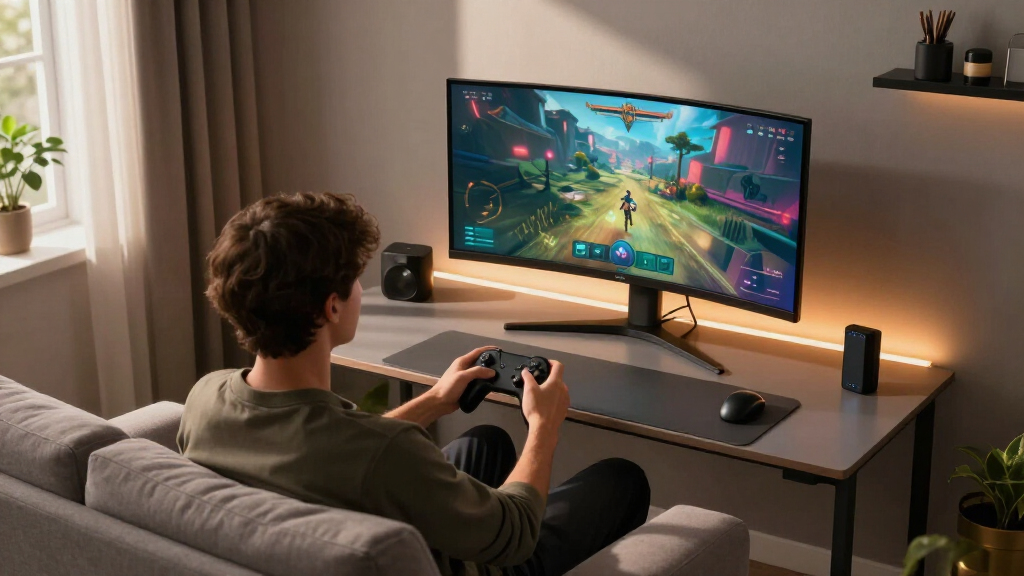
Our evaluation focused on key factors that matter most to gamers: display performance, refresh rate, response time, build quality, and compatibility with gaming technologies like G-SYNC and FreeSync. We also considered value for money, user reviews, and unique features such as HDR support and connectivity options. Products were ranked based on how well they balance these elements, prioritizing models that offer both high performance and good reliability. This approach ensures that each monitor on the list serves a specific type of gamer, from casual players to competitive enthusiasts.
Factors to Consider When Choosing Gaming Monitors
Choosing the right gaming monitor goes beyond specs. It’s important to consider how display size, resolution, and refresh rate impact your gaming experience. Paying more for higher refresh rates benefits fast-paced games, but might be unnecessary for casual play. Panel type influences color accuracy and response time—IPS panels offer better colors, while TN panels typically have lower latency. Connectivity options and ergonomic features, like height adjustment and tilt, also enhance usability. Keep in mind, a more expensive monitor isn’t always better if it doesn’t match your gaming style or setup.Size and Resolution
Monitor size affects immersion, with most gamers preferring 27 inches for a good balance between visibility and desk space. Higher resolutions like 1440p (QHD) or 4K provide sharper images but demand more from your graphics card, especially at high refresh rates. For competitive gaming, 1080p might suffice, offering higher frame rates with less hardware strain. Think about your desk space and whether you prioritize visual fidelity or performance when choosing resolution and size.
Refresh Rate and Response Time
High refresh rates, typically 144Hz or above, are crucial for smooth gameplay, especially in fast-paced genres like FPS or racing games. Response time, measured in milliseconds, influences motion clarity, with lower values (1-3ms) reducing motion blur. However, ultra-high refresh rates can come with a premium price, so consider your gaming needs—casual gamers might find 75Hz or 144Hz sufficient, while competitive players should aim for 240Hz or higher.
Panel Type and Color Quality
IPS panels excel in color accuracy and viewing angles, making them ideal for immersive experiences and creative work. TN panels, while faster and cheaper, often have inferior color reproduction. OLED monitors offer exceptional contrast and vibrant colors but tend to be more costly and may have issues like burn-in over time. Your choice should align with whether visual fidelity or speed is your priority in gaming.
Connectivity and Ergonomics
Look for monitors with multiple input options like HDMI, DisplayPort, and USB-C to connect various devices seamlessly. Adjustable stands for height, tilt, and swivel can improve comfort during long gaming sessions. If space is limited, consider models with VESA compatibility for mounting options. These features might seem minor but greatly enhance overall usability and ergonomics, especially for extended play periods.
Additional Features & Future-Proofing
HDR support enhances contrast and color depth, creating more realistic visuals, though the quality varies between models. G-SYNC and FreeSync compatibility ensure tear-free gameplay, but verify compatibility with your graphics card. Some monitors include built-in speakers or USB hubs, adding convenience. Balancing these extras against price and core performance ensures you invest in a monitor that truly matches your gaming setup and future needs.
Frequently Asked Questions
Do I need a 4K monitor for gaming?
Not necessarily. While 4K monitors provide stunning visuals, they require a powerful graphics card to run games smoothly at high frame rates. For competitive gaming, a 1440p or even 1080p monitor with a high refresh rate can deliver a better balance of performance and visual quality. Consider your hardware and gaming preferences—higher resolution is great for immersion, but performance often takes priority for fast-paced games.
Is curved or flat better for gaming?
Curved monitors enhance immersion, especially in larger sizes, by wrapping the display around your field of view. This can reduce eye strain and improve focus in fast-paced or immersive games. Flat monitors, however, may suit desk setups with limited space and are less prone to distortions or reflections. Your choice depends on your gaming style and desk configuration, but many gamers prefer curved for the added sense of involvement.
How important is response time in gaming monitors?
Response time directly impacts motion clarity, with lower response times reducing blurring during rapid movements. For competitive gaming, a response time of 1-3ms is recommended to prevent ghosting and ensure quick reactions. Casual gamers may tolerate slightly higher response times, but overall, faster response times contribute to a smoother, more responsive experience, especially in FPS or racing titles.
Should I prioritize G-SYNC or FreeSync?
Choose G-SYNC if you have an NVIDIA graphics card, as it offers seamless synchronization for tear-free gameplay. FreeSync is compatible with AMD cards and tends to be more affordable, with some newer models supporting both standards. Compatibility is key—using the wrong technology can lead to issues like flickering or input lag. Verify your GPU support before selecting a monitor with a specific adaptive sync technology.
What features should I look for in a budget gaming monitor?
For budget options, focus on a monitor with at least 75Hz refresh rate and an IPS or VA panel for decent color and viewing angles. Response time of 4-5ms is acceptable at this price point. Prioritize connectivity options like HDMI and VESA support for future flexibility. Avoid overly small screens or models with poor build quality, as these can diminish the gaming experience despite a lower price.
Conclusion
For casual gamers or those new to gaming monitors, the MSI PRO MP243L offers good performance at an affordable price. Competitive players should consider models like the AOC 27″ QHD 260Hz for ultra-fast refresh rates. Those seeking immersive, premium visuals will find the Samsung Odyssey G8 5K the best fit, despite its higher cost. Finally, if budget constraints are tight, a model like the Sceptre 24-inch Curved provides decent features without breaking the bank. Your choice depends on your gaming style, hardware, and how much you’re willing to invest in the right monitor.
Halloween Picks

Spirit Halloween 54-Inch Sitting Scarecrow Animatronic

Halloween Inflatable Haunted House Maze – 20×20 ft with Removable Roof and Blower

Gemmy 5.4 ft The Nun Animatronic Halloween Decoration
As an affiliate, we earn on qualifying purchases.