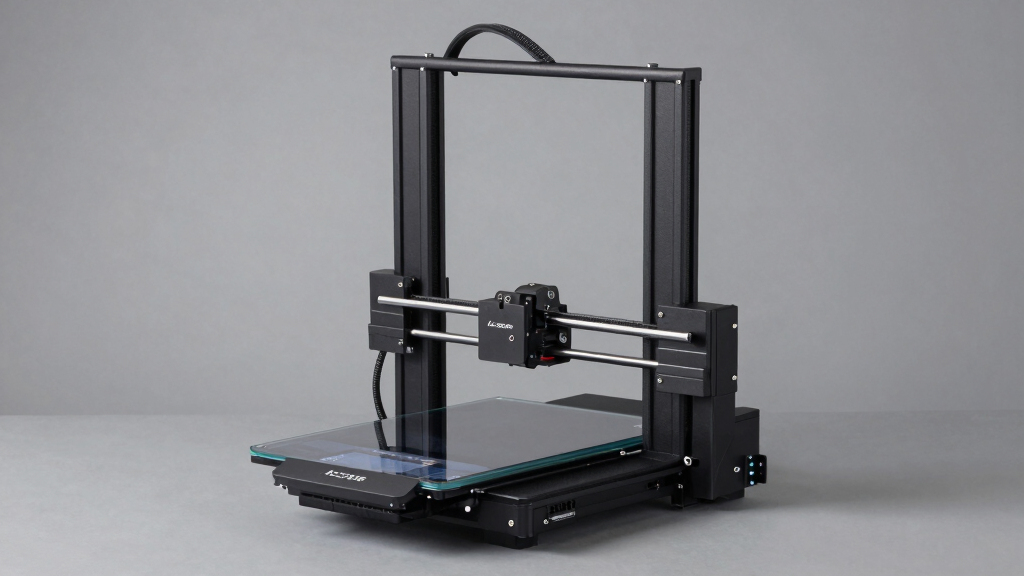

Finding the right 3D printer for home use involves balancing ease of use, print quality, and versatility. The Anycubic Kobra X stands out as the best overall choice for its multi-color capabilities and reliable performance. For those prioritizing speed, the FlashForge Adventurer 5M offers high-speed printing with auto-leveling. If you’re looking for a budget-friendly option that still delivers quality, the Creality Ender 3 V3 SE makes a compelling case. Every model in this category comes with tradeoffs, like higher costs for advanced features or complexity that can challenge beginners. Keep reading to see a full breakdown of these options to find your perfect fit.

Get everyday essentials delivered free with Prime
- Fast, free delivery on millions of items
- Prime Video, Amazon Music and more included
- Member-only deals all year
Complete the kit


Key Takeaways
- Multi-color and multi-material capabilities significantly increase creative possibilities but often come with higher costs and complexity.
- Auto-leveling features streamline setup but may add to the initial investment and maintenance needs.
- Print volume varies widely; consider your typical project size before choosing a model.
- Ease of use and assembly remains crucial for beginners, while more advanced options offer greater customization.
- Cost-to-value ratio is key—premium features matter most for frequent or professional use, less so for casual hobbyists.
| Anycubic Kobra X Multicolor 3D Printer |  | Best Overall for Versatile Multicolor Home Printing | Print Size: 260mm x 260mm x 260mm | Color Capability: 4 colors built-in, expandable to 19 colors | Max Speed: 600mm/s | VIEW LATEST PRICE | See Our Full Breakdown |
| FlashForge Adventurer 5M 3D Printer with Auto Leveling and High-Speed Printing |  | Best for Quick, Reliable Home Printing with Auto Leveling | Print Size: 220x220x220mm | Max Speed: 600mm/s | Extruder Temperature: 280°C | VIEW LATEST PRICE | See Our Full Breakdown |
| Creality K2 Combo 3D Printer with Multicolor Printing, Auto Leveling, and AI Camera |  | Best for High-Precision Multicolor Projects with AI Monitoring | Build Volume: 260×260×260 mm | Colors Supported: Up to 16 with 4 CFS units | Auto Leveling: Yes, Smart Auto Leveling with AI Camera | VIEW LATEST PRICE | See Our Full Breakdown |
| Bambu Lab P1S 3D Printer |  | Best for Speed and Multi-Material Home Printing | Color Capabilities: Up to 16 colors | Printing Speed: 500mm/s | Acceleration: 20000 mm/s² | VIEW LATEST PRICE | See Our Full Breakdown |
| FLASHFORGE AD5X Multi-Color 3D Printer, CoreXY, 600mm/s High-Speed, 1-Click Auto Leveling, 300°C Direct Drive Extruder, 220x220x220mm Build Volume |  | Best for High-Speed Versatile Home Printing with Multi-Color Support | Color Support: Up to 4 colors | Auto Leveling: Yes, 1-Click | Print Speed: 600mm/s | VIEW LATEST PRICE | See Our Full Breakdown |
| ELEGOO Neptune 3 Pro 3D Printer, Quick Assembly with Auto Leveling |  | Best Overall for Versatile Home Use | Build Volume: 225x225x280 mm | Motherboard: STM32 | Noise Level: 47dB | VIEW LATEST PRICE | See Our Full Breakdown |
| Creality Ender 3 V3 SE 3D Printer Bundle with 4 Packs of PLA Filament (Black, White, Red, Blue) |  | Best for Speed and Efficiency in a Budget | Maximum Printing Speed: 250mm/s | Extruder: Sprite full metal dual-gear | Auto Leveling: CR Touch | VIEW LATEST PRICE | See Our Full Breakdown |
| FLASHFORGE Adventurer 5M Pro 3D Printer with Auto Printing System |  | Best for High-Speed, Quiet, All-in-One Home Use | Speed: 600mm/s | Acceleration: 20,000mm/s² | Nozzle Sizes: 0.25/0.4/0.6/0.8mm | VIEW LATEST PRICE | See Our Full Breakdown |
| FLASHFORGE AD5X Multi-Color 3D Printer with Auto Leveling and High-Speed Printing |  | Best for Multi-Color, Creative Projects | Color Capabilities: Up to 4 colors | Max Speed: 600mm/s | Max Nozzle Temperature: 300°C | VIEW LATEST PRICE | See Our Full Breakdown |
| Entina Tina2C 3D Printer for Kids & Beginners, Fully Assembled Mini 3D Printer with App & WiFi Control, Auto Leveling, 3000+ Model Library, DIY Modules for STEM |  | Best for Kids & STEM Education | Product Dimensions: 8 x 6.5 x 10 inches | Item Weight: 5.28 pounds | Auto Leveling: Yes | VIEW LATEST PRICE | See Our Full Breakdown |
| FLASHFORGE AD5X Multi-Material 3D Printer with 4-Color Printing and Auto Calibration |  | Best Overall for Advanced Multi-Color and Multi-Material Printing | Maximum Speed: 600mm/s | Acceleration: 20000mm/s² | Material Compatibility: PLA, TPU, PETG, SILK, PLA-CF, PETG-CF | VIEW LATEST PRICE | See Our Full Breakdown |
| Bambu Lab A1 Mini 3D Printer + LED Lamp Kit |  | Best for Beginners and Creative Home Projects | Compatibility: LED Lamp Kit included | Target users: Beginners | Features: Automatic calibration, quiet operation, high-speed printing | VIEW LATEST PRICE | See Our Full Breakdown |
| Snapmaker U1 3D Printer, 4-Toolhead with 5s Toolchanger, Multi-Color Printing |  | Best for Versatile Prototyping and Multi-Color Projects | Toolheads: 4 | Toolchanger Speed: 5 seconds | Build Volume: 270 x 270 x 270 mm | VIEW LATEST PRICE | See Our Full Breakdown |
| FlashForge AD5M 3D Printer with Auto Calibration and Quick-Swap Nozzle |  | Best for High-Speed, Reliable Home Printing with Ease | Print Size: 220x220x220mm | Max Speed: 600mm/s | Nozzle Diameters: 0.25/0.4/0.6/0.8 mm | VIEW LATEST PRICE | See Our Full Breakdown |
More Details on Our Top Picks
Anycubic Kobra X Multicolor 3D Printer
The Anycubic Kobra X stands out for its expansive multi-color capabilities, supporting four built-in colors with the option to expand to 19. Compared with the Creality K2 Combo, it offers a larger build volume and higher maximum speed, making it ideal for complex, multicolor projects at home. Its intelligent AI monitoring and auto bed leveling enhance ease of use, but the need for separate filament spools and the absence of printed models included can be drawbacks for new users. The reliance on app connectivity for some features may add setup complexity.
This pick is best for hobbyists or educators who want flexible, multi-color printing without sacrificing speed or size, but it’s less suited for those seeking an all-in-one, ready-to-go solution with included consumables.
Pros:- Supports multicolor printing with expandable palette up to 19 colors
- High-speed printing up to 600mm/s with precise auto bed leveling
- Smart AI monitoring and remote control capabilities
- Large build volume suitable for complex designs
Cons:- Filament spools and printed models are not included, increasing initial setup cost
- Some features require app connectivity and additional setup steps
Best for: Hobbyists or educators wanting large, multi-color projects with advanced automation
Not ideal for: Beginners who prefer a plug-and-play experience without managing multiple color spools or app setup
- Print Size:260mm x 260mm x 260mm
- Color Capability:4 colors built-in, expandable to 19 colors
- Max Speed:600mm/s
- Nozzle Temperature:300℃
- Connectivity:Dual-band Wi-Fi, LAN
- Supported Filaments:PLA, PETG, TPU, PVA, ASA
Our verdict“Best suited for experienced users or educators seeking flexible, large-format multicolor printing at home.”
FlashForge Adventurer 5M 3D Printer with Auto Leveling and High-Speed Printing
The FlashForge Adventurer 5M excels in ease of setup, thanks to its automatic bed leveling and a straightforward design, making it a solid choice for home users. Its ability to reach 600mm/s speeds surpasses many competitors like the Bambu Lab P1S, especially for fast prototyping. The direct drive extruder supports high-temperature materials up to 280°C, broadening material options. However, the maximum print speed can be limited by filament and other factors, and the large size requires ample workspace. The features, while comprehensive, may have a learning curve for newcomers.
This printer makes the most sense for users who prioritize speed and reliable auto leveling over maximum build volume or multi-color capabilities, but it’s less ideal for those with limited space or seeking complex multi-material setups.
Pros:- Automatic bed leveling simplifies setup
- High-speed printing up to 600mm/s for rapid prototyping
- Real-time app monitoring enhances workflow
- Supports a wide range of materials with high extruder temperature
Cons:- Maximum print speed may be hindered by filament quality and other factors
- Large footprint requires significant space
- Complex features may pose a learning curve for absolute beginners
Best for: Home users needing fast, reliable prints with minimal setup effort
Not ideal for: Beginners with limited space or those wanting extensive multi-material or multi-color options
- Print Size:220x220x220mm
- Max Speed:600mm/s
- Extruder Temperature:280°C
- Nozzle:3S Detachable
- Print Technology:CoreXY
- Features:Auto bed leveling, real-time app monitoring
Our verdict“Ideal for home users who want fast, dependable printing with minimal fuss and auto leveling.”
Creality K2 Combo 3D Printer with Multicolor Printing, Auto Leveling, and AI Camera
The Creality K2 Combo is designed for users who want an almost ready-to-use, multicolor 3D printer with smart features. Its ability to support up to 16 colors using four CFS units provides impressive versatility, especially compared to the FLASHFORGE AD5X, which offers only four colors. The intelligent auto leveling combined with an AI camera for real-time monitoring allows for high-precision prints with minimal manual adjustment. However, the setup can be complex due to multiple CFS units, and detailed software compatibility info is limited. The price, while not specified, is likely on the higher side due to its advanced features.
This choice is best for experienced users or small teams focusing on detailed, multicolor projects that benefit from automated bed leveling and remote oversight, but it might overwhelm beginners or those with limited technical background.
Pros:- Supports up to 16 colors with 4 CFS units for detailed multicolor printing
- Pre-assembled for quick deployment
- Quiet operation comparable to a laptop
- Smart auto leveling and AI camera for accurate, consistent results
Cons:- Setup complexity due to multiple CFS units
- Limited software support details available
- Price may be a barrier for casual users
Best for: Advanced hobbyists or small teams needing precise, multicolor, automated printing
Not ideal for: Beginners or casual users who prefer simple, single-color setups with minimal configuration
- Build Volume:260×260×260 mm
- Colors Supported:Up to 16 with 4 CFS units
- Auto Leveling:Yes, Smart Auto Leveling with AI Camera
- Materials:PLA, PETG, ABS, PLA-CF
- Operation:Pre-assembled
- Noise Level:Quiet
Our verdict“Perfect for experienced users aiming for high-precision, multicolor prints with automation and monitoring features.”
Bambu Lab P1S 3D Printer
The Bambu Lab P1S is tailored for users who want quick turnaround times and multi-material versatility. Its high-speed capability of 500mm/s and impressive acceleration make it ideal for rapid prototyping at home, especially compared to slower models like the FLASHFORGE AD5X. The enclosed design improves print quality and safety, while automatic bed leveling simplifies setup across a variety of filaments, including PLA, PETG, TPU, and PVA. However, it requires connection to the Bambu Lab AMS for multi-color printing, which adds cost and complexity, and it’s not compatible with carbon or glass fiber reinforced filaments. The setup time is minimal, but advanced users seeking multi-color and multi-material flexibility should consider the additional AMS accessory.
This printer suits users who prioritize speed and multi-material capability, but those seeking out-of-the-box multi-color features without extra components might prefer alternatives like the FLASHFORGE AD5X.
Pros:- Vibrant multi-color and multi-material printing capabilities
- High-speed operation at 500mm/s with rapid acceleration
- Automatic bed leveling for consistent quality
- Enclosed design enhances print quality and safety
Cons:- Requires additional connection to Bambu Lab AMS for multi-color printing
- Not suitable for fiber-reinforced or composite filaments
- Additional cost for multi-material flexibility
Best for: Home users demanding fast, multi-material, multi-color printing with easy setup
Not ideal for: Users wanting multi-color printing without additional accessories or those working with fiber-reinforced filaments
- Color Capabilities:Up to 16 colors
- Printing Speed:500mm/s
- Acceleration:20000 mm/s²
- Design:Enclosed
- Auto Bed Leveling:Yes
- Setup Time:15 minutes
Our verdict“Best suited for speed-focused users who want versatile multi-material prints with straightforward setup, provided they invest in the AMS system.”
FLASHFORGE AD5X Multi-Color 3D Printer, CoreXY, 600mm/s High-Speed, 1-Click Auto Leveling, 300°C Direct Drive Extruder, 220x220x220mm Build Volume
The FLASHFORGE AD5X combines impressive high-speed printing with multi-color capabilities, supporting up to four colors simultaneously. Its 1-Click Auto Leveling and a robust 300°C direct drive extruder make it well-suited for detailed and rapid prototyping projects at home. Compared to the Anycubic Kobra X, it offers a similar large build volume but emphasizes speed and simplified setup, with additional features like versatile nozzle sizes for different layer heights. Its complex setup, especially managing multiple filament feeds, may challenge beginners, and the large footprint demands space. The high-speed operation might also slightly compromise some precision, especially for intricate details.
This model is ideal for users who want a flexible, fast, multi-color printer that can handle both detailed and larger prints quickly, but it’s less suited for absolute beginners or those working with highly specialized filaments.
Pros:- Supports multi-color printing with up to 4 colors at once
- High-speed printing up to 600mm/s for fast results
- Auto bed leveling simplifies calibration process
- Versatile nozzle sizes for different print resolutions
Cons:- Complex setup due to multiple filament management systems
- Large footprint requires ample workspace
- Speed may impact some print accuracy for fine details
Best for: Creative professionals and serious hobbyists needing rapid, multi-color output with flexible options
Not ideal for: Beginners or users with limited space seeking a simple, single-color printer for basic projects
- Color Support:Up to 4 colors
- Auto Leveling:Yes, 1-Click
- Print Speed:600mm/s
- Build Volume:220x220x220mm
- Extruder Temperature:300°C
- Nozzle Sizes:0.25mm to 0.8mm
Our verdict“Ideal for users seeking fast, multi-color, versatile printing that balances speed with flexible nozzle options, with a bit of technical setup required.”
ELEGOO Neptune 3 Pro 3D Printer, Quick Assembly with Auto Leveling
The ELEGOO Neptune 3 Pro stands out for its straightforward assembly, auto bed leveling, and quiet operation, making it a balanced choice for home users who want reliability without complexity. Compared to the Entina Tina2C, it offers a larger build volume and support for more filament types, though it sacrifices some simplicity for more advanced features. Its auto leveling with 36 points ensures consistent first layers, and the direct drive extruder handles flexible filaments better than many entry-level models. However, the lack of a touchscreen and more advanced interface could frustrate absolute beginners. Its dual lead screws and quiet 47dB operation make it suitable for shared living spaces, but the limited build volume might restrict larger projects.
Pros:- Auto bed leveling with 36-point precision ensures consistent quality
- Supports a wide range of filament types including flexible materials
- Quiet operation at 47dB makes it suitable for home environments
- Easy to assemble with pre-assembled parts
Cons:- Limited build volume may restrict larger projects
- No touchscreen interface can reduce ease of use for some users
Best for: Hobbyists and semi-experienced users seeking a reliable, versatile 3D printer with auto-leveling and quiet operation.
Not ideal for: Absolute beginners who prefer plug-and-play simplicity or those needing larger build volumes for bigger projects.
- Build Volume:225x225x280 mm
- Motherboard:STM32
- Noise Level:47dB
- Auto Bed Leveling:36-point
- Extruder:Dual-gear direct drive
- Filament Support:PLA, TPU, PETG, ABS
Our verdict“This printer offers a solid balance of reliability and flexibility for home users who want auto leveling and quiet operation without complex features.”
Creality Ender 3 V3 SE 3D Printer Bundle with 4 Packs of PLA Filament (Black, White, Red, Blue)
The Creality Ender 3 V3 SE makes a compelling case for those who want high-speed printing combined with reliable auto leveling, especially in a budget-friendly bundle. Its support for speeds up to 250mm/s and the upgraded Sprite direct extruder enable faster, more precise prints compared to many entry-level models like the Entina Tina2C. The CR Touch auto leveling simplifies setup, but the overall process can still be tricky for complete beginners, especially those unfamiliar with calibration nuances. Its dual Z-axis stability and linear shafts improve accuracy, making it well-suited for hobbyists seeking quick turnaround times. However, the setup complexity and noise levels might be concerns for casual or noise-sensitive environments.
Pros:- Supports high speeds up to 250mm/s while maintaining quality
- Auto leveling with CR Touch simplifies bed calibration
- Dual Z-axis and linear shafts boost print accuracy
- Includes four high-quality PLA filament packs
Cons:- Complex setup may challenge beginners
- Limited filament compatibility beyond PLA, TPU, PETG
Best for: Intermediate hobbyists who want fast, reliable prints with minimal fuss and are comfortable with some setup complexity.
Not ideal for: Absolute beginners or users looking for a plug-and-play experience with minimal calibration or setup effort.
- Maximum Printing Speed:250mm/s
- Extruder:Sprite full metal dual-gear
- Auto Leveling:CR Touch
- Z-axis:Dual lead screws
- Y-axis:Linear shafts
- Filament Compatibility:PLA, TPU, PETG
Our verdict“Designed for users who want fast, precise printing with auto leveling, this bundle is ideal for hobbyists ready for a bit of setup work.”
FLASHFORGE Adventurer 5M Pro 3D Printer with Auto Printing System
The FLASHFORGE Adventurer 5M Pro is tailored for home and office environments that value speed alongside ease of use. With blazing speeds up to 600mm/s and a fully enclosed chamber, it outpaces many competitors like the ELEGOO Neptune 3 Pro in project turnaround times. Its auto bed leveling and quick-nozzle swapping make it convenient, but the high-speed operation can sometimes sacrifice layer detail if not carefully calibrated. Its quiet operation under 50dB makes it appropriate for shared spaces, though its price point may be a barrier for casual hobbyists or those with a tight budget. The fully enclosed design also means it’s better suited for temperature-sensitive material printing.
Pros:- Exceptional printing speed up to 600mm/s accelerates production
- Quiet operation under 50dB fits home or office settings
- Auto leveling and quick-nozzle system simplify maintenance
- Enclosed chamber for temperature-sensitive materials
Cons:- Complex setup may be challenging for beginners
- High-speed printing can compromise some detail if not properly calibrated
- Price may be high for casual hobbyists
Best for: Professionals or serious hobbyists needing rapid prototyping in a quiet, enclosed environment.
Not ideal for: Beginners or casual users who prefer simple, open-frame printers without complex features or high-speed demands.
- Speed:600mm/s
- Acceleration:20,000mm/s²
- Nozzle Sizes:0.25/0.4/0.6/0.8mm
- Max Nozzle Temperature:280°C
- Heated Bed Temperature:110°C
- Display:4.3-inch touchscreen
Our verdict“This printer is ideal for users who prioritize speed, quiet operation, and enclosure for professional or rapid-prototyping projects at home.”
FLASHFORGE AD5X Multi-Color 3D Printer with Auto Leveling and High-Speed Printing
The FLASHFORGE AD5X enhances multi-color printing with its intelligent filament management and high-speed capabilities, making it stand out against simpler single-color printers like the ELEGOO Neptune 3 Pro. Its ability to print up to four colors simultaneously enables vibrant, detailed models perfect for artists and designers. The all-metal, Core XY structure ensures stable, precise prints, while the large build volume supports bigger projects. The setup can be complex, especially for newcomers, and high-speed printing requires careful calibration to avoid quality loss. The advanced features come at a higher price, but for multi-color projects, this is a versatile choice.
Pros:- Supports up to 4 colors simultaneously for vibrant models
- High-speed printing up to 600mm/s accelerates workflows
- Reliable all-metal Core XY structure for accuracy
- Large build volume accommodates bigger projects
Cons:- Complex setup and calibration for optimal results
- High-speed printing may affect detail if not carefully tuned
Best for: Artists, designers, or hobbyists looking to create multi-color, complex models with speed and precision.
Not ideal for: Beginners or casual hobbyists who prefer straightforward, single-color printing with minimal setup.
- Color Capabilities:Up to 4 colors
- Max Speed:600mm/s
- Max Nozzle Temperature:300°C
- Build Volume:220x220x220mm
- Filament System:Intelligent Filament System (IFS)
- Structure:Core XY, all-metal
Our verdict“Designed for creative professionals or dedicated hobbyists, this multi-color printer delivers fast, colorful models with precise control, though setup can be demanding.”
Entina Tina2C 3D Printer for Kids & Beginners, Fully Assembled Mini 3D Printer with App & WiFi Control, Auto Leveling, 3000+ Model Library, DIY Modules for STEM
The Entina Tina2C is a compact, fully assembled printer designed specifically for newcomers and young learners. Its auto-leveling, WiFi, and app control make it accessible for children and beginners, unlike more complex models like the FLASHFORGE Adventurer 5M Pro. Its small footprint and magnetic build plate support easy use in classrooms or at home, and the extensive model library encourages creativity. However, the limited print volume and occasional connectivity issues can be frustrating for more ambitious projects or more tech-savvy users. It’s best suited for introductory STEM activities rather than large or advanced prints.
Pros:- Easy setup and user-friendly interface for beginners and kids
- Supports WiFi and offline printing for flexible use
- Auto-leveling and self-cleaning nozzle simplify maintenance
- Large library of pre-designed models enhances creativity
Cons:- Limited print volume restricts larger or detailed projects
- Connectivity issues reported by some users can hinder workflow
- Requires a compatible device for app control
Best for: Parents, educators, or beginners seeking an easy-to-use, educational 3D printer for small projects and STEM learning.
Not ideal for: Experienced hobbyists or those needing larger build volumes or more advanced features for complex projects.
- Product Dimensions:8 x 6.5 x 10 inches
- Item Weight:5.28 pounds
- Auto Leveling:Yes
- WiFi Control:Yes
- Model Library:3000+ models
- Compatibility:App & WiFi
Our verdict“Ideal for young learners and beginners in STEM education, this mini printer provides simple operation and creative support, with some limitations on project size.”
FLASHFORGE AD5X Multi-Material 3D Printer with 4-Color Printing and Auto Calibration
This model stands out for its remarkable ability to print in four colors simultaneously, making it ideal for vibrant, detailed projects. Compared with the Bambu Lab A1 Mini, the AD5X offers more advanced multi-material capabilities, though it comes with a more complex setup that might challenge beginners. Its high speed of up to 600mm/s combined with automatic bed leveling and vibration compensation results in reliable, high-quality prints. However, the complexity and cost are tradeoffs for its professional-grade features. For those needing multi-color, high-speed printing at home, this is a compelling choice.
Pros:- High-speed printing up to 600mm/s for fast output
- Supports multi-material and multi-color printing for complex projects
- Automatic bed leveling ensures consistent first layers
- Vibration compensation improves print accuracy
Cons:- Setup can be complicated, requiring technical knowledge
- Limited filament compatibility increases costs for specific materials
Best for: Experienced hobbyists and small studios needing multi-material, multi-color output with high precision
Not ideal for: Beginners or casual users who prefer simple, plug-and-play printers without advanced multi-material features
- Maximum Speed:600mm/s
- Acceleration:20000mm/s²
- Material Compatibility:PLA, TPU, PETG, SILK, PLA-CF, PETG-CF
- Color Capability:4-color printing
- Auto Leveling:Full auto leveling sensor
- Structure:CoreXY
- Design:Compact, space-saving, modular
- Filament Spools:Four side-by-side
Our verdict“This printer is best suited for experienced users who need high-speed, multi-material, multi-color capabilities at home.”
Bambu Lab A1 Mini 3D Printer + LED Lamp Kit
The A1 Mini makes a strong case for newcomers thanks to its automatic calibration, quiet operation, and straightforward setup. It’s more accessible than the Snapmaker U1, which offers more multi-tool versatility but requires a steeper learning curve. The inclusion of the LED Lamp Kit sparks creative DIY projects and home décor ideas, making it ideal for hobbyists starting out. However, its limited build volume and reliance on app-based control might frustrate users wanting more control or larger prints. This pick is perfect for beginners eager to explore 3D printing with minimal fuss and added creative options.
Pros:- Easy to set up and use, ideal for beginners
- Quiet operation suitable for home environments
- Includes LED Lamp Kit for creative projects
- Access to large library of printable models via MakerWorld
Cons:- Limited to LED-compatible models, restricting versatility
- No detailed technical specs or large build volume
Best for: Home hobbyists and beginners interested in simple, reliable 3D printing and decorating with LED lights
Not ideal for: Experienced users or those needing large build volumes and advanced customization options
- Compatibility:LED Lamp Kit included
- Target users:Beginners
- Features:Automatic calibration, quiet operation, high-speed printing
- Ecosystem:MakerWorld library, Bambu Handy app
- Pros:Easy setup, quiet, creative LED project support
- Cons:Limited to LED projects, small build volume
Our verdict“This printer is best for newcomers seeking an easy, quiet, and creative 3D printing experience at home.”
Snapmaker U1 3D Printer, 4-Toolhead with 5s Toolchanger, Multi-Color Printing
The U1 stands out for its rapid 5-second tool changer, making multi-material and multi-color printing more efficient than the Bambu Lab A1 Mini’s single extruder system. Its high-speed CoreXY design supports up to 500mm/s, balancing speed with precision. Compared to the FlashForge AD5X, the U1 offers more versatility with four different toolheads, including laser and CNC options, though setup can be complex for complete beginners. Its larger build volume and multi-tool system make it well-suited for more ambitious projects. For users who want speed, multi-material flexibility, and multi-function capabilities, this is a strong choice.
Pros:- Fast 5-second automatic tool changer cuts down setup time
- High-speed printing up to 500mm/s with maintained accuracy
- Supports multiple materials and multi-color printing
- Versatile with additional tools like laser engraving and CNC
Cons:- Setup can be challenging for new users
- Higher initial cost compared to basic printers
Best for: Intermediate to advanced users interested in multi-material, multi-color, and multi-function 3D printing at home
Not ideal for: Absolute beginners or those seeking a simple, single-function printer with minimal setup
- Toolheads:4
- Toolchanger Speed:5 seconds
- Build Volume:270 x 270 x 270 mm
- Max Speed:500 mm/s
- Calibration:Automatic
- Compatible Materials:PLA, PVA, TPU, PETG, PCTG, ABS, ASA, PA, PC
- Display:3.5-inch touchscreen
Our verdict“This printer is best for users ready to explore multi-function, multi-color printing with speed and versatility at home.”
FlashForge AD5M 3D Printer with Auto Calibration and Quick-Swap Nozzle
The AD5M offers a compelling combination of high-speed printing up to 600mm/s, automatic one-click leveling, and quick-release nozzles, making it suitable for both beginners and experienced users. Its durable CoreXY structure and remote management capabilities set it apart from simpler printers like the Bambu Lab P1S, which lacks remote control options. The limited build volume at 220x220x220mm may restrict larger projects, but the focus on speed and reliability makes it excellent for quick prototyping and everyday home use. However, the higher speed can generate more noise, and its complexity might be a hurdle for complete novices. This is a strong choice for users seeking a fast, reliable, and manageable 3D printer for regular home use.
Pros:- Automatic one-click leveling simplifies setup
- Quick-release nozzles facilitate fast maintenance
- High-speed operation up to 600mm/s
- Remote management via Flash Maker app
Cons:- May be complex for users with no prior experience
- High-speed operation could lead to increased noise levels
- Limited build volume restricts larger models
Best for: Home users who want high-speed, reliable, and remotely manageable 3D printing with minimal setup
Not ideal for: Complete beginners or those needing larger build volumes for bigger projects
- Print Size:220x220x220mm
- Max Speed:600mm/s
- Nozzle Diameters:0.25/0.4/0.6/0.8 mm
- Build Plate:Double-sided PEI steel
- Calibration:Auto
- Features:Quick-swap nozzle, remote management
Our verdict“This printer suits users who prioritize speed, reliability, and remote control for home printing tasks without the need for large builds.”

How We Picked
I evaluated these 3D printers based on key factors that matter most for home users, such as print quality, ease of setup, reliability, and versatility. Price and value were central considerations, ensuring that each pick offers solid performance relative to its cost. I also looked at user-friendliness, including features like auto-leveling and touchscreen controls, which reduce the learning curve. Finally, I prioritized models with good build quality and support, to help users avoid common frustrations like jams or calibration issues. This approach ensures the list balances performance, usability, and affordability for various types of home users.Factors to Consider When Choosing 3d Printer For Home
Choosing the right 3D printer for home involves understanding your specific needs and how different features align with your goals. While many printers look similar on paper, subtle differences in build quality, features, and usability can make a big impact on your experience. Here are key factors to consider beyond just price or specs, to help you make a confident decision.Print Volume and Size
Assess what size of projects you plan to print. Smaller build volumes are often less expensive and easier to manage but limit larger creations. If you want to print larger models or multiple items at once, look for models with bigger build areas. Keep in mind that larger printers may require more space and could be more challenging to calibrate and maintain.
Ease of Use and Setup
Features like auto-leveling, touchscreen controls, and pre-assembled units greatly reduce setup time and frustration, especially for beginners. However, these features often come with a higher price. If you’re comfortable with some tinkering, a semi-assembled or DIY kit might save money but will demand more time and technical skill upfront.
Print Quality and Resolution
Resolution impacts the detail and finish of your prints. Higher resolution models typically produce smoother, more precise results but may require more filament and longer printing times. For hobbyists focused on prototyping or artistic projects, a balance of speed and detail is key. Be aware that lower-cost models might struggle with fine detail or produce inconsistent results.
Material Compatibility
Some printers support a wider range of filaments, including flexible or high-temperature materials, which expands creative options. Others may be limited to standard PLA, making them simpler but less versatile. Consider what materials you plan to use most frequently, especially if you want to experiment with different finishes or functional parts.
Price and Long-Term Value
While budget models are tempting, they can sometimes incur hidden costs through frequent repairs or subpar results. Investing a bit more upfront often leads to better reliability and lower maintenance. Think about your long-term plans—if you see yourself printing regularly or professionally, it might be worth paying extra for a durable, feature-rich model.
Frequently Asked Questions
Is auto-leveling necessary for a home 3D printer?
Auto-leveling significantly simplifies the setup process by automatically adjusting the print bed, reducing calibration time and errors. While not strictly necessary, it helps ensure consistent print quality, especially for beginners or those printing frequently. Without auto-leveling, manual calibration is required, which can be time-consuming and tricky but offers a learning opportunity and potentially lower-cost options.
Can I print with different materials on a home 3D printer?
Many modern home printers support multiple filament types, such as PLA, PETG, and TPU, expanding creative possibilities. However, some models are limited to standard PLA or ABS. If you plan to experiment with various materials, choose a printer with a heated bed and multiple extruders. Otherwise, sticking to simpler filament types may save money and reduce maintenance issues.
What is the ideal print volume for home use?
For typical hobby projects, a print volume of around 220 x 220 x 250mm offers a good balance of versatility and manageability. Larger volumes are useful for bigger models but come with increased costs and complexity. Smaller printers, under 200mm in each dimension, are more compact and easier to handle, making them suitable for limited space or casual use.
How much should I expect to spend on a good home 3D printer?
Quality entry-level models often start around $200-$400, delivering decent print quality and ease of use. Mid-range printers with more features typically cost between $400-$800. Premium models with advanced capabilities, like multi-material support or large build volumes, can go beyond $1,000. Consider your intended use and whether investing more will deliver meaningful benefits for your projects.
Are multi-color or multi-material printers worth the extra cost?
For users interested in complex, multi-color prints or functional prototypes, multi-material printers can significantly expand creative options. However, they tend to be more expensive and may require more maintenance and technical know-how. If you mainly print simple models or are just starting out, a single-material printer with auto-leveling and good resolution might be more practical and cost-effective.
Conclusion
For casual hobbyists or newcomers, the Creality Ender 3 V3 SE offers great value with solid performance and ease of use. Those seeking a versatile, feature-rich machine for frequent printing should consider the Anycubic Kobra X or Creality K2 Combo, which balance multi-color capabilities with reliability. If budget is your priority, the Entina Tina2C provides a compact, beginner-friendly option. For professionals or tech enthusiasts, investing in premium models like the Bambu Lab P1S or Snapmaker U1 pays off through advanced features and larger build volumes. Ultimately, your choice should align with your experience level, project scope, and budget constraints.
As an affiliate, we earn on qualifying purchases.Fall Picks
fall essentials