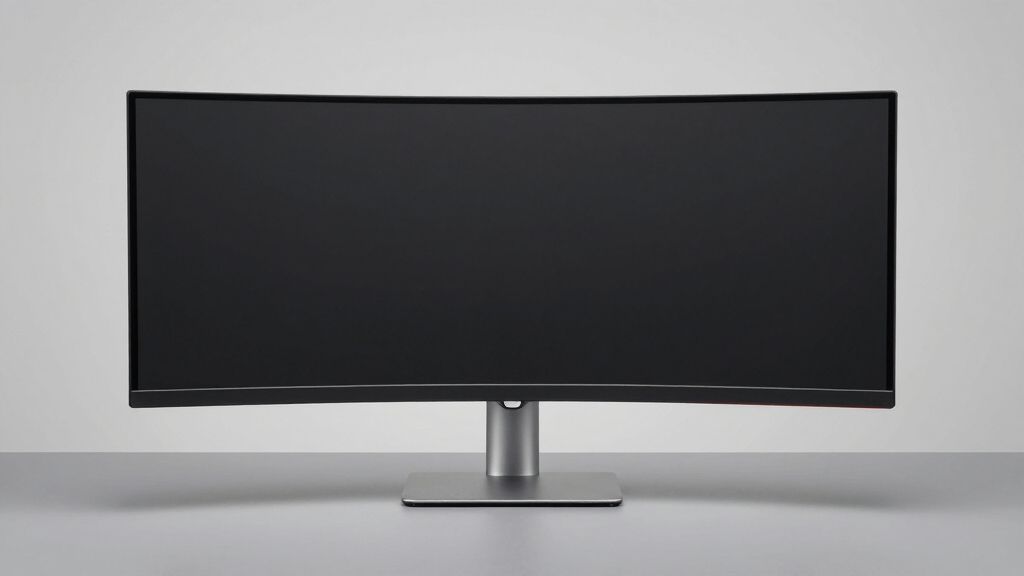

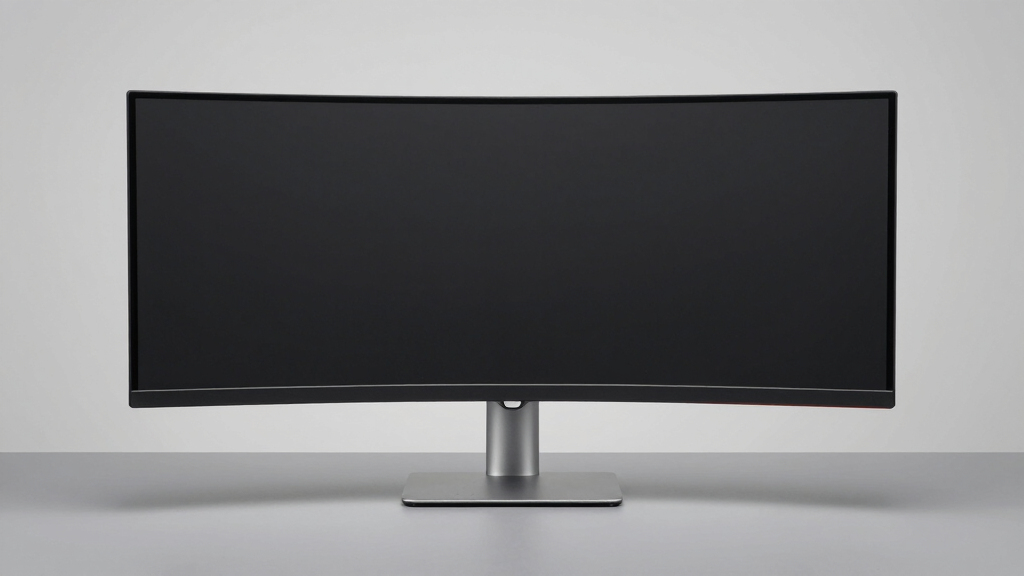
Ultrawide monitors continue to redefine productivity and entertainment with expansive screens that enhance multitasking, gaming, and creative work. The best options vary widely—from high-end OLED displays to budget-friendly WQHD models—each with distinct strengths and tradeoffs. For general use, the Samsung 34″ ViewFinity S50GC offers a balanced combination of clarity and versatility. For immersive gaming, the Samsung 49″ Odyssey OLED G9 delivers stunning visuals and rapid response times, but at a premium price. Deciding between these depends on whether you prioritize image quality, refresh rate, connectivity, or budget. Keep reading for a detailed breakdown of the top choices and what to consider before buying your ultrawide monitor.
Key Takeaways
- High refresh rates and fast response times are essential for gaming-focused ultrawides, with models like the Odyssey G9 excelling here.
- OLED and QD-OLED displays offer superior contrast and color accuracy, but come with higher prices and potential burn-in risks.
- Size and curvature significantly impact immersion; larger, curved screens tend to be better for gaming and multitasking, but may be less suitable for small desks.
- Connectivity options like USB-C, HDMI, and DisplayPort influence compatibility with modern devices and future-proofing.
- Price varies widely, with premium models offering advanced features at a cost, while budget options still deliver solid performance for everyday tasks.


More Details on Our Top Picks
Samsung 34″ ViewFinity S50GC Series Ultrawide QHD Monitor, 100Hz, HDR10, AMD FreeSync, Black
The Samsung ViewFinity S50GC stands out for its well-balanced combination of high display quality and multitasking features, making it an excellent choice for professionals and casual users alike. Its Ultra-WQHD resolution provides sharp images, surpassing standard Full HD options, and the over a billion color support with HDR10 ensures vibrant, true-to-life visuals. Compared with the LG 34WR55QK, this model offers better color accuracy and more advanced eye care features but comes at a higher price point. Its 100Hz refresh rate and adaptive sync technology make it suitable for light gaming without sacrificing clarity, unlike cheaper 3440×1440 monitors with lower specs. The monitor’s multiple input options, PIP and PBP, support multitasking workflows smoothly, but the larger size and premium price might deter budget-conscious buyers or those with limited desk space.
Pros:- Wide 34-inch ultrawide display enhances multitasking and immersive viewing
- High color accuracy with HDR10 and over a billion colors
- Eye care features reduce strain during long use
- Versatile input options with PIP and PBP for multitasking
Cons:- Higher price point may not suit budget-conscious users
- Limited to 3440×1440 resolution, not 4K
- Requires ample desk space for optimal setup
Best for: Creative professionals and multitaskers who want a versatile, eye-friendly ultrawide monitor with high color fidelity.
Not ideal for: Gamers seeking ultra-high refresh rates for competitive play or users with limited desk space.
- Size:34 inches
- Resolution:Ultra-WQHD (3440×1440)
- Refresh Rate:100Hz
- Response Time:5ms
- HDR:HDR10
- Connectivity:Multiple inputs with PIP and PBP
Bottom line: This monitor is ideal for professionals and media enthusiasts who prioritize color accuracy and multitasking capabilities without needing 4K resolution.
Samsung 49″ Odyssey OLED G9 (G91SD) Dual QHD Curved Gaming Monitor, 144Hz, 0.03ms, G-Sync Compatible, AMD FreeSync Premium Pro
The Odyssey OLED G9 pushes the boundaries of ultrawide gaming monitors through its expansive 49-inch curved screen and QD-OLED panel, delivering unmatched vibrancy and deep blacks. Its 5120×1440 resolution stands out against typical 3440×1440 displays like the Samsung ViewFinity S50GC, offering a more expansive workspace and immersive experience. The 144Hz refresh rate and 0.03ms response time provide smooth, tear-free gameplay, especially when paired with G-Sync or FreeSync, making it ideal for serious gamers. However, the high price and large footprint mean it’s best suited for dedicated gaming setups rather than casual use. Burn-in risk is a concern for static images, which could affect longevity if not managed carefully.
Pros:- Massive 49-inch curved display for immersive gaming
- Vivid colors and deep blacks via QD-OLED technology
- Ultra-fast 0.03ms response time and 144Hz refresh rate for competitive play
- Supports G-Sync and FreeSync for tear-free gaming
Cons:- High price and large size limit accessibility
- Potential for burn-in with static images over time
- Requires substantial desk space
Best for: Hardcore gamers seeking a massive, vibrant display with fast response times and adaptive sync technology.
Not ideal for: Users with limited desk space or those seeking a more budget-friendly ultrawide for general productivity.
- Screen Size:49 inches
- Resolution:5120 x 1440 (Dual QHD)
- Refresh Rate:144Hz
- Response Time:0.03ms
- Panel Technology:QD-OLED
- G-Sync Compatibility:Yes
Bottom line: This monitor is best suited for gamers who want an expansive, visually stunning experience and have the space and budget for it.
Samsung 49-Inch Odyssey G93SC Series Curved Gaming Monitor, QD-OLED, 240Hz, 0.03ms, DQHD, G-Sync Compatible, FreeSync Premium Pro, Adjustable Stand
The Samsung Odyssey G93SC elevates ultrawide gaming with its blistering 240Hz refresh rate and 0.03ms response time, making it ideal for esports and fast-paced titles. Its DQHD resolution and QD-OLED panel produce vibrant visuals with deep blacks, outperforming the dual QHD G9 in color richness and contrast. Its 49-inch curved form factor enhances immersion, while the adjustable stand adds ergonomic flexibility. Compared to the G9, this model offers faster refresh rates and slightly better color depth, but at a significantly higher price. The size and cost might limit its appeal to only the most serious gamers with ample space and budget, and burn-in remains a concern with static elements in extended sessions.
Pros:- Ultra-fast 240Hz refresh rate for competitive gaming
- Exceptional 0.03ms response time reduces motion blur
- Vivid DQHD visuals with deep blacks from QD-OLED
- Adjustable stand for ergonomic comfort
Cons:- Premium price and large footprint
- Potential burn-in with static images
- Requires substantial desk space
Best for: Competitive gamers demanding the fastest response times and ultra-smooth visuals in ultrawide format.
Not ideal for: Casual users or those with space constraints who don’t need the highest refresh rates or OLED benefits.
- Screen Size:49 inches
- Resolution:DQHD (5120 x 1440)
- Refresh Rate:240Hz
- Response Time:0.03ms
- Panel Technology:QD-OLED
- G-Sync Compatibility:Yes
Bottom line: This monitor is perfect for serious gamers who prioritize response speed and immersive visuals over cost or space constraints.
LG 34WR55QK-B 34-inch UltraWide WQHD Curved Monitor with HDR10, USB-C, and Adjustable Stand
The LG 34WR55QK-B offers a compelling ultrawide experience at a more accessible price compared to the Samsung ViewFinity S50GC. Its 3440×1440 resolution and HDR10 support deliver sharp visuals and vibrant colors suitable for productivity, light gaming, and content creation. Its USB-C port with 65W charging simplifies connectivity, and the adjustable stand enhances ergonomic comfort. While it lacks the higher refresh rates or advanced color calibration of premium models like the Samsung S50GC, it still provides a reliable, immersive 34-inch curved display for everyday use. Its 100Hz refresh rate isn’t ideal for high-end gaming, but it suits most casual users and multitaskers who don’t need cutting-edge performance.
Pros:- Large 34-inch curved display enhances multitasking and immersion
- Affordable price point for the ultrawide format
- USB-C with 65W charging for simplified setup
- HDR10 support and high sRGB coverage for vibrant visuals
Cons:- Limited to 100Hz refresh rate, not ideal for high-end gaming
- Not as feature-rich or color-accurate as premium models
- Requires ample desk space
Best for: Home office users or students seeking a large, curved ultrawide monitor with good color and features at a lower cost.
Not ideal for: Gamers or professionals requiring high refresh rates or precise color accuracy for critical tasks.
- Size:34 inches
- Resolution:3440 x 1440 (WQHD)
- Refresh Rate:100Hz
- Response Time:5ms
- HDR:HDR10
- Ports:HDMI, DisplayPort, USB-C (up to 65W)
Bottom line: This monitor offers a solid balance of size and features for casual users and multitaskers on a budget.
Samsung Viewfinity S65UA Series 34-Inch Ultrawide QHD Curved Monitor, 100Hz, USB-C, HDR10, Height Adjustable, TUV Eye Care
The Samsung Viewfinity S65UA combines an immersive 34-inch curved ultrawide display with features tailored for long working hours. Its Ultra-WQHD resolution and HDR10 support deliver sharp visuals with vibrant colors, comparable to the LG 34WR55QK but with a focus on eye health. The TUV-certified eye care technology, height adjustment, and flicker-free operation make it well-suited for those concerned about eye strain during extended use. Unlike the high-refresh-rate gaming monitors, the S65UA emphasizes comfort and visual quality for office or content creation, but it doesn’t excel in gaming performance due to its 100Hz refresh rate. Its USB-C port with 90W charging minimizes cable clutter, ideal for modern work setups.
Pros:- Immersive ultrawide curved display for multitasking
- TUV-certified eye care features reduce eye strain
- USB-C with 90W charging simplifies connectivity
- Height adjustable stand for ergonomic comfort
Cons:- Limited to 100Hz, not suitable for competitive gaming
- Premium price for the feature set
- Requires ample desk space
Best for: Professionals and students prioritizing ergonomic comfort and eye health in their ultrawide workspace.
Not ideal for: High-performance gamers or users needing ultra-high refresh rates for fast-paced gaming.
- Size:34 inches
- Resolution:Ultra WQHD (3440×1440)
- Refresh Rate:100Hz
- HDR:HDR10
- Connectivity:USB Type-C with 90W charging
- Design:Curved, height adjustable
Bottom line: This monitor is best for users who want a comfortable, eye-friendly ultrawide display for long working hours rather than fast-paced gaming.
Sceptre 34-Inch Curved Ultrawide WQHD Monitor (3440 × 1440), 180Hz, 1ms, Built-in Speakers, Machine Black, 2025
This Sceptre model stands out for combining a high refresh rate of 180Hz with a curved 34-inch screen, making it an attractive choice for gamers who also want to use the monitor for productivity. Compared to the Samsung ViewFinity S50GC, it offers a faster response time (1ms vs. 5ms), which is crucial for smooth gameplay, but it doesn’t include HDR support or extensive color features. Its ultra-wide aspect ratio boosts multitasking, yet the limited connectivity options (DisplayPort only) might restrict compatibility with some setups. The built-in speakers add convenience, but its size and design require ample desk space. Overall, this monitor suits gamers wanting a dual-purpose display with vibrant colors and fast action response, though at a potentially higher price and with limited connectivity.
Pros:- High refresh rate of 180Hz for ultra-smooth gameplay
- Curved 21:9 aspect ratio enhances immersion and multitasking
- Vivid colors with 99% sRGB coverage
- Modern design with LED backcover lighting
Cons:- Limited to DisplayPort connectivity, reducing compatibility
- Requires significant desk space due to size
- Potentially higher price point for the feature set
Best for: Gamers and creative users who prioritize fast response times and vivid visuals
Not ideal for: Users seeking extensive connectivity options or professional color accuracy without gaming focus
- Size:34 inches
- Resolution:3440 x 1440 (WQHD)
- Refresh Rate:up to 180Hz / 165Hz
- Response Time:1ms
- Panel Type:Curved
- Color Coverage:99% sRGB
Bottom line: Best suited for gamers who want a versatile, high-performance ultrawide that doubles for productivity tasks.
Samsung 49” Business Curved Ultrawide Dual QHD Computer Monitor with USB-C, HDMI, DisplayPort, 120Hz, VESA DisplayHDR 400, Built-in Speakers, Height Adjustable Stand, 2024
This Samsung 49-inch monitor offers a panoramic experience with a 32:9 aspect ratio, making it ideal for users who need extensive screen real estate. Compared with the LG 40WP95C-W, it provides a slightly larger display and a more comprehensive set of connectivity options, including multiple ports and 90W Power Delivery via USB-C. Its high resolution, HDR support, and adjustable stand support professional workflows, but the large size may be impractical for smaller desks or users with limited space. The high-quality color coverage and integrated speakers add convenience, yet its premium price could be a barrier for casual users. This monitor makes sense for professionals who want a single, immersive display for multitasking, creative work, or data analysis, but not for those who need portability or a more compact setup.
Pros:- Immersive 49-inch curved display enhances multitasking and immersion
- Multiple connectivity options, including USB-C with 90W charging
- High resolution with HDR400 support for richer visuals
- Adjustable stand improves ergonomics
Cons:- Requires substantial desk space due to large size
- Premium price may be prohibitive for some users
- Limited ergonomic adjustments beyond height
Best for: Professionals needing extensive multitasking and a seamless workspace
Not ideal for: Users with limited desk space or those seeking a portable or smaller ultrawide
- Size:49 inches
- Curvature:1000R
- Resolution:Dual QHD
- Refresh Rate:120Hz
- HDR:DisplayHDR 400
- Connectivity:DisplayPort, HDMI, USB-C
Bottom line: Ideal for professionals who need a large, versatile workspace with advanced connectivity and visual quality.
Samsung 34″ ViewFinity S50GC Series Ultra-WQHD Monitor, 100Hz, HDR10, AMD FreeSync, Black
This Samsung ViewFinity S50GC emphasizes color accuracy and detailed visuals with a 34-inch Ultra-WQHD display, making it well-suited for creative professionals and multitaskers. Compared to the LG 40WP95C-W, it offers a slightly lower resolution but includes HDR10 support and a high contrast ratio, resulting in vibrant, true-to-life colors. Its eye care features help reduce strain during long hours, and PIP/PBP modes support efficient multitasking. However, with a 100Hz refresh rate, it’s less suitable for high-end gaming or fast-paced multimedia. The lack of built-in speakers means additional peripherals are necessary, and its connectivity options, while versatile, require compatible hardware. This monitor benefits users seeking color fidelity and multitasking features, but not those prioritizing gaming or portability.
Pros:- Wide 34-inch Ultra-WQHD display for multitasking
- Vibrant colors with HDR10 and high contrast ratio
- Eye care technology to reduce fatigue
- Supports PIP and PBP for multitasking efficiency
Cons:- Limited to 100Hz refresh rate, not ideal for high-end gaming
- No built-in speakers included
- Requires compatible graphics hardware for advanced features
Best for: Creative professionals and multitaskers focused on color accuracy and detailed visuals
Not ideal for: Gamers or users needing higher refresh rates for fast action
- Screen Size:34 inches
- Resolution:Ultra-WQHD (3440×1440)
- Refresh Rate:100Hz
- HDR:HDR10
- Contrast Ratio:3000:1
- Inputs:2 x HDMI 2.2, 1 x DisplayPort 1.2
Bottom line: Best for creative users and multitaskers who prioritize accurate visuals over gaming performance.
Samsung 34′ Odyssey G5 Ultra-Wide Gaming Monitor with 1000R Curved Screen, 165Hz, 1ms, FreeSync Premium, WQHD, Black
The Odyssey G5’s standout feature is its 1000R curved screen, designed to maximize immersion during gaming sessions. Compared with the Sceptre 34-Inch, it offers a slightly lower refresh rate of 165Hz but emphasizes a bold, immersive experience with its deep curvature and HDR10 support. The 1ms response time and FreeSync Premium support ensure smooth, tear-free gameplay, making it a go-to for avid gamers. Its VA panel provides high contrast and vibrant colors, though the size might be a tight fit for some setups. The monitor’s design focuses on gaming performance, but it offers limited ergonomic adjustments. This model is best for gamers looking for a deeply curved display that enhances the sense of immersion, even if it sacrifices some versatility.
Pros:- Deep 1000R curvature enhances immersion
- High refresh rate of 165Hz and 1ms response time for smooth gameplay
- Vivid colors with HDR10 support
- Supports FreeSync Premium for tear-free gaming
Cons:- Size may be impractical for smaller desks
- Limited stand adjustments
- Premium price for gaming features
Best for: Dedicated gamers seeking an immersive, curved ultrawide experience
Not ideal for: Users who need extensive ergonomic adjustments or use the monitor for non-gaming tasks
- Size:34 inches
- Resolution:WQHD
- Refresh Rate:165Hz
- Response Time:1ms
- Curvature:1000R
- Technology:VA panel, HDR10
Bottom line: Perfect for gamers prioritizing a deeply immersive experience with fast, smooth visuals.
LG 40WP95C-W 40-Inch UltraWide 5K2K Curved Monitor Bundle (2-Pack)
This bundle of two LG 40-inch UltraWide monitors offers exceptional resolution with 5K2K clarity, ideal for detailed creative work or extensive multitasking. Compared to the Samsung ViewFinity S50GC, it provides a larger screen and a broader color coverage of 98% DCI-P3, along with extensive ergonomic options like height, tilt, swivel, and a curved design for comfort. Its Nano IPS technology ensures accurate and vibrant color reproduction, making it perfect for photo editing, video production, or complex multitasking setups. The inclusion of Thunderbolt 4 with 96W power delivery streamlines connectivity for professional workflows. The main tradeoff involves its size—requiring a substantial desk—and its premium price, which might be prohibitive for casual users or those with space constraints. This setup excels for demanding creative environments where precision and space are paramount.
Pros:- Large 40-inch 5K2K curved display delivers incredible detail
- Rich color coverage with 98% DCI-P3 and HDR10 support
- Versatile connectivity including Thunderbolt 4 with 96W PD
- Extensive ergonomic adjustments for comfortable long-term use
Cons:- Requires a large, sturdy desk due to size
- High price point may be a barrier for some
- Limited to two monitors, not expandable
Best for: Creative professionals requiring high-resolution, color-accurate displays for demanding workflows
Not ideal for: Casual users or those with limited desk space seeking a more compact, budget-friendly monitor
- Size:40 inches
- Resolution:5120×2160 (5K2K)
- Panel Type:Nano IPS
- Refresh Rate:72Hz
- HDR:HDR10
- Connectivity:Thunderbolt 4 (96W PD), HDMI, DisplayPort, USB-C
Bottom line: Ideal for creative professionals needing high-resolution, color-accurate displays with flexible ergonomics and connectivity.
Gawfolk 34-inch IPS Ultrawide Gaming Monitor, 120Hz, 2560x1080P, HDMI & DisplayPort, Wall-Mountable, Black
This Gawfolk 34-inch ultrawide monitor stands out for its impressive combination of size, color accuracy, and smooth visuals, making it ideal for both gaming and productivity. Unlike the Samsung ViewFinity S50GC, which offers a higher resolution, this model prioritizes a faster 120Hz refresh rate, ensuring fluid gameplay and scrolling. Its IPS panel delivers wide viewing angles and vibrant colors, but the 2560x1080P resolution falls short of the crispness found in 4K displays like the LG 34WR55QK-B. The ultra-thin, bezel-less design enhances immersion, while the wall-mount compatibility provides flexible placement options—although setup may require an extra wall-mount purchase. This monitor’s multiple input ports make it adaptable for various devices, but its resolution could limit clarity for detailed work. Overall, it makes sense for users seeking an immersive, versatile ultrawide with strong gaming performance.
Pros:- Large 34-inch ultrawide enhances multitasking and immersion
- 120Hz refresh rate delivers smooth visuals for gaming
- Wide 178-degree viewing angles and accurate colors from IPS panel
- Multiple input options including HDMI 2.1 and DisplayPort 1.4
Cons:- Resolution of 2560x1080P is less sharp than 4K or WQHD screens
- Lacks built-in speakers or advanced features
- Requires wall mount for optimal positioning, adding setup complexity
Best for: Gamers and productivity-focused users who want a large, smooth display with versatile connectivity.
Not ideal for: Professionals needing ultra-sharp resolution for detailed editing or high-end color work, as 1080P may feel limiting.
- Size:34 inches
- Resolution:2560x1080P
- Refresh Rate:120Hz
- Panel Type:IPS
- Viewing Angles:178 degrees
- Color Coverage:128% sRGB
- Input Options:HDMI 2.1, DisplayPort 1.4
- Wall Mount Compatibility:75x75mm
- Design:Ultra-thin, bezel-less
Bottom line: This monitor is best suited for users who prioritize immersive visuals and gaming performance over ultra-high resolution.
How We Picked
To determine the best ultrawide monitors, I evaluated each model based on performance, build quality, and feature set. Key considerations included screen resolution, refresh rate, response time, color accuracy, and ergonomic adjustments. I also examined connectivity options, adaptive sync support, and overall value for different use cases such as gaming, professional work, or general multitasking. Products were ranked by how well they balanced these factors according to their intended audience, with priority given to models that deliver consistent, high-quality visuals and usability over price alone. This approach ensures recommendations that suit a range of needs without sacrificing core display quality or functionality.Factors to Consider When Choosing Ultrawide Monitor
Choosing the right ultrawide monitor involves weighing several factors beyond just size and resolution. Understanding how features like refresh rate, curvature, and connectivity impact your experience helps prevent common mistakes such as overspending on unnecessary specs or buying a model incompatible with your setup. A well-chosen ultrawide can boost productivity, gaming immersion, or creative workflow, but the wrong fit could lead to frustration or underperformance. This guide highlights key considerations to help you make an informed decision tailored to your specific needs.Screen Size and Curvature
Size and curvature are vital for immersion and workspace management. Larger screens, such as 34 inches and above, generally provide more space for multitasking, but may overwhelm smaller desks or be difficult to place effectively. Curved screens, especially those with a 1800R or 1000R radius, enhance immersion by matching natural eye movement, making extended use more comfortable. However, aggressive curvature can distort images or be less suitable for productivity tasks that require precise straight lines, so consider your primary use and workspace constraints.
Resolution and Panel Type
Resolution determines image clarity—WQHD (3440×1440) strikes a good balance for most users, offering sharp visuals without demanding excessive GPU power. For professional color work, models with high color accuracy and support for HDR10 or VESA DisplayHDR standards are preferable. Panel type impacts contrast and viewing angles: IPS panels provide vibrant colors and wide angles, while OLED and QD-OLED options deliver exceptional contrast and deep blacks but at a higher cost and with potential burn-in concerns. Match your resolution and panel choice to your use case for best results.
Refresh Rate and Response Time
For gaming or fast-paced editing, a high refresh rate (at least 120Hz) and low response time (1-5ms) translate into smoother motion and less ghosting. Ultrawides with 144Hz or higher are ideal for immersive gaming, but many professional monitors prioritize color accuracy and stable image over high refresh rates. Conversely, for casual use or office tasks, standard 60Hz to 100Hz models are sufficient. Be aware that higher refresh rates often come with a premium price and sometimes require more powerful hardware to fully utilize.
Connectivity and Ergonomics
Modern ultrawide monitors benefit from versatile connectivity options, including USB-C for single-cable setups, HDMI, and DisplayPort. USB-C is especially useful for connecting laptops and peripherals, streamlining your workspace. Ergonomic features like height adjustment, tilt, and swivel improve comfort during long work sessions. Some models also include built-in speakers or smart features, but these are often less robust than dedicated audio devices. Consider your device compatibility and ergonomic needs to avoid frustration or the need for additional accessories.
Price and Long-term Value
Pricing for ultrawide monitors varies dramatically, from budget-friendly WQHD models to premium OLED or 5K displays. It’s tempting to choose the most feature-rich option, but it’s important to evaluate whether those features align with your primary use case. Spending more generally ensures better build quality, color accuracy, and future-proofing, but budget models can still serve well for basic multitasking or casual gaming. Balance your budget with the features that will impact your daily use most, and consider durability and warranty support for long-term value.
Frequently Asked Questions
Is a curved ultrawide monitor better for gaming or productivity?
Curved ultrawide monitors tend to enhance immersion and can reduce eye strain during extended gaming or multimedia use, making them excellent for gaming enthusiasts. For productivity tasks like document editing or spreadsheets, flat screens may offer more accurate straight-line alignment and less distortion. The choice depends on your primary use; curved screens excel in immersive experiences, while flat screens might be preferable for precise work and multi-window setups.
Do I need a high refresh rate on an ultrawide monitor if I only use it for work?
For typical office tasks, a refresh rate of 60Hz to 75Hz is sufficient, as these activities do not require rapid motion rendering. Higher refresh rates (120Hz and above) primarily benefit gaming or fast video editing, where smoother motion and reduced ghosting are noticeable. If you also plan to do some gaming or video editing, investing in a higher refresh rate could be worthwhile, but for general productivity, it’s an unnecessary expense.
What panel type should I prioritize for color accuracy?
IPS panels are generally preferred for tasks requiring accurate colors and wide viewing angles, making them ideal for creative professionals. OLED and QD-OLED displays offer even deeper contrast and richer colors, but at a premium cost and with some risk of burn-in if static images are displayed for too long. When color accuracy is a priority, look for monitors with factory calibration and support for wide color gamuts like DCI-P3 or AdobeRGB.
How important is connectivity for an ultrawide monitor?
Connectivity options determine how seamlessly you can integrate the monitor into your existing setup. USB-C support allows for simple single-cable connections, which is especially beneficial for laptops. HDMI and DisplayPort are also common and necessary for compatibility with most desktops and gaming consoles. Ensuring your chosen monitor has the right ports and supports the latest standards helps future-proof your investment and reduces the need for additional adapters or hubs.
Should I pay more for a monitor with HDR support?
HDR support enhances contrast and color vibrancy, making it worthwhile for media creators, photo editing, or watching HDR content. However, not all HDR implementations are equal; look for standards like VESA DisplayHDR 400 or higher, which promise noticeable improvements. For general use or gaming, HDR can improve visual richness, but the difference may not justify a high price premium if your primary focus is productivity or budget-conscious performance.
Conclusion
For those seeking the best overall balance of features and performance, the Samsung 34″ ViewFinity S50GC stands out as a versatile choice for both work and entertainment. Gamers aiming for immersive, high-speed experiences will find the Samsung 49″ Odyssey OLED G9 unbeatable, despite its higher cost. Budget-conscious buyers or casual users should consider models like the Sceptre 34-Inch Curved Ultrawide, which offers good performance at a lower price. Creative professionals should prioritize OLED or high-color-accuracy IPS options, such as certain premium models. Ultimately, your choice depends on your specific needs—whether it’s gaming, professional work, or everyday multitasking—so weigh the features that matter most to your workflow and budget.