Ultrawide monitors are popular for work and play because they give you an expansive, seamless space that boosts efficiency and immersion. They help you multitask easily by reducing the need to switch between windows, making tasks like video editing or spreadsheets simpler. Plus, their superior color accuracy and ergonomic features keep you comfortable and focused during long sessions. If you want to discover how these screens can transform your setup, keep exploring the benefits.
Key Takeaways
- They enhance multitasking by providing expansive screens for managing multiple windows efficiently.
- Superior visual quality and color accuracy benefit creative work and immersive entertainment.
- Ergonomic features ensure comfort during long work or gaming sessions, reducing strain.
- Wide screens improve workspace organization, boosting productivity and focus.
- Advanced features like flicker-free tech and blue light filters support extended, healthy use.
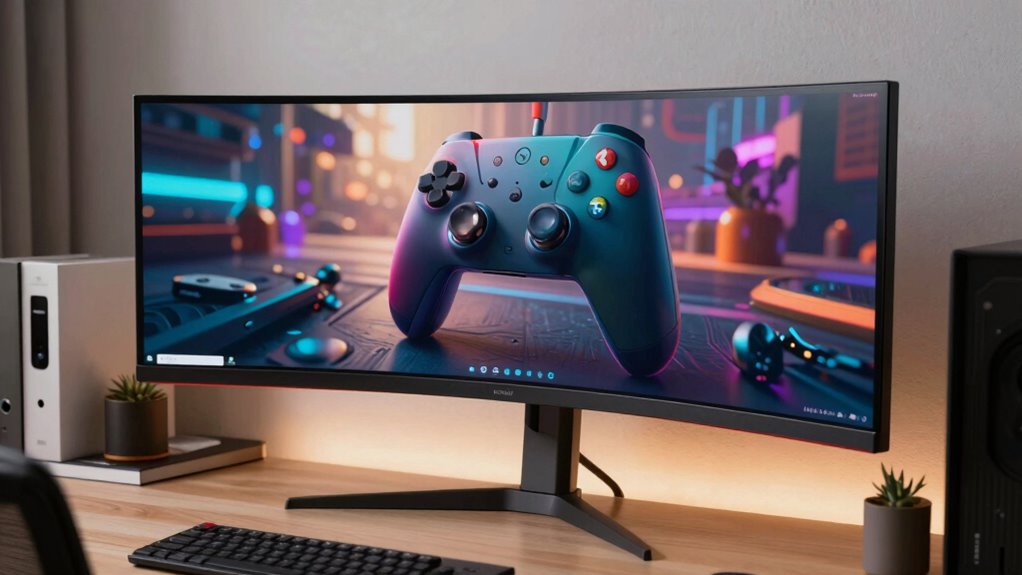
If you’re looking to boost productivity and enhance your entertainment experience, ultrawide monitors are a game-changer. Their expansive screens provide a seamless workspace that reduces the need to switch between multiple windows, making multitasking smoother and more efficient. Whether you’re editing videos, designing graphics, or managing spreadsheets, the extra screen real estate allows you to see more at once, saving you time and minimizing distractions. Plus, many ultrawide monitors come with advanced features like precise color calibration, guaranteeing that your visuals are accurate and vibrant—crucial for creative professionals who need consistent color output across projects. The ability to fine-tune color settings helps you match your display to industry standards or personal preferences, making your work look exactly as intended. Additionally, the color calibration features in many ultrawide monitors ensure color accuracy, which is essential for creative work requiring precise visual representation.
For extended use, ergonomic design plays an essential role, and many ultrawide monitors are built with adjustable stands that let you customize height, tilt, and swivel, reducing neck and eye strain during long work sessions. This ergonomic focus ensures you maintain good posture and comfort, which is critical for productivity and well-being. Incorporating features like ergonomic adjustments also helps prevent discomfort and supports healthier viewing habits. The wide screen also encourages better organization of your workspace, helping you keep everything within easy view without excessive head movement or eye fatigue. The design often includes features like flicker-free technology and blue light filters, further minimizing eye discomfort during extended use, whether for work or play.

Sceptre 34-Inch Curved Ultrawide WQHD Monitor (3440 × 1440), R1500, up to 180Hz/165Hz, DisplayPort x2, 99% sRGB, 1ms, Built-in Speakers, Machine Black, 2025 (C345B-QUT168)
1ms MPRT: Colors fade and illuminate instantly with a 1ms response time, eliminating ghosting and piecing together precise…
As an affiliate, we earn on qualifying purchases.
As an affiliate, we earn on qualifying purchases.
Frequently Asked Questions
Are Ultrawide Monitors Suitable for Gaming Compared to Traditional Screens?
Yes, ultrawide monitors are great for gaming because they offer an immersive experience that pulls you into the action. You’ll enjoy a wider field of view, making games feel more realistic. However, be aware of potential visual distortion in some models, which can affect gameplay. Overall, they enhance your gaming sessions, but it’s important to choose a high-quality monitor to minimize any distortion and maximize the experience.
What Is the Best Resolution for Ultrawide Monitors?
The best resolution for ultrawide monitors is typically 3440×1440 pixels, which complements their 21:9 aspect ratio, offering sharp images and ample workspace. If you prefer a more immersive experience, consider a curved screen with a higher resolution like 3840×1600. A monitor’s aspect ratio and screen curvature are key, as they enhance visual comfort and overall clarity, making your work and play more engaging.
Do Ultrawide Monitors Require Special Graphics Cards?
Yes, ultrawide monitors often need a compatible graphics card. You should check graphic card compatibility to guarantee it can handle the wider resolution and refresh rates. Additionally, you might need to perform display calibration to optimize image quality. Investing in a powerful GPU ensures smooth performance, especially for gaming or multitasking. Make sure your setup supports the monitor’s specifications for the best experience.
How Do Ultrawide Monitors Impact Desk Space and Ergonomics?
Ultrawide monitors can clutter your desk and challenge your ergonomic comfort. Their sizable screens demand more space, possibly crowding your workspace and creating desk clutter. To stay comfortable, you might need to adjust your chair and monitor height, ensuring proper posture. While they enhance visual immersion, you should measure your desk’s dimensions carefully to balance the benefits with ergonomic and space considerations.
Can Ultrawide Monitors Replace Multiple Monitors Effectively?
Yes, ultrawide monitors can effectively replace multiple monitors, boosting your multitasking efficiency and improving workspace organization. With a single, expansive display, you can view multiple applications side-by-side without the hassle of managing several screens. This setup reduces clutter, streamlines your workflow, and keeps everything within your line of sight. Plus, it minimizes the need for constant monitor adjustments, making your work and play sessions more seamless and immersive.

VIVO Premium Aluminum Full Motion Single Ultrawide Monitor Desk Mount Stand with Lift Engine Arm, Fits Screens up to 40 inches, STAND-V101BB
Ultrawide Compatibility: Fits most 17” to 40” ultra wide monitors on the market (both flat and curved screens)….
As an affiliate, we earn on qualifying purchases.
As an affiliate, we earn on qualifying purchases.
Conclusion
In the end, ultrawide monitors aren’t just a gadget—they’re like a superpower for your workspace and gaming setup. They make multitasking feel effortless and gaming worlds more immersive than you ever imagined. Once you experience the panoramic view, going back to a regular screen feels like watching TV through a tiny keyhole. So, if you want your work and play to reach epic new heights, an ultrawide monitor is the game-changer you’ve been dreaming of.

Sceptre 30-inch Curved Gaming Monitor 21:9 2560×1080 Ultra Wide/ Slim HDMI DisplayPort up to 200Hz Build-in Speakers, Metal Black (C305B-200UN1)
30" Curved Gaming Monitor 2560 x 1080 Full HD Resolution. Response Time- 5ms GTG.Aspect Ratio: 21:9. Viewing Angle…
As an affiliate, we earn on qualifying purchases.
As an affiliate, we earn on qualifying purchases.
Sceptre 34-Inch Curved Ultrawide WQHD Monitor (3440 × 1440), R1500, up to 180Hz/165Hz, DisplayPort x2, 99% sRGB, 1ms, Built-in Speakers, Machine Black, 2025 (C345B-QUT168)
1ms MPRT: Colors fade and illuminate instantly with a 1ms response time, eliminating ghosting and piecing together precise…
As an affiliate, we earn on qualifying purchases.
As an affiliate, we earn on qualifying purchases.