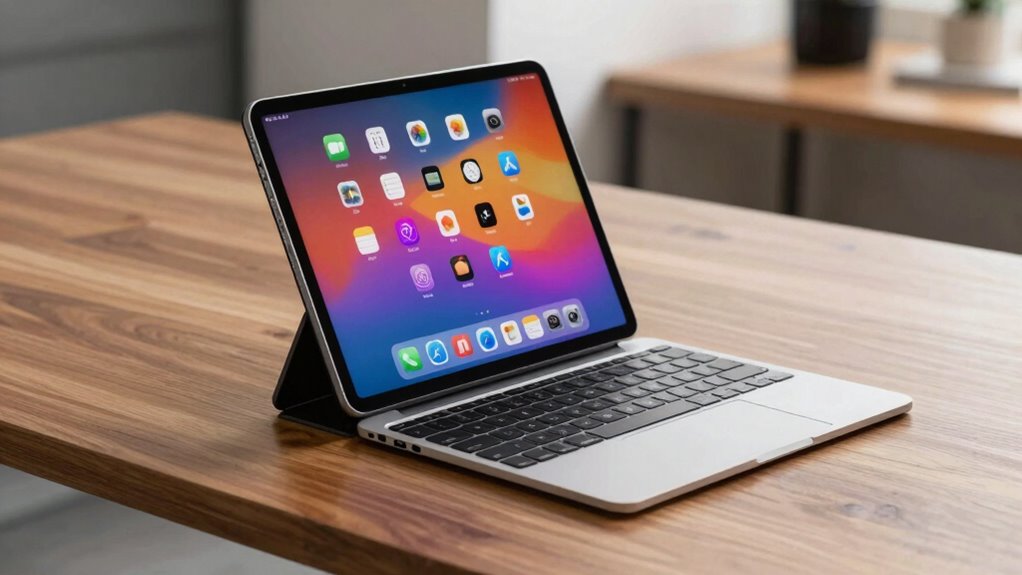

Tablets with keyboards blur the line between laptops and mobile devices because they combine touchscreen versatility with the power of traditional laptops. You can easily switch between typing, sketching, and scrolling, making them suitable for both casual use and productivity. They support a broad app ecosystem and are often detachable, offering portability and high-resolution displays. If you keep exploring, you’ll discover how these hybrid devices adapt to different needs and enhance your overall experience.

Get everyday essentials delivered free with Prime
- Fast, free delivery on millions of items
- Prime Video, Amazon Music and more included
- Member-only deals all year
Key Takeaways
- Touchscreen functionality allows seamless switching between typing, sketching, and scrolling, mimicking a tablet experience.
- App ecosystems enable running familiar software across modes, combining mobile and laptop capabilities.
- Detachable keyboards and stylus support transform tablets into productivity tools, similar to laptops.
- High-resolution displays and multitasking features enhance versatility for work, learning, and entertainment.
- Software compatibility ensures smooth transitions and maintains the functionality of traditional laptop applications.
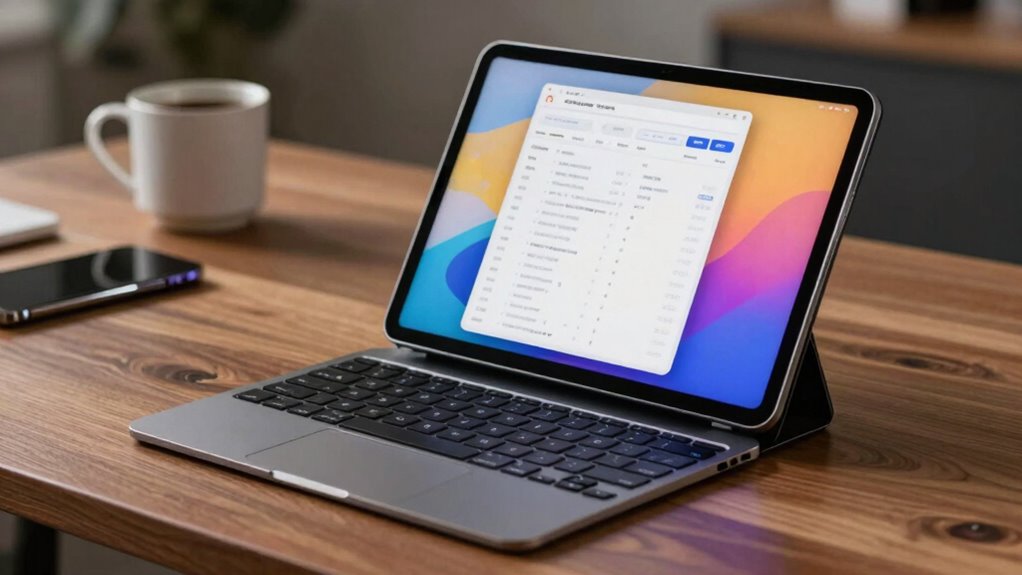
As tablets with keyboards become more powerful and versatile, they’re increasingly blurring the line between traditional laptops and mobile devices. You can now use them for work, entertainment, and everything in between, thanks to their touchscreen versatility. Touchscreens allow you to switch seamlessly between typing, sketching, or scrolling through content, giving you a flexible experience that adapts to your needs. Whether you’re jotting down notes during a meeting or flipping through photos, the touchscreen makes it easy to interact naturally, much like a tablet, but with the added benefit of a keyboard for more intensive tasks.
One of the key reasons these devices feel like hybrids is their robust app ecosystem integration. You can access a broad range of applications, from productivity suites like Microsoft Office to creative tools like Adobe Photoshop, all optimized for touchscreen use. This integration means you don’t have to compromise on functionality, whether you’re working on a document or editing a video. You can run familiar apps that you use on your phone or laptop, but now on a device that’s lightweight and portable. This seamless app ecosystem integration makes it easier to jump from casual browsing to serious work without switching devices.
The combination of touchscreen versatility and app ecosystem integration means you get the best of both worlds. You can use the touchscreen for quick interactions, like scrolling through social media or drawing with a stylus, and then switch to keyboard mode for more extensive typing or multitasking. This flexibility reduces the need to carry multiple devices, making tablets with keyboards a practical choice for many users. They’re especially appealing if you value mobility but still need the power and functionality of a traditional laptop.
Furthermore, these tablets often come with features like detachable keyboards, stylus support, and high-resolution displays, enhancing their laptop-like capabilities. You get a device that can serve as a tablet for casual use and as a laptop for productivity, all in one. This versatility is why more professionals, students, and digital creatives are choosing tablets with keyboards over separate devices. They provide the convenience of a mobile device with the power and software compatibility of a laptop, blurring the traditional boundaries between the two. As technology continues to evolve, it’s clear that tablets with keyboards are reshaping how you work, learn, and play, making the transition between devices smoother than ever before. Additionally, software compatibility plays a crucial role in enabling these devices to perform like traditional laptops.
Popular right now
Dyson Car+Boat Cordless Handheld Vacuum

Samsung 48-Inch S90H OLED 4K Smart TV (2026)

Breville Barista Pro Espresso Machine with Grinder, Brushed Stainless Steel
As an affiliate, we earn on qualifying purchases.
Frequently Asked Questions
How Do Tablet Keyboards Compare to Traditional Laptop Keyboards?
Tablet keyboards often differ from traditional laptop keyboards in touchpad integration and key layout design. You might find tablet keyboards have smaller or detachable touchpads, which can affect navigation ease. The key layout design may also be more compact, making typing slightly less comfortable for long periods. However, they’re portable and versatile, allowing you to switch between tablet and laptop modes effortlessly, blending convenience with functionality.
Can Tablets With Keyboards Replace Laptops for Professional Work?
You can definitely consider tablets with keyboards for professional work, especially if you’re into digital note-taking and rely on a robust app ecosystem. While they might not match a high-end laptop’s power, they’re incredibly versatile, lightweight, and perfect for on-the-go productivity. For many, they serve as a capable replacement, but complex tasks or heavy multitasking might still need a traditional laptop. Still, they’re a game-changer for everyday professional use.
What Are the Limitations of Tablets With Keyboards?
You’ll find that tablets with keyboards have limitations, such as less powerful processors compared to laptops, which can affect multitasking and demanding tasks. Stylus compatibility varies, making drawing or note-taking inconsistent across devices. Additionally, the app ecosystem isn’t as extensive or optimized for productivity as traditional laptops, restricting software options. These factors can hinder your ability to fully replace a laptop, especially for high-performance or specialized work.
Are There Specific Operating Systems Better Suited for Tablets With Keyboards?
You’ll find that operating systems like Windows and iPadOS are better suited for tablets with keyboards because of their flexibility and robust app ecosystems. Windows offers operating system flexibility, allowing seamless multitasking and compatibility with a wide range of software, making it feel more like a traditional laptop. Meanwhile, iPadOS dominates with its app ecosystem, providing access to a vast array of optimized apps, enhancing productivity and usability on tablet devices.
How Does Battery Life Differ Between Tablets With Keyboards and Laptops?
You’ll find that tablets with keyboards often have better battery efficiency than laptops, sometimes lasting up to 12 hours on a single charge. This makes them ideal for on-the-go use. Charging convenience is also simpler, with many tablets supporting quick charging or longer battery life, so you don’t worry about running out of power during busy days. Overall, they tend to keep you powered longer, with less fuss.
Conclusion
You can see how tablets with keyboards are redefining portability, blending the best of laptops and mobile devices. They offer the power of a computer with the convenience of a tablet, making them perfect for work and play on the go. Notably, a recent survey found that 65% of users prefer tablets with keyboards for their versatility. This shift shows how technology continues to evolve, blurring lines and transforming how you stay connected wherever you are.