TL;DR
News aggregator apps collect or organize stories from multiple publishers in one feed, using editorial decisions, algorithms, your settings, or a mix of all three. They can save time and make it easier to compare coverage, but a broad-looking feed is not automatically balanced; check original reporting for important details and review the app’s privacy and source controls.
Use an aggregator as a starting point for stories from multiple publishers, then open original reporting when details matter.
A large source count does not guarantee a balanced feed; publisher selection, ranking and your settings all shape coverage.
Follow multiple publishers and topics, and review your feed if it keeps repeating the same subjects or viewpoints.
Check summaries against original articles for consequential claims, and look for publication dates and updates during fast-moving events.
Before choosing an app, compare its source range, customization controls, privacy settings, reading access and cost.

Get everyday essentials delivered free with Prime
- Fast, free delivery on millions of items
- Prime Video, Amazon Music and more included
- Member-only deals all year
What a news aggregator app gives you in one feed
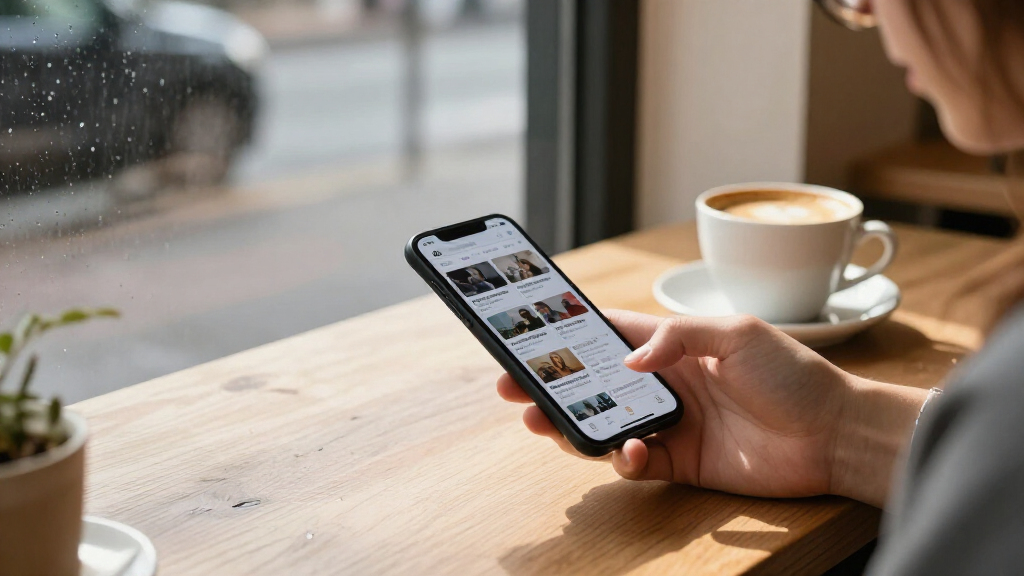
A news aggregator app collects or organizes stories from multiple publishers in one feed or interface. It gives you a shared place to scan headlines and follow subjects, while the reporting usually comes from the publishers themselves. In plain terms, think of it as a newsstand that rearranges itself around your interests: the papers still write the stories, but the app decides how to display them. For example, you might open an app on the train and see a local transport update, an international election story and a technology report together. Tap a headline and the app may show a short excerpt, a permitted version of the article or a link to the publisher’s site. Some services also commission or produce original material, so the boundary between organizer and publisher can vary. A publisher’s app generally focuses on that outlet’s own journalism. An aggregator can help you find reporting from several outlets without opening each one first. That wider doorway is useful, but it does not tell you whether every article is free, complete or drawn from a broad set of perspectives.Popular right now

Roborock F25 XT Cordless Wet-Dry Vacuum Mop

Dyson Cyclone V10 Origin Cordless Vacuum

Ninja CM401 Specialty Coffee Maker with 10-Cup Carafe and Fold-Away Frother
As an affiliate, we earn on qualifying purchases.
How apps decide which stories land at the top
News aggregator apps select and rank stories using editorial judgment, algorithms, your preferences or some combination of them. Ranking may weigh freshness, relevance, popularity or location, and the exact mix differs by service. That means two readers opening the same app may not see the same front page. Imagine you follow city politics and cycling. A local council vote might rise near the top because it is recent, near you and linked to topics you follow. A national economic report could sit lower even if it affects your household, simply because your recent reading points the system elsewhere. The feed is a set of choices, not a neutral window onto every story available. When an app explains its recommendations or lets you tune them, you get more say in those choices. But controls cannot reveal every ranking rule, and a popular headline is not necessarily the most useful one. If you keep seeing the same kind of story, check whether you can change topic settings, follow particular sources or reset recommendations.How to make your feed broader without making it noisy
You can broaden a news feed by following a deliberate mix of subjects and publishers, then checking what the app actually shows you. Personalization can make a feed feel relevant, but repeated recommendations may narrow the range of coverage you encounter. A few small adjustments can bring in unfamiliar reporting without flooding your screen.
- Choose several subjects, including one you do not follow every day. If you track local housing, add health or international news.
- Follow more than one publisher for a major topic. When a transit strike affects your commute, compare a local report with a national account.
- Use the source and topic controls to hide unwanted material or add reporting you are missing.
- Review the feed after a week. If every headline seems to repeat one angle, adjust your follows and look for a different source.
A larger source list does not guarantee balance. The publishers an app carries, the order of stories and your own settings all affect what reaches you. Picture a playlist that contains hundreds of songs but keeps replaying the same few: the catalogue may be broad while your daily experience stays narrow. Treat feed controls as a starting point, and open original coverage when a story matters to you.
When a summary helps—and when to open the article
A headline or summary is a quick orientation, not a replacement for original reporting when details or context matter. Apps may show a headline, an excerpt, an agreed version of a story or a generated summary. What you can read inside the app depends on the service and the publisher, so one story may open fully while another stops at a paywall.
Short formats can be handy when you have a minute to check whether a school closure affects your route or whether a match has finished. They also have limits: a summary may leave out the source of a claim, a qualification or the latest update. AI-generated summaries can misstate details, which makes the original report the better reference for consequential claims.
Use the summary to decide what deserves your attention; use the original report to verify what happened.
For example, if a brief says a new rule starts “next month,” open the linked article and check its date, the affected group and any later correction. In a fast-moving storm or election, publication time can matter as much as the headline. A summary saves seconds; a source check can save you from repeating an outdated or incomplete claim.
What to check before choosing an app
The best aggregator for you depends on its publisher range, feed controls, privacy settings, reading experience and cost. Many apps are free to use and earn money through advertising; others offer subscriptions, premium features or access tied to publisher agreements. Compare the parts you will notice every day, not just the number of headlines on the download page.
| What to compare | What to check | Why it matters |
|---|---|---|
| Sources | Can you find local outlets and several publishers for your main topics? | A broad catalogue is useful only if it includes reporting you want to read. |
| Controls | Can you follow or hide topics and sources? | Clear controls help you shape the feed instead of accepting its default. |
| Reading access | Does the app show excerpts, full stories or publisher links? | Links may lead to a paywall or a different reading experience. |
| Privacy | What reading, location or account data does it collect, and can you limit personalization? | Feed features can depend on information about your activity. |
| Cost and ads | Is the service ad-supported, paid or a mix? | Pricing and content access can affect how often you use it. |
Try one app for a normal week rather than judging it from a dramatic breaking-news day. If you read on a crowded bus, test whether headlines are legible and articles load reliably. If you care most about neighborhood updates, search for those sources directly and see whether the app carries them. An app that fits your actual routine can be more useful than one with a longer feature list.
How privacy, payment and publisher deals shape the experience
Business models and privacy practices can affect what your aggregator shows and what information it collects. Services may earn revenue from ads, subscriptions, licensing deals with publishers or a combination. The details vary between companies and countries, and can influence how much article text appears, which links you can open and whether a publisher paywall still applies.
Personalized recommendations may use your reading activity, location or account and device data. For instance, a local feed might use your region to surface nearby public-safety updates. That can be convenient, but you should check the app’s privacy settings and policy to see what it collects, how it uses that information and whether you can limit personalization.
Publisher arrangements also shape the reading experience. One article may appear as a short excerpt while another opens inside the app; a third may send you to the publisher’s website. A licensing agreement does not mean every story from that publisher will be available or that every reader can bypass a subscription. Before paying, check the app’s current pricing and test a few links you would actually read.
A simple habit for checking important stories
For an important or fast-moving story, check the date, open the source and look for updates. Aggregators rely on publishers for reporting and on their own systems for ranking, labeling and linking. That creates two places where context can get lost: an article may have changed since it first appeared, or a feed may surface an older version beside newer coverage.
- Read the timestamp. A post from this morning may already be out of date during a fast-moving event.
- Open the original story. Check who reported it and whether the article links to documents, statements or named sources.
- Look for an update or correction. If the claim affects a decision, see whether the publisher has added new information.
- Compare another report. A second reputable outlet may add a missing detail or clarify what remains uncertain.
Suppose your feed says a bridge is closed after a crash. Before changing your route, open the linked local report and look for the publication time and latest traffic update. The aggregator helps you find the story quickly; the source and timestamp help you decide whether its information still applies. That distinction matters most when people are still reporting what happened.
Frequently Asked Questions
Are news aggregator apps free?
Many are free to download and use, often with advertising. Some offer paid plans or premium features, and articles linked from the app may require a publisher subscription.
Do aggregator apps show full articles?
It depends on the app and the publisher. You may see a headline or excerpt, read more under an agreement, or follow a link to the original site, where a paywall may apply.
Can I customize my news feed?
Many apps let you follow topics or publishers, hide subjects and adjust recommendations. The controls vary, so check whether you can shape the feed in the way you want.
Can personalized feeds create a filter bubble?
Personalization can repeatedly surface similar subjects or viewpoints, which may narrow what you encounter. Following a wider range of reputable publishers and checking your feed can help broaden it, though no single app guarantees complete coverage.
Are news summaries accurate?
Summaries can help you get oriented, but they may omit context, and AI-generated versions can get details wrong. Open the original reporting and check for updates before relying on an important claim.
What should I check before installing a news aggregator app?
Compare the publishers it carries, its topic and source controls, its privacy settings, how it handles article links and its cost. Try searching for a local outlet and a topic you follow to see whether the app actually fits your routine.